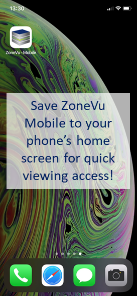
ZoneVu - Mobile Viewer: https://zonevu.ubiterra.com/mobile
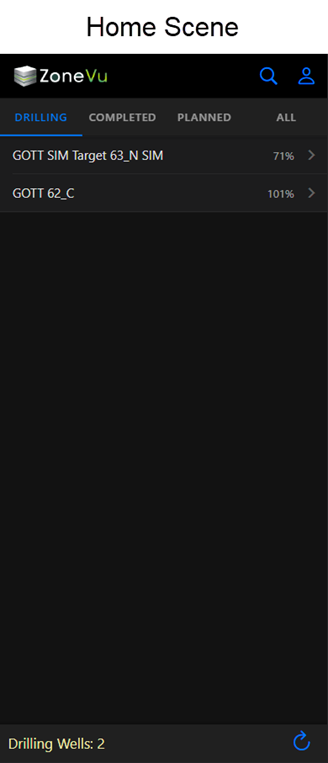
On the Home Screen, you can toggle between all Drilling, Completed, Planned, and a list of All Wells
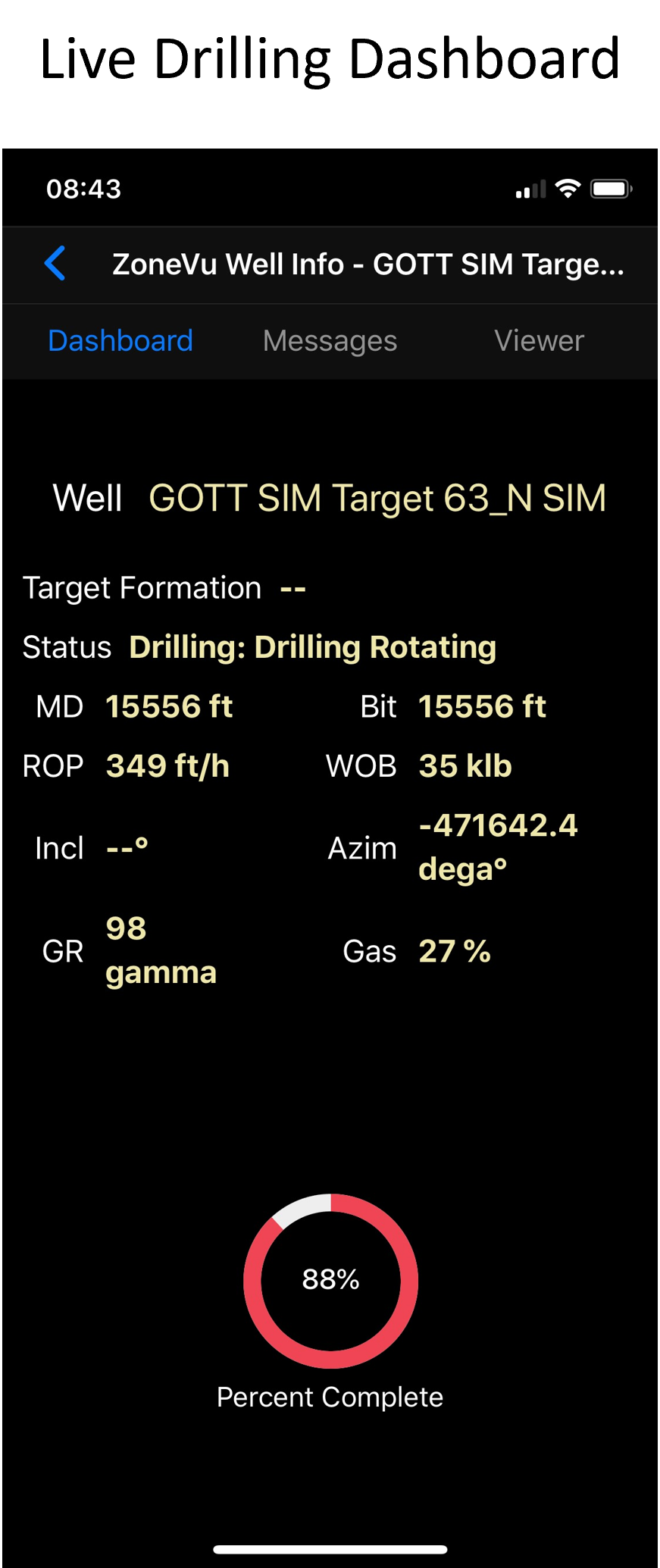
Once you have selected a well, you will be taken to the Drilling Dashboard displaying the most up-to-date drilling data from your RigStream connection.
Target Formation - The designated geologic target for the well
Status - Operation status reported by the rig
MD - Current hole MD depth
Bit - Current bit MD depth
ROP - Rate of penetration
WOB - Weight on bit
Incl - Latest bit Inclination
Azim - Latest bit azimuth
GR - Latest gamma-ray reading
Gas - Latest gas data
Percent Complete - Percent of the well plan total MD drilled (Current MD/Plan Total MD)
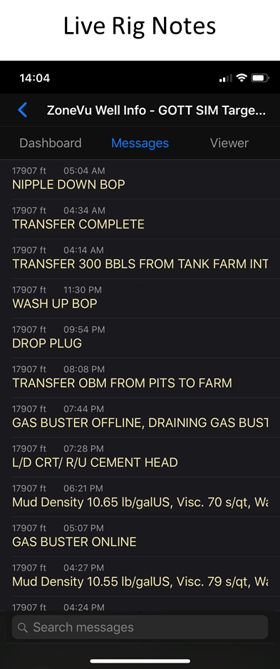
The Messages tab will display all of the rig notes.
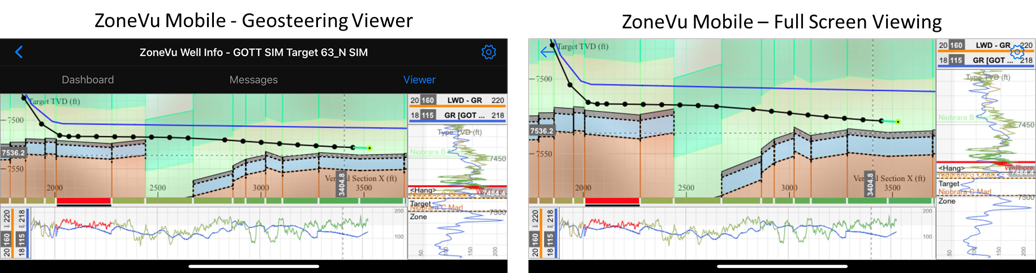
The Viewer tab displays a simplified version of the full ZoneVu Viewer. Since RigStream automatically loads surveys and depth corrects all WITSML log data, what you see on the Mobile Viewer is the most up-to-date data from the rig. In the cross-section, you can select blocks, pan, and zoom. The Horizontal and Vertical Tracks are populated with the LWD log and Type log Curves. The LWD log segment related to the active block will be highlighted red, the rest of the log will be colored using the standard rainbow pallet.
Both the Vertical and Horizontal Tracks can be scaled by placing a finger on the track edge and swiping up or left.
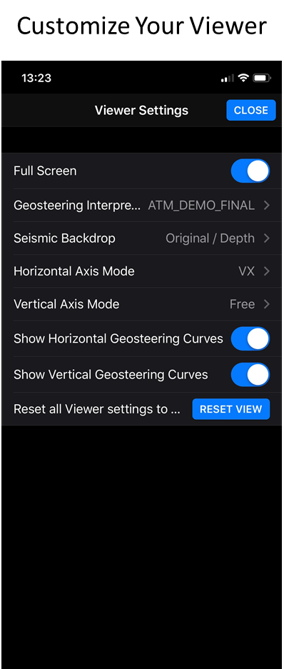
The cogwheel in the upper right allows you to customize your display:
Full Screen - Hides the black header
Geosteering Interpretations - Turn Geosteering Interpretations On/Off, switch between all visible Geosteering Interpretations
Seismic Backdrop - Turn the seismic backdrop On/Off, switch between different loaded seismic volumes
Horizontal Axis Mode - Toggle between MD and VS horizontal scales
Vertical Axis Mode - Couple or decouple the cross-section and vertical Log scaling
Show Horizontal Geosteering Curves - Toggle horizontal log track On/Off
Show Vertical Geosteering Curves - Toggle vertical log track On/Off
Pro Tip: Map the ZoneVu Mobile Viewer webpage to your phone’s home screen for quick access
https://www.howtogeek.com/196087/how-to-add-websites-to-the-home-screen-on-any-smartphone-or-tablet/