The Viewers (Map, 3D, & 2D) are where most of the work is done in ZoneVu. From the ZoneVu Home Page, there are several ways to enter the Viewer. Since the same Well/Geomodel/Seismic can be added to multiple Projects, you will first need to decide which Project you want to work in. From there, use one of the following ways to get into the Viewer for the Project.
Viewer Button Locations:
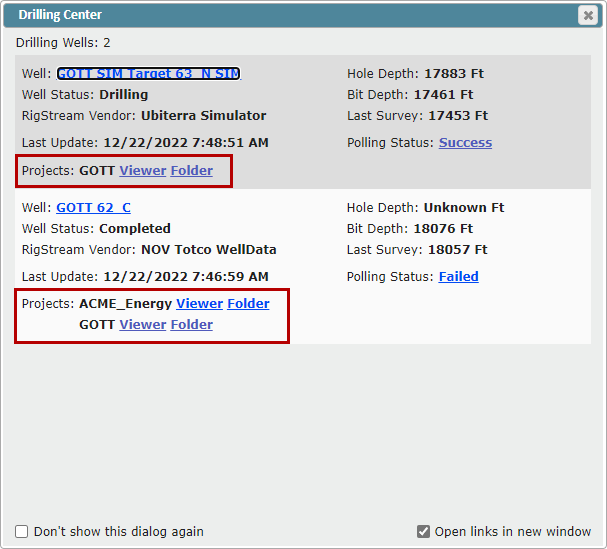
Drilling Center:
Select a Well to work on and click the "Viewer" hyperlink
Note: If the Well has been added to more than one Project, there will be a "Viewer" hyperlink for each project
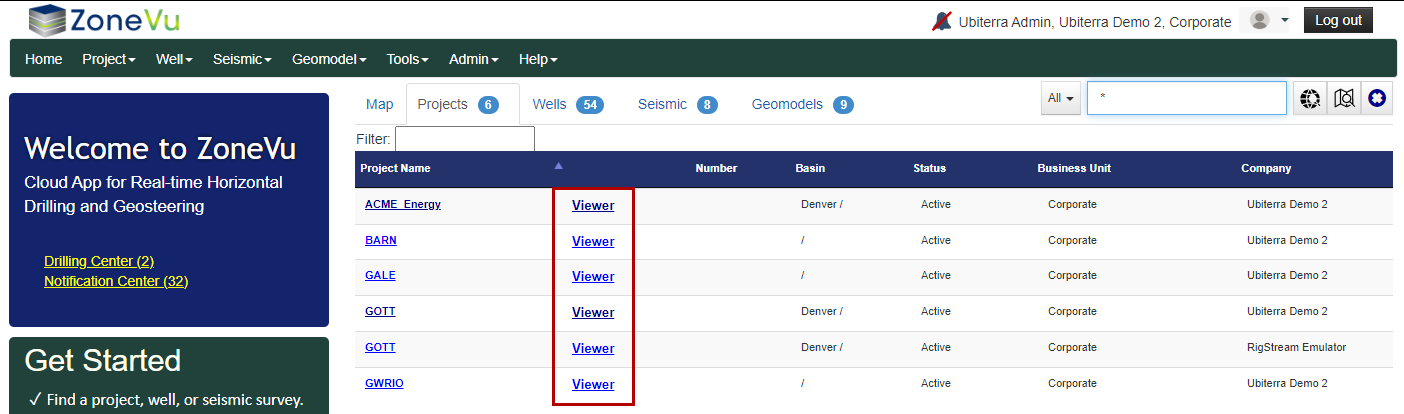
Projects List:
Select a Project to work in and click the "Viewer" hyperlink
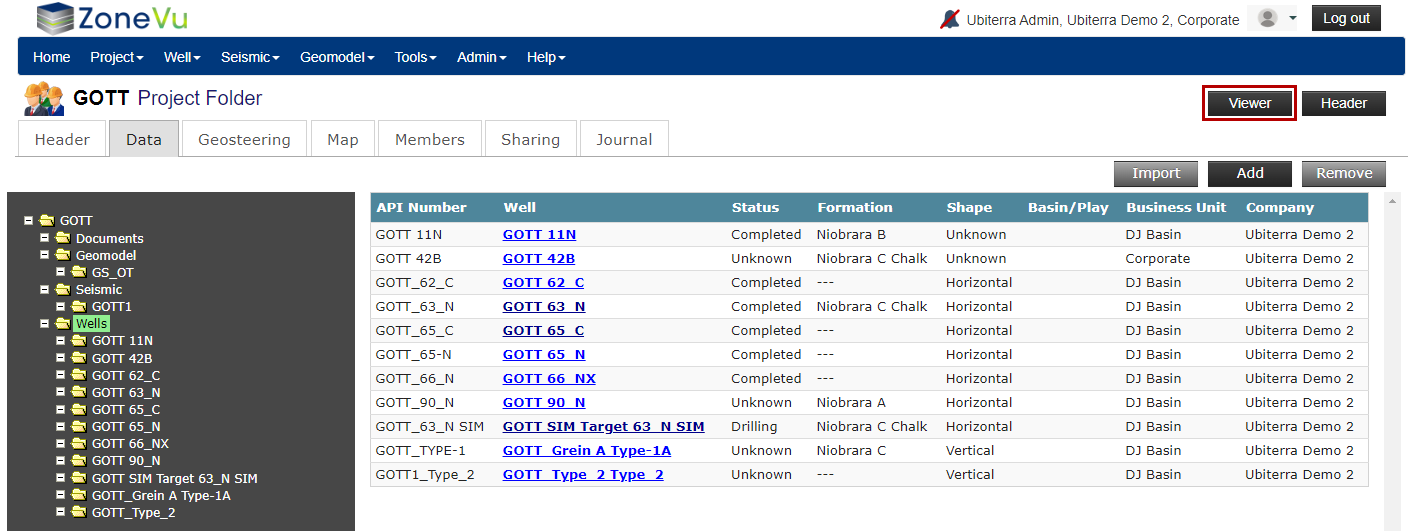
Project Folder:
While in a Project Folder, click the "Viewer" button in the upper right corner
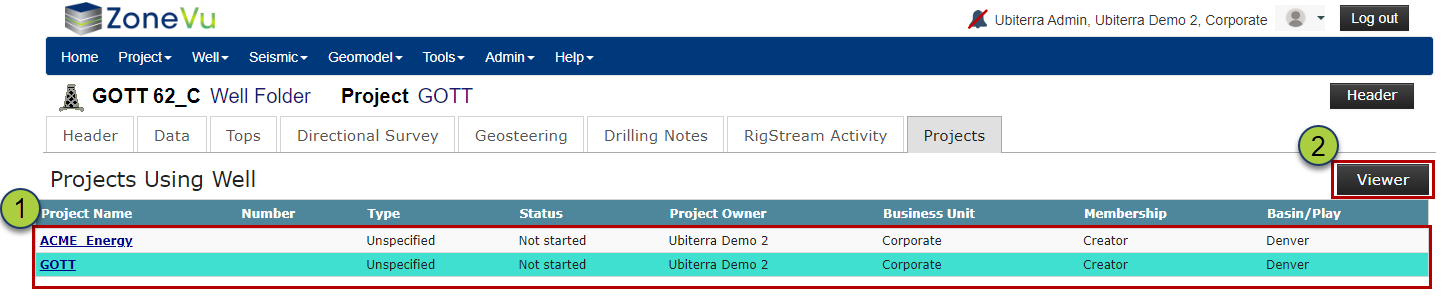
Well Folder:
While in a Well Folder, go to the "Projects" tab
Select a Project. ZoneVu will list all the Projects the Well has been added to
Click the "Viewer" button
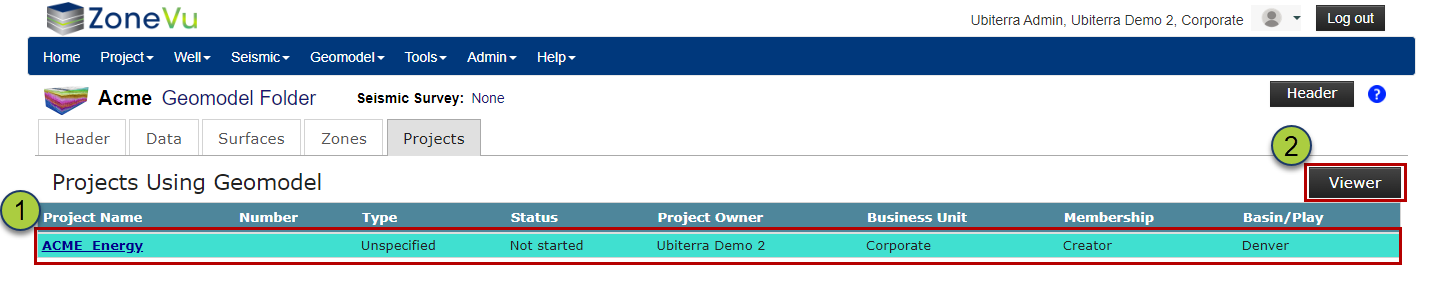
Geomodel Folder:
While in a Geomodel Folder, go to the "Projects" tab
Select a Project. ZoneVu will list all the Projects the Geomodel has been added to
Click the "Viewer" button