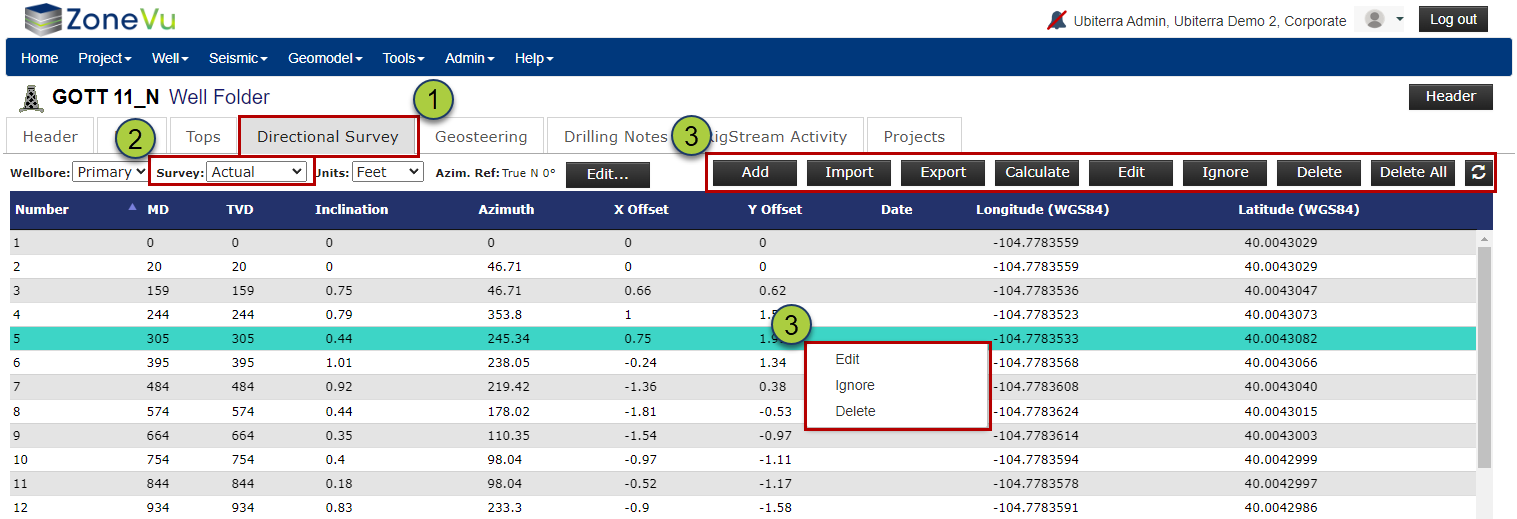
From the ZoneVu Home Page, select the "Wells" tab to view the Well List
Click on your desired Well to open the Well's Folder
Note: You can filter the wells by typing a portion of the Well name in the "Filter" field
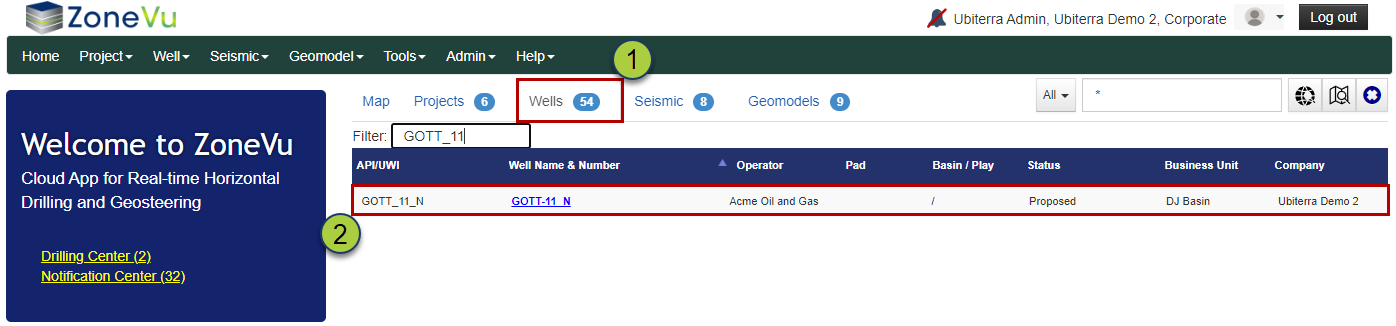
In the Well Folder, navigate to the "Directional Survey" tab
By default, this opens the Actual directional survey, and you can change to a Well Plan by using the "Surveys" dropdown
You can add a new Survey, delete one or more Survey Stations, or modify an existing Survey Station by right-clicking on individual survey points, or by using the buttons directly above the survey
Note: If you are receiving data via RigStream, and have a bad Survey Station coming in from the server, you must mark the point as "ignored" either through the right-click option or by clicking the "Ignore" button. If you delete it, the bad Survey Station will return on the next RigStream update. To get the survey point to stay hidden, you must mark it as "Ignored"