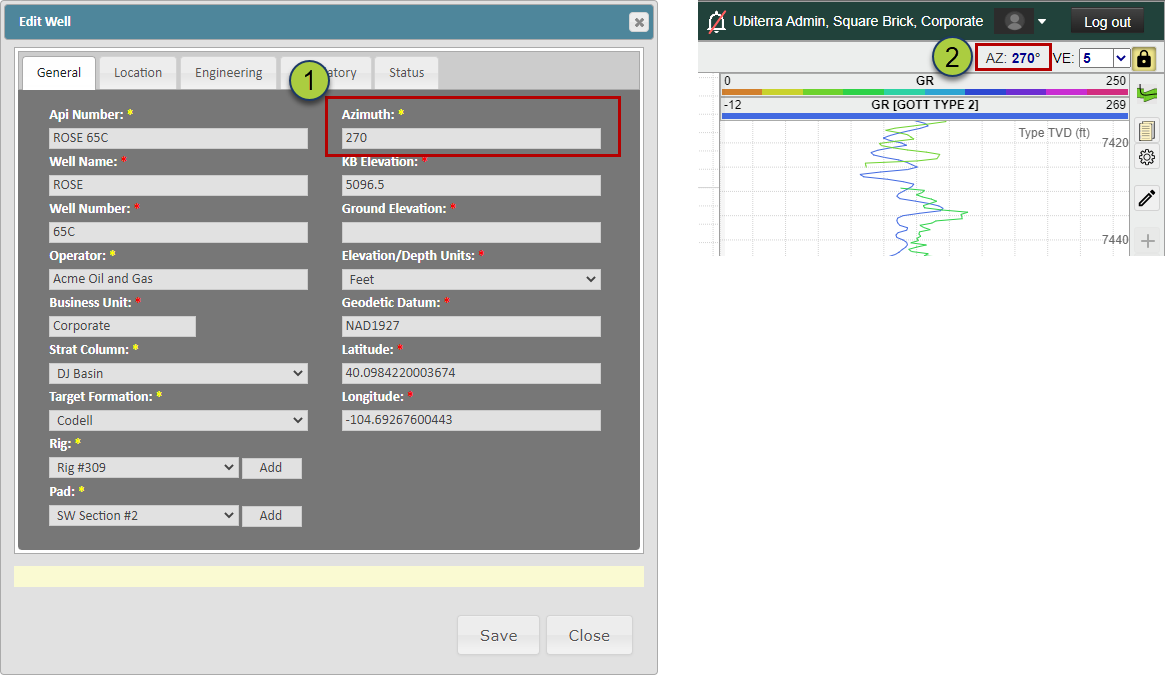
It is recommended that the Vertical Section Azimuth (VS Azimuth) is defined for every Well loaded into ZoneVu. But if the VS Azimuth is not defined, ZoneVu will auto-calculate the VS Azimuth. The VS Azimuth is used to calculate the VS footage positioning for a Well. This article covers how ZoneVu Calculates Vertical Sections based on a User Defined or Auto Defined VS Azimuth.
ZoneVu defines the VS location of a Well based on a line, originating from a Well's Surface Hole Location (SHL) and extending outward based on a specified or calculated Azimuth. This VS line extends infinitely in both the positive and negative directions. Positive VS is in the direction of the defined azimuth and Negative VS is in the opposite direction (180° rotation).
If the VS Azimuth info is updated for a Well in ZoneVu, the VS calculations will be automatically updated. It's important to note that ZoneVu will not maintain a record of the previously defined VS Azimuth.
It is also important to note that if the VS Azimuth used in ZoneVu does not match what the rig site is using, the VS calculations in ZoneVu will differ. Therefore, we recommend using the VS Azimuth provided by the Rig or Directional company. This will ensure the VS calculations in ZoneVu match the data coming from the Rig.
The VS Azimuth can be provided when a Well is created or bulk imported. If you do not know the VS Azimuth when creating/loading a Well, we encourage the User to either input a good approximation or let ZoneVu auto-calculate the VS Azimuth based on the "Active" Well Plan or Actual Deviation Survey. Once the true VS Azimuth has been received, the VS Azimuth in ZoneVu can be updated in either the Well Header Edit Box or the Upper Right Corner of the Viewer.
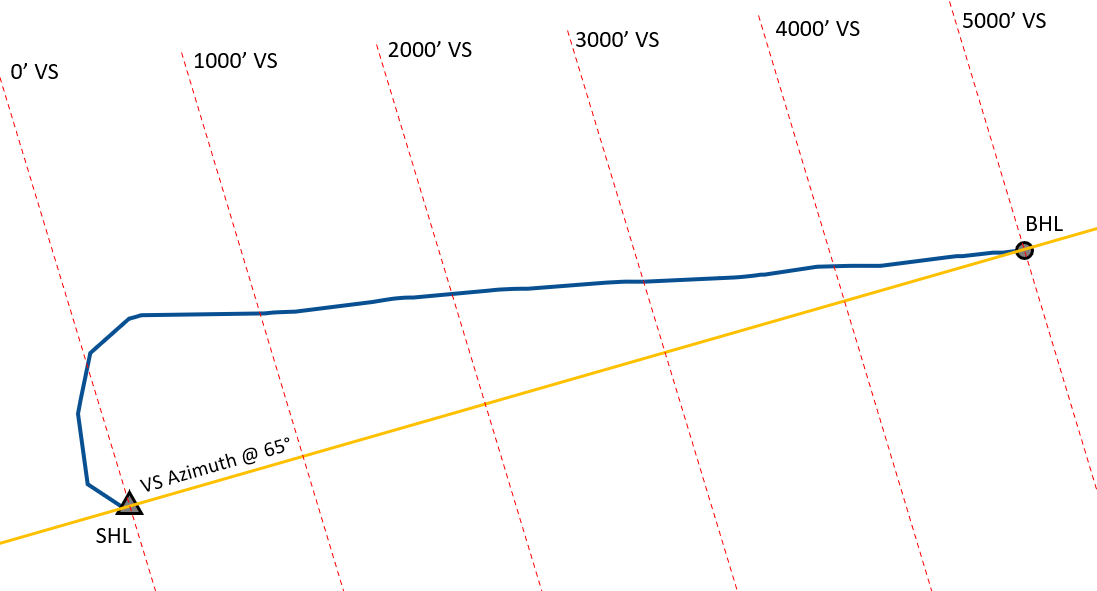
If no VS Azimuth is provided, ZoneVu will calculate one by drawing a straight line from the SHL to the end of the "Active" Well Plan or Actual Wellbore (if no Active Plan is available), ZoneVu will use the Azimuth of this line as the VS Azimuth.
This image shows how ZoneVu auto-calculates the Vertical Section Azimuth if no input is provided for a Well.
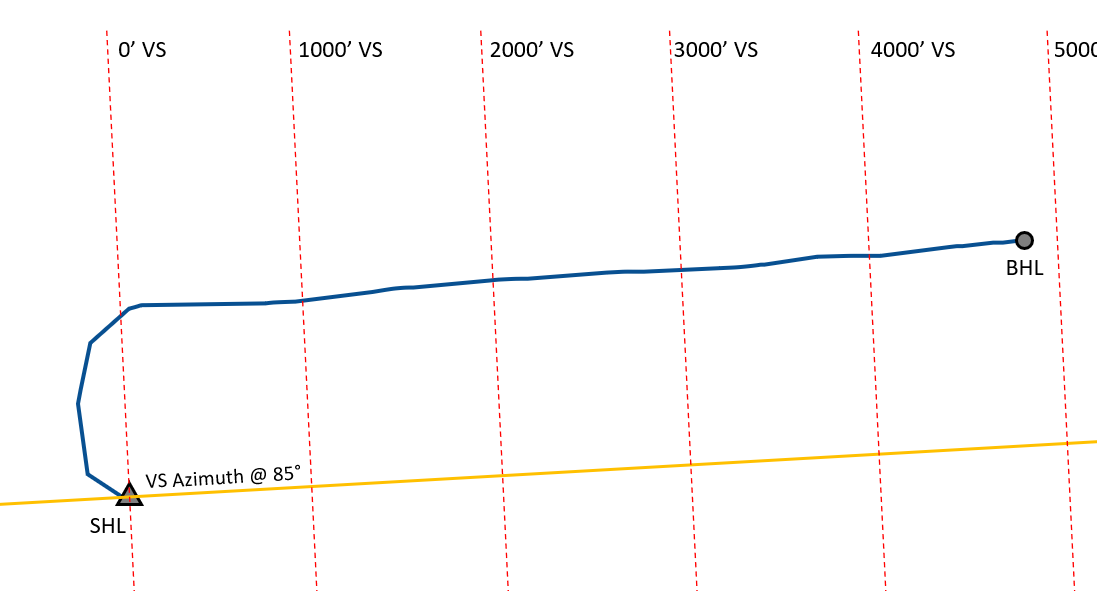
This image shows the same Well but with a VS Azimuth of 85°. Note how the VS Azimuth line is still pinned to the SHL but it has been rotated 20° clockwise. The rotation of this VS Azimuth line has also rotated the perpendicular VS Lines.
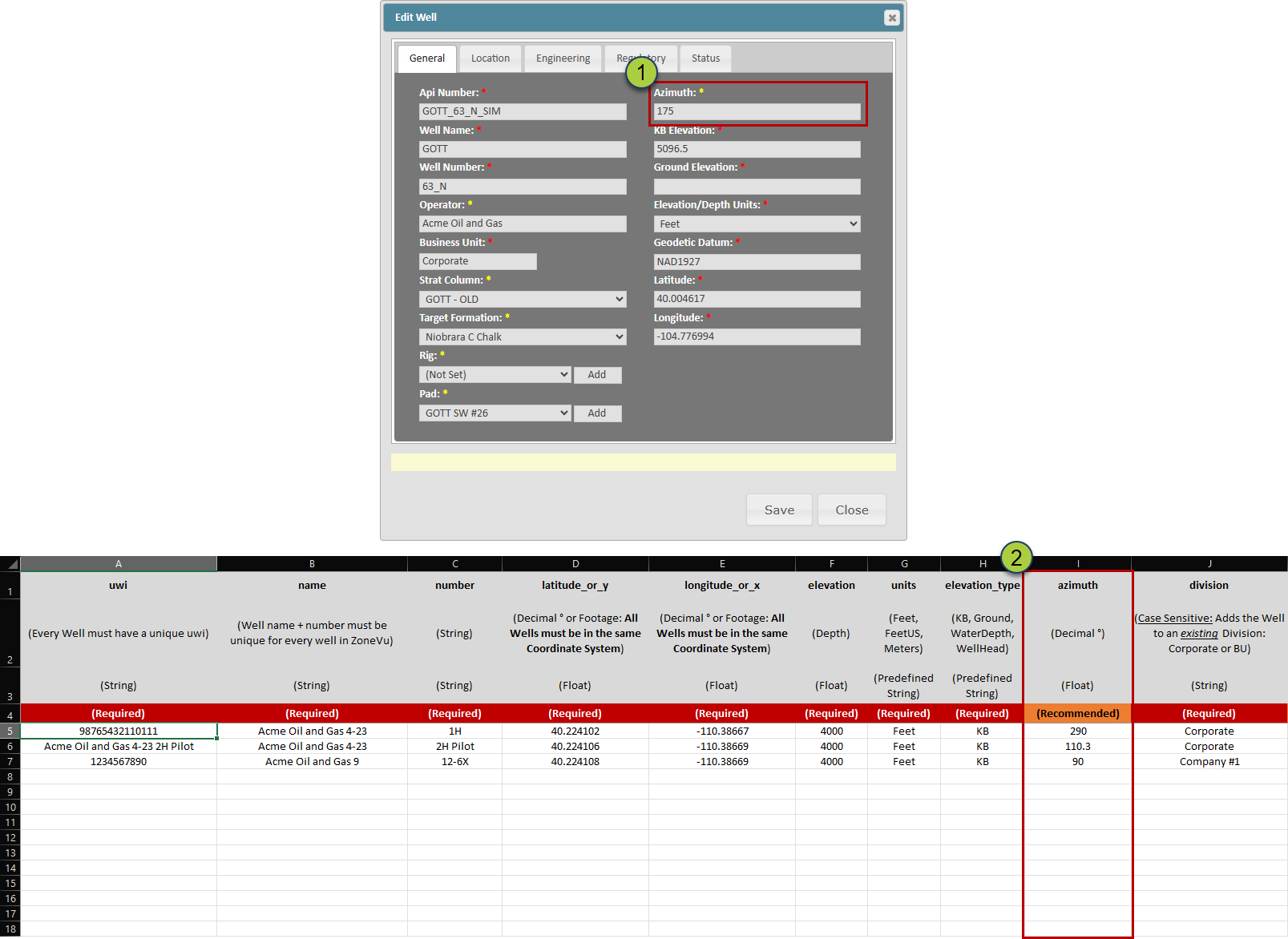
Specifying the VS Azimuth when Creating or Importing a Well:
The "Azimuth" input on the "General" tab in the Create Well Dialog Box
In the "Azimuth" column on the "Wells" tab of the Bulk Well Importer Spreadsheet
Updating the VZ Azimuth for an existing Well:
In the Well Header Dialog box on the General Tab
In the Upper Right Corner of the Viewer