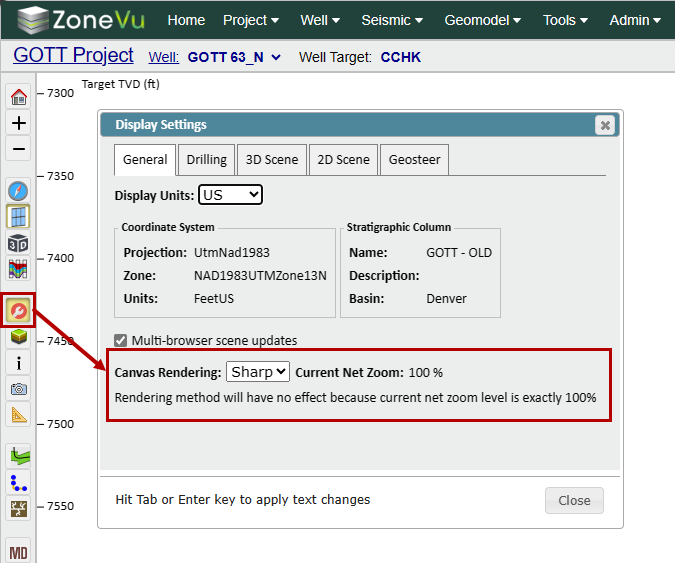
To change the Viewer's display modes between Performance (Fast) or Sharpness (Sharp) mode, open the Display Setting dialog and use the "Canvas Rendering" dropdown to select either Sharp or Fast.
Sharp: ZoneVu will draw lines with sharper more crisp edges. This mode requires greater internet bandwidth and GPU usage
Fast: ZoneVu will prioritize image rendering speed and lower bandwidth use. This mode requires lower internet bandwidth and GPU power. We recommend you use this mode if you have spotty or weak internet access