

In ZoneVu, you can set crossover color fill for any two log curves.
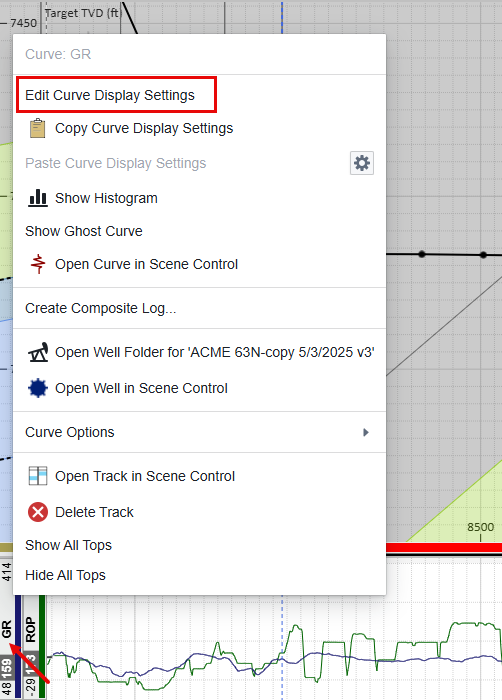
Right click on the 'Log Header Name' for one of the two logs in a track and select Edit Curve Display Settings
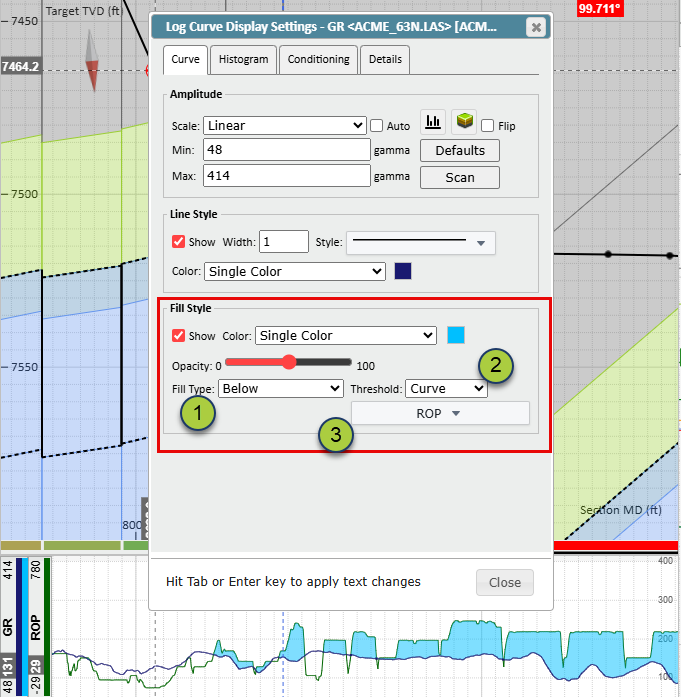
Choose a fill type from the drop down. You can choose Above Below, or Above and Below (see next section).
Select Curve from the Threshold drop down.
Select the secondary curve from the drop down that appears. This list will contain all the curves in the track other than the curve you are editing.
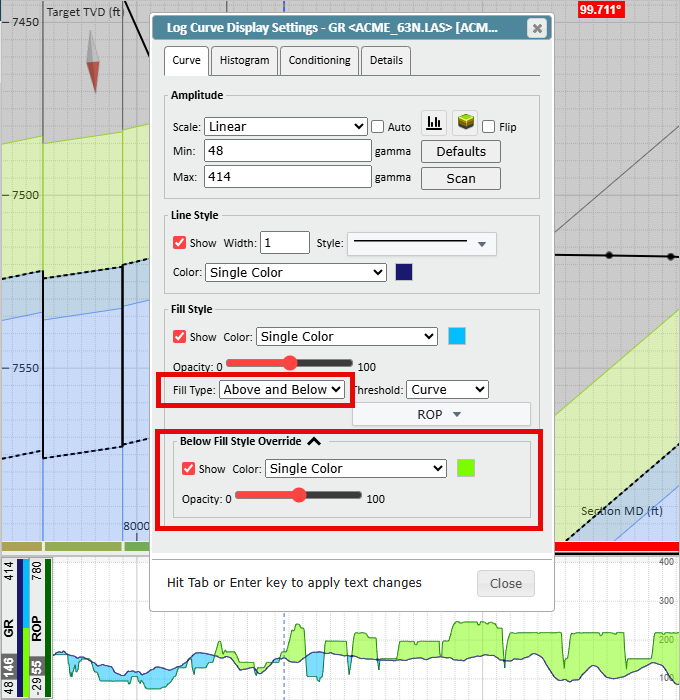
Above and Below Crossover Fill
When you select Above and Below from the Fill Type drop down menu you will be given new fill style options which will allow you to have a different color fill above and below the curve you are editing.