In ZoneVu, you have the ability to share a project with another company, allowing them access to the data in the project, but allowing you to maintain control of your data. This is the recommended workflow when working with contractors, enabling you to maintain control of your data, but providing access to the data for the contractor to work on.
Sharing a Project with another ZoneVu Company:
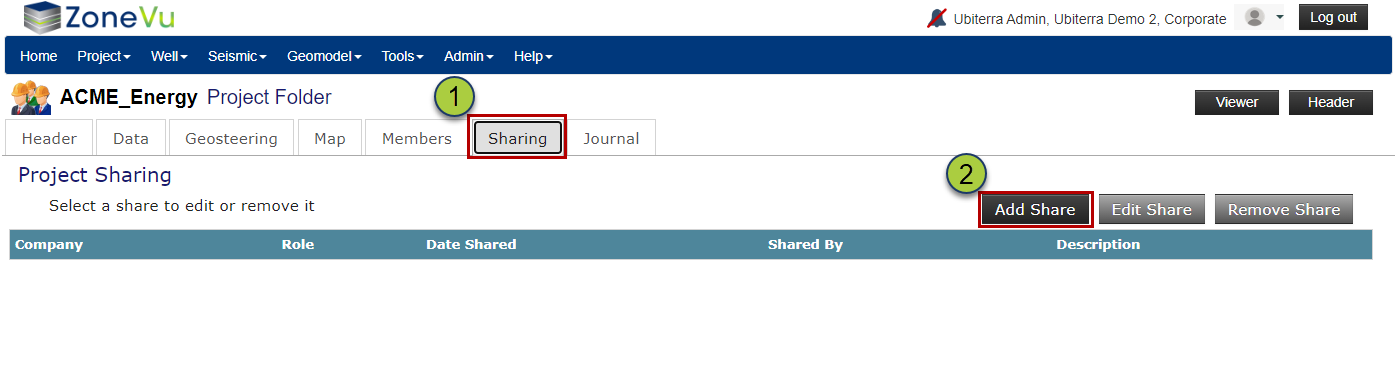
Go to the Sharing Tab in the Project's Folder
Click the "Add Share" button
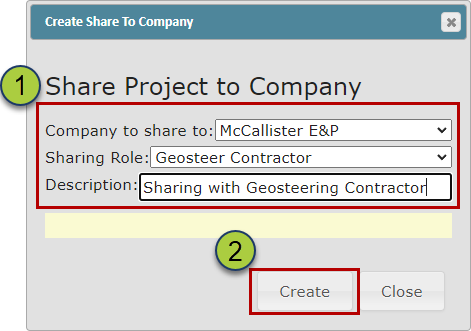
Setup the Project Share parameters
Use the "Company to share to" dropdown to select the Destination Company
Select the role of the share using the "Sharing Role" drop-down
You can find a Role's associated Rights in the "Roles" option under the Admin dropdown
Add a Description to the share (optional)
Click the "Create" button to create the Project Share
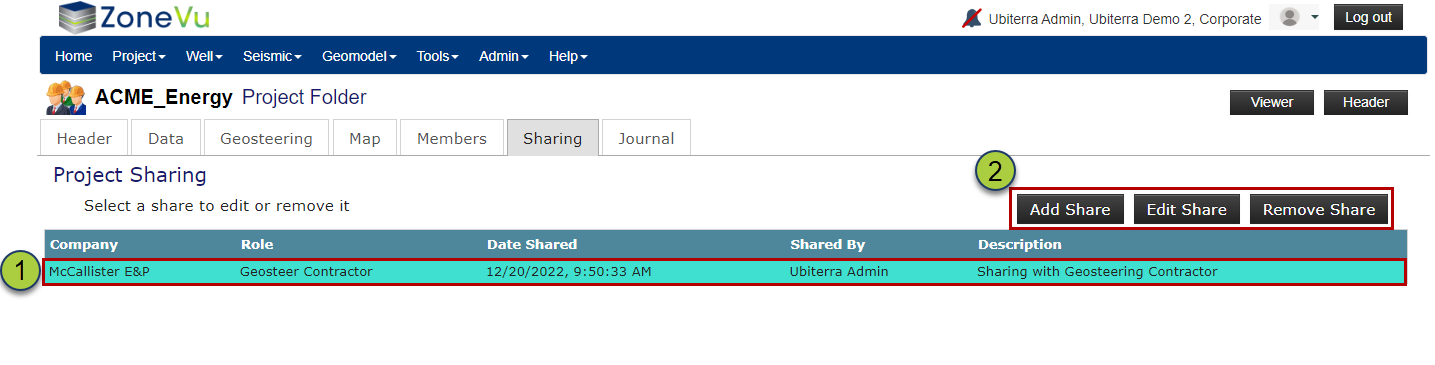
Once the Project Share has been created, the "Shared" Project will instantly appear in the Destination Companies Project List as well as the Project Share List on the SharingTab.
Use the buttons above the Share List to edit or delete a selected Project Share or create a new Project Share