How to Bulk Shift a Geosteering Interpretation
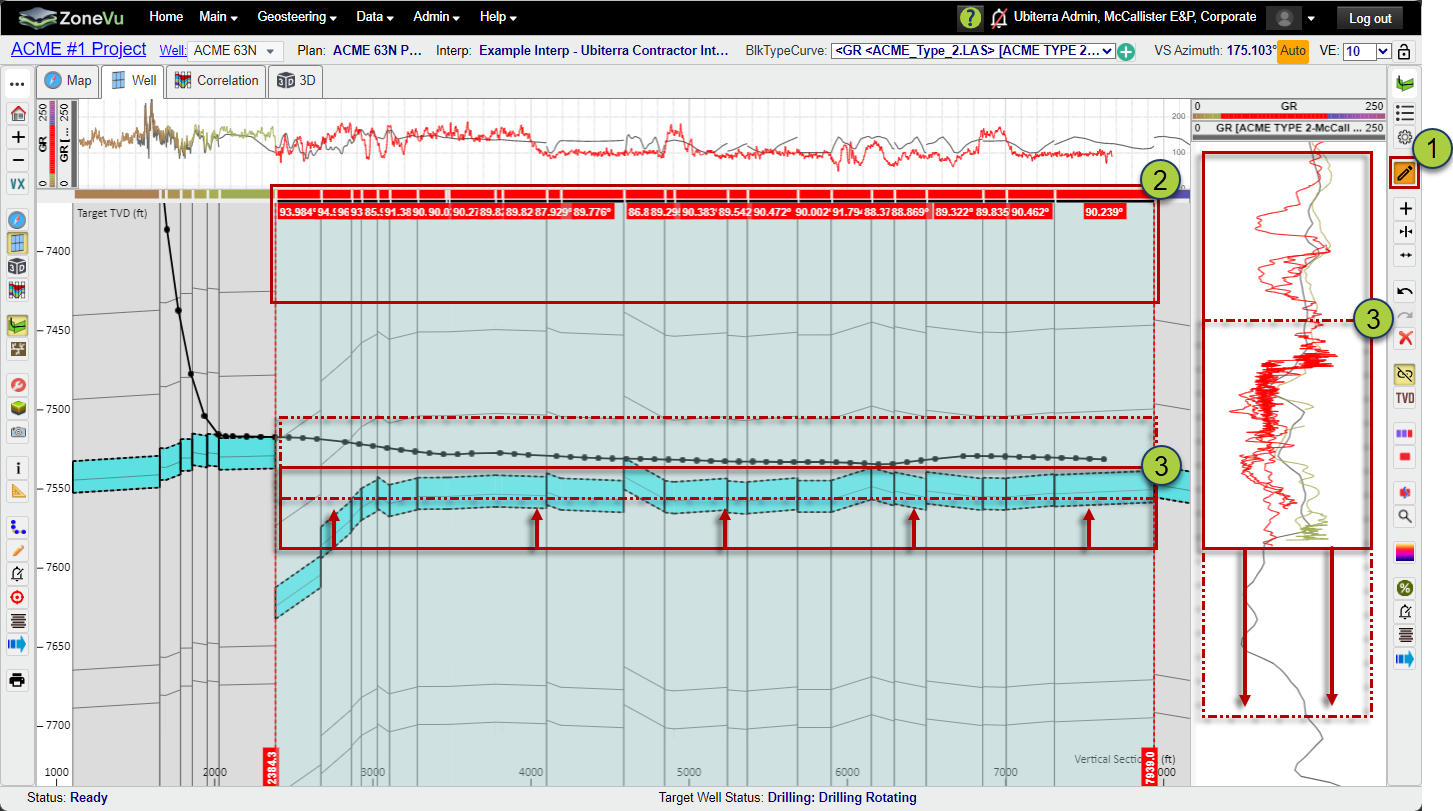
1. Activate Edit Mode
With the correct Geosteering Interpretation selected, click the Edit button to enter Active Edit mode.
Note: An orange background indicates you are in Active Edit mode.
2. Select a Group of Geosteering Blocks
Click to select the blocks you want to shift. You can select all blocks or only a subset.
Note: Selected blocks appear in red, and their associated LWD data will also display in red.
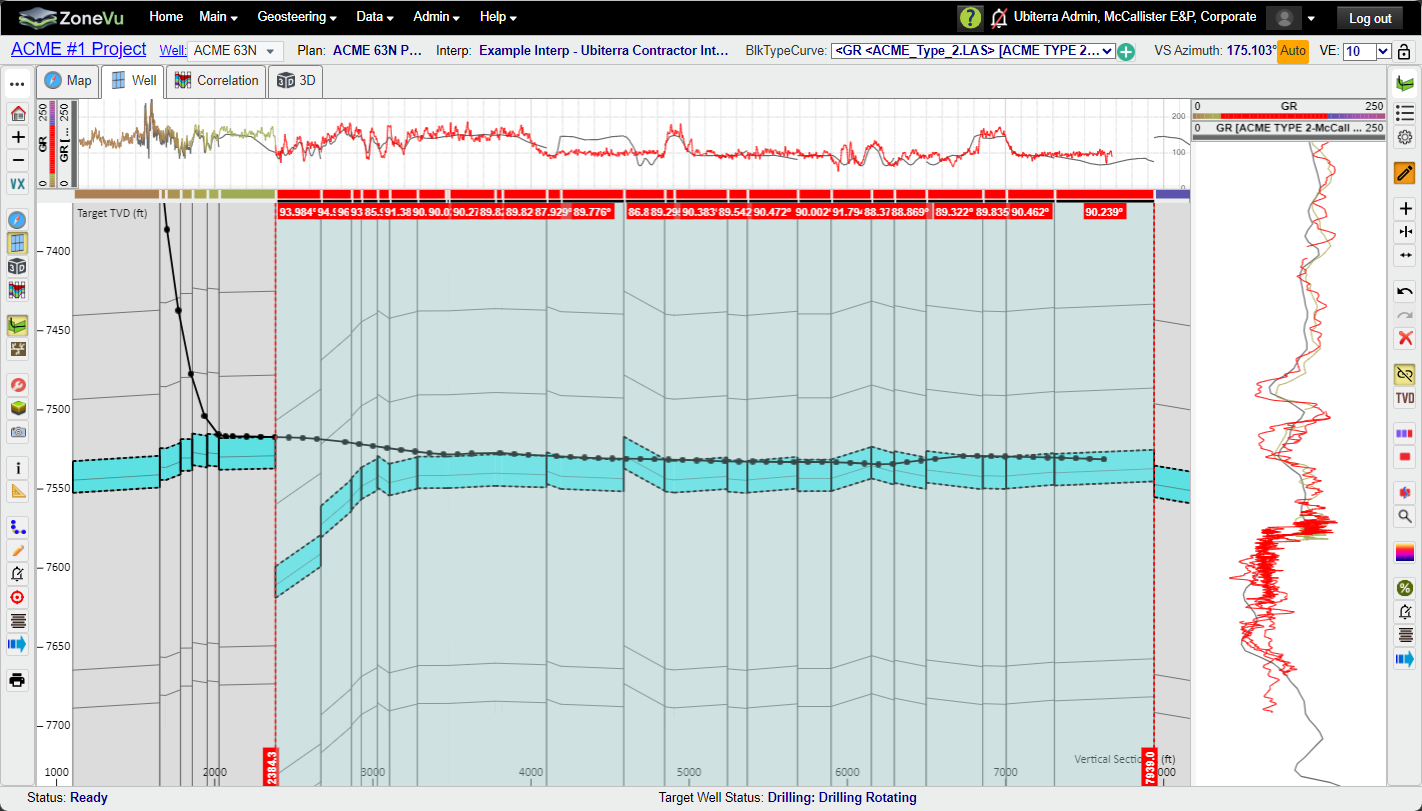
3. Drag the Interpretation to Its New Position
Grab a Horizon Boundary in the Cross Section or the active LWD data, then click‑drag it vertically to move the selected blocks to the desired location.
Note: You can use 'CTRL + Z' to undo any block shift