

Ubiterra Corporation is pleased to announce the release of ZoneVu v6.0. This is a major new release of ZoneVu that includes ongoing enhancements to ZoneVu geosteering.
Version 6.0 also includes a brand new module - the ZoneVu Completions Module, which allows completions engineers to layout frac stages in ZoneVu, and to import completed frac jobs into ZoneVu from Well Data Labs with the touch of a button.
ZoneVu Completions Module
The new Completions Module is used in two ways: to design the stage layout for new frac jobs, and to visualize completed frac jobs.
In design mode, you can layout frac stages along your drilled and geosteered wellbore. ZoneVu lets you interactively drag the plugs between your stages around along the wellbore in order to plan your stages in accordance with the geology revealed by your seismic and geosteering interpretations. For example, you might adjust a stage to isolate a large fault.
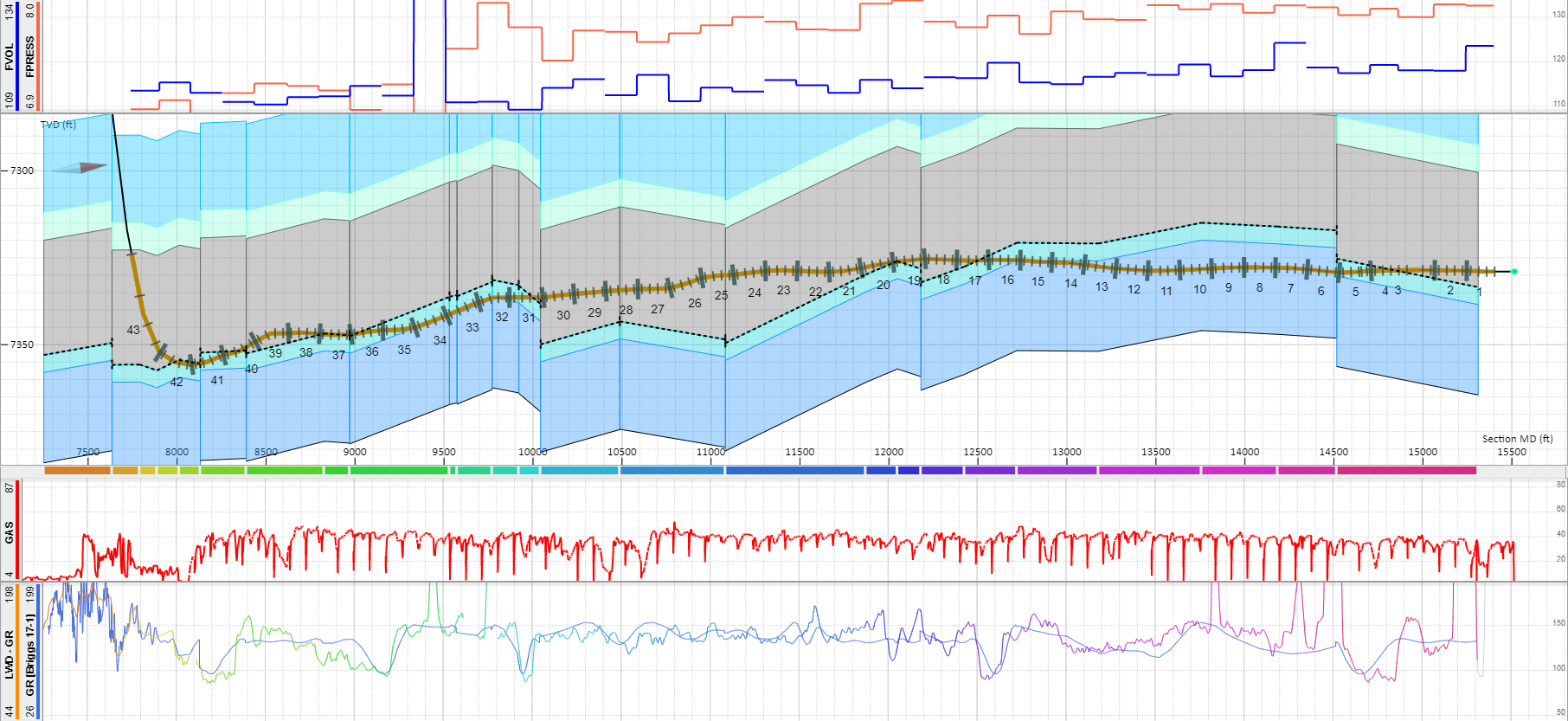
Having laid out the stages, ZoneVu provides an interactive table that automatically extracts important parameters for each stage, including percent in zone, formations intersected, lithologic composition, average gamma value, and petrophysical properties. These values can be exported to a spreadsheet. The frac design is visible both in ZoneVu's well vertical cross-section and in the 3D scene.
After completion of your frac job, you can import the completed frac job into ZoneVu, using spreadsheet import, or via a direct connect to Well Data Labs, the marketing leading frac job data capture system. Imported frac data includes stage locations, plug and perf locations, and phasing, and frac key performance indicators (frac KPIs), including proppant amounts, water volumes, and pumping info. The completed frac job can be seen in a well vertical cross-section including perf locations. In ZoneVu's 3D scene, the frac job is fully visualized including plugs and perfs, and color rendering of stages to directly visualize frac KPIs.
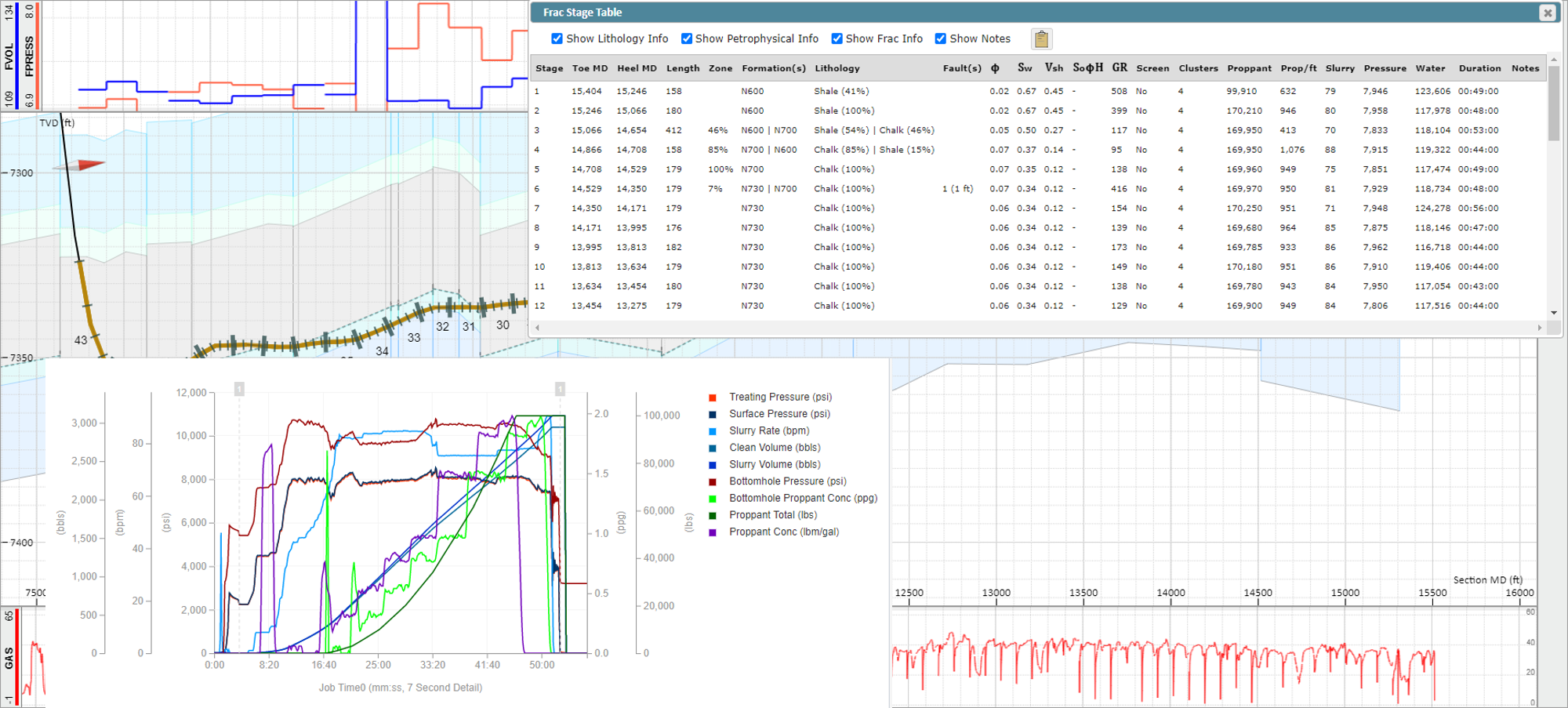
Stages can be selected in the scene and with a click of a button, that stage will be brought up in a browser tab directly in Well Data Labs showing the detailed pumping and related data.
Manage, Analyze & Report Frac Data | Frac Data Software | Well Data Labs
ZoneVu Geosteering Module
There have been many enhancements to ZoneVu's geosteering capabilities.
Live Drilling Notifications via Text, or Email
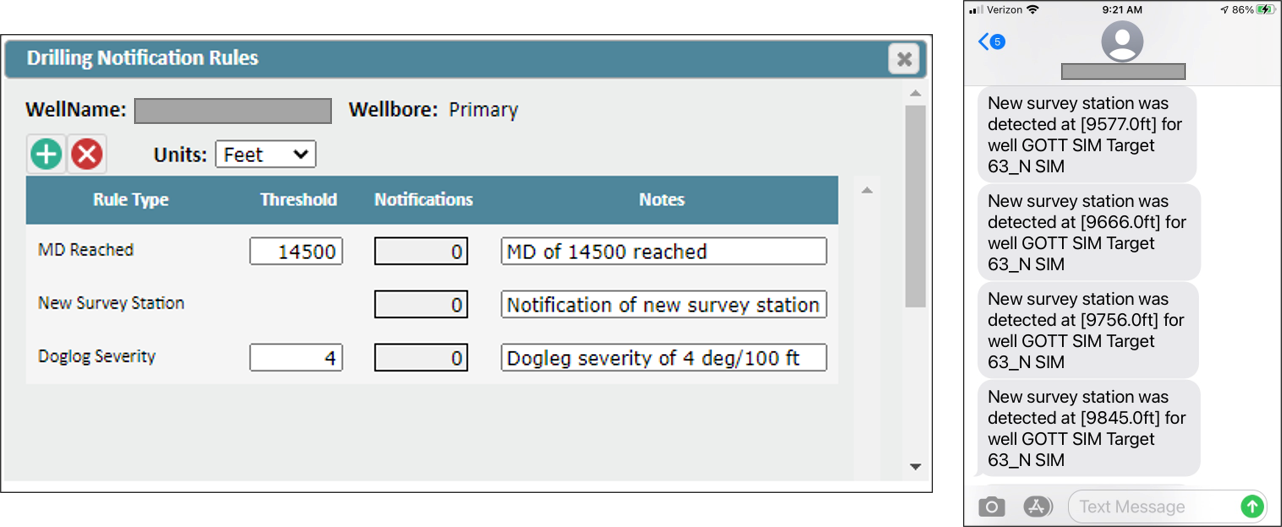
Users can now set up rules so that drilling events send notifications as text messages or emails to them. For example, a user might decide to add a rule to send a text message when the drill bit reaches a certain measured depth, a certain dogleg severity, or when a new survey station is detected.
Enhanced Support for BHA Changes during Drilling
Users can now modify the start/end date and depth of drilling/survey data being collected from the EDR system in RigStream. This allows the user more flexibility with sidetracks and new BHA's. Any log uploaded to the EDR feed can be viewed as a curve in ZoneVu.
Support for Multiple EDR System Servers
ZoneVu RigStream can now connect to multiple EDR systems at the same time for a given drilling wellbore. For example, perhaps the drilling data is coming as WITSML from Pason, the LWD data is coming as WITSML from Schlumberger, and survey stations are coming from SuperiorQC. RigStream supports this scenario now.
Support for Additional EDR System Servers
ZoneVu RigStream now supports the Schlumberger Interact WITSML server and the Nabor's RigCloud WITSML server.
InterACT Global Connectivity, Collaboration, and Information Service | Schlumberger (slb.com)
Projection of Offset Wells into Scene
Within ZoneVu's well vertical cross-section, offset wells and their geosteering interpretations can now be projected and visualized.
Interpretation of Well Tops During Drilling & Geosteering
Users can now directly interpret well tops on the drilling well in ZoneVu's geosteering user interface with a mouse click.
Other Features in ZoneVu 6.0
Geosteering blocks can now be selected using the keyboard arrow keys.
Existing survey stations can be merged or retained when importing.
Any generic, un-mapped log curve can be imported and viewed in ZoneVu.
Reference grid lines visible in 2D Viewer.
'TVT distance to top/base of target' now visible in 'scene info' in the 2D viewer.
Users can now bulk export all interpreted formation tops from a project.
Vertical exaggeration dropdown added to main 2D viewer page.
Revamp of Scene Control Palette, simplifying customization of the 2D scene.
Improved functionality for 'camera snap' in 3D viewer.