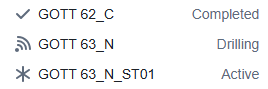
The Active Well dropdown in the Viewer displays a symbol next to a Well’s name when that Well has been assigned a specific Status. You can set or modify a Well’s Status in the Header dialog under the Status tab.
Below is a list of all supported Well Status symbols and what they represent:
Well Status Symbols
Active Well
Well is set to Active statusDrilling Well
Well is set to Drilling statusCompleted Well
Well is set to Completed status