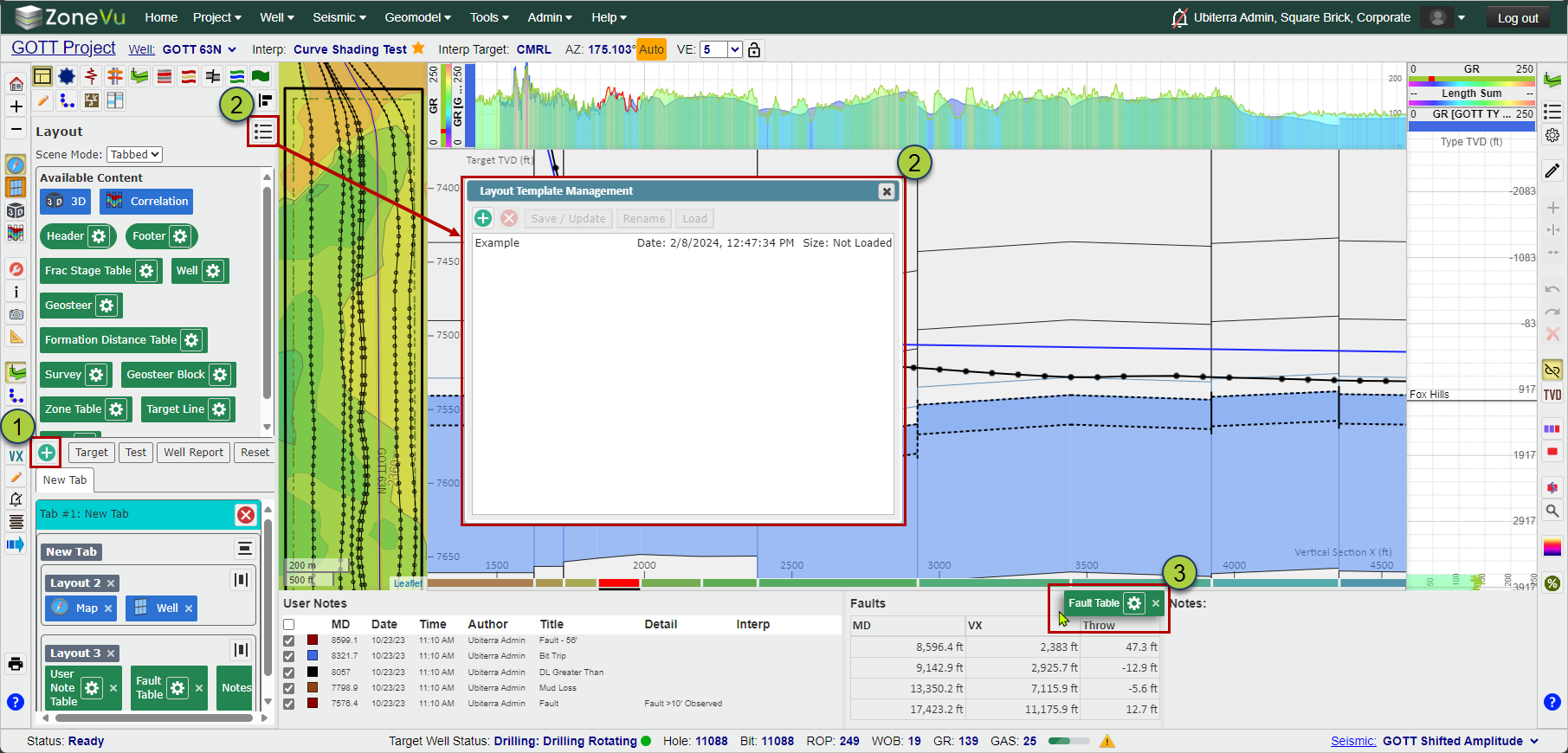
Select the "Layout" tab of Scene Control
Change the mode from "Single" to "Tabbed"
Drag and drop one or more widgets from the "Available Content" section onto the Viewer Screen
Blue and orange arrows will show where you are going to drop the Widget (Orange = Inside a Layout Section, Blue = Main Window)
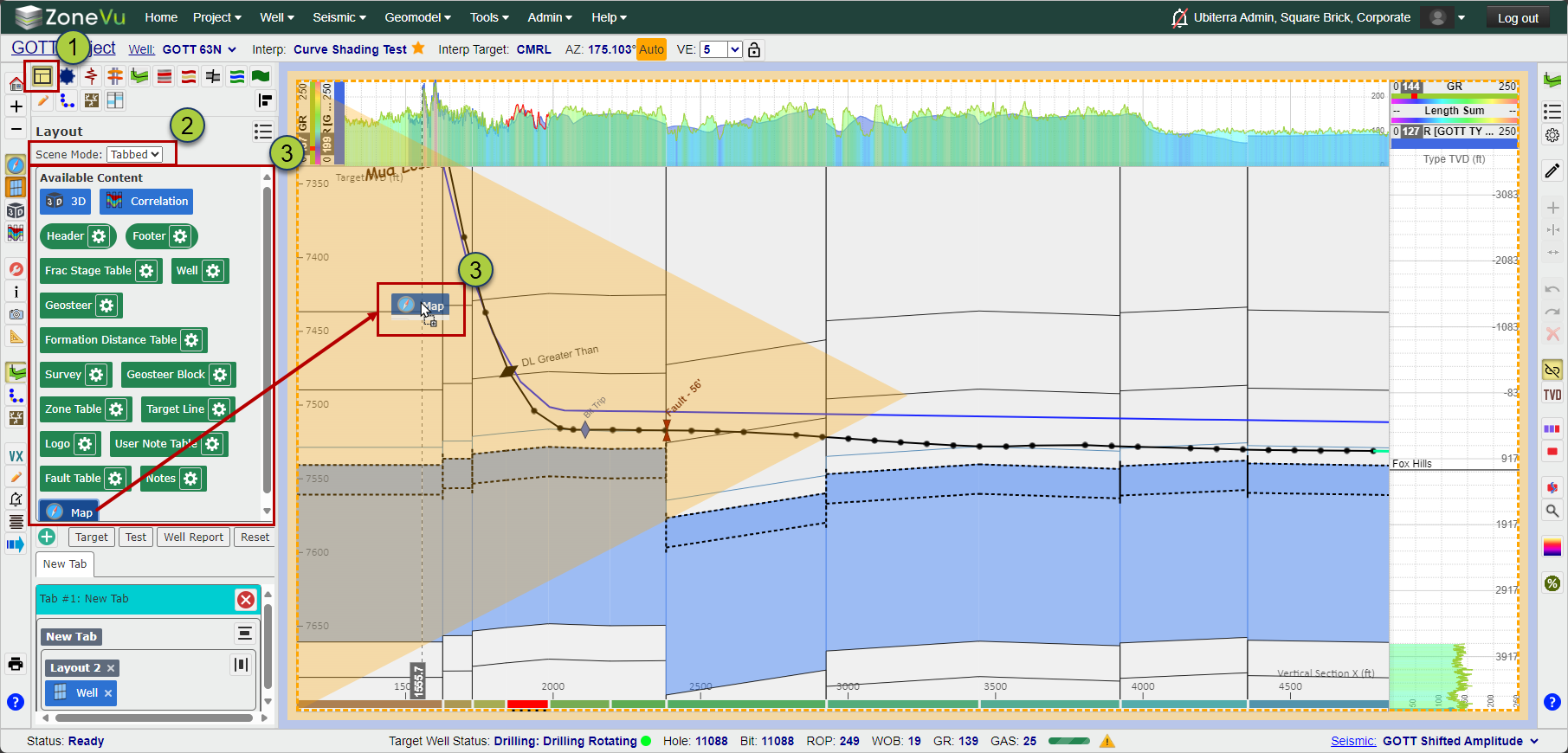
Use the Green (+) button to create a new Tab
Select the "Layout List" button to save, update, or load a new layout
Hovering your mouse over a Widget will show the Widget Settings
Each Widget has a default display, but there are more display options found in the Widget Display Settings