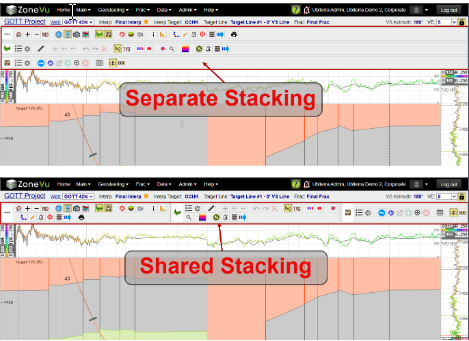
There are three button trees in the Viewer: Main, Geosteering, & ZoneVu Frac. Each Button Tree will appear in a default location, but they can be moved to any side of the Viewer with different stacking options. Additionally, ZoneVu will remember where a user has placed each button tree on your browser's data cache. No matter what Project a User logs into, the button trees will display in the selected location.
ZoneVu Button Trees:
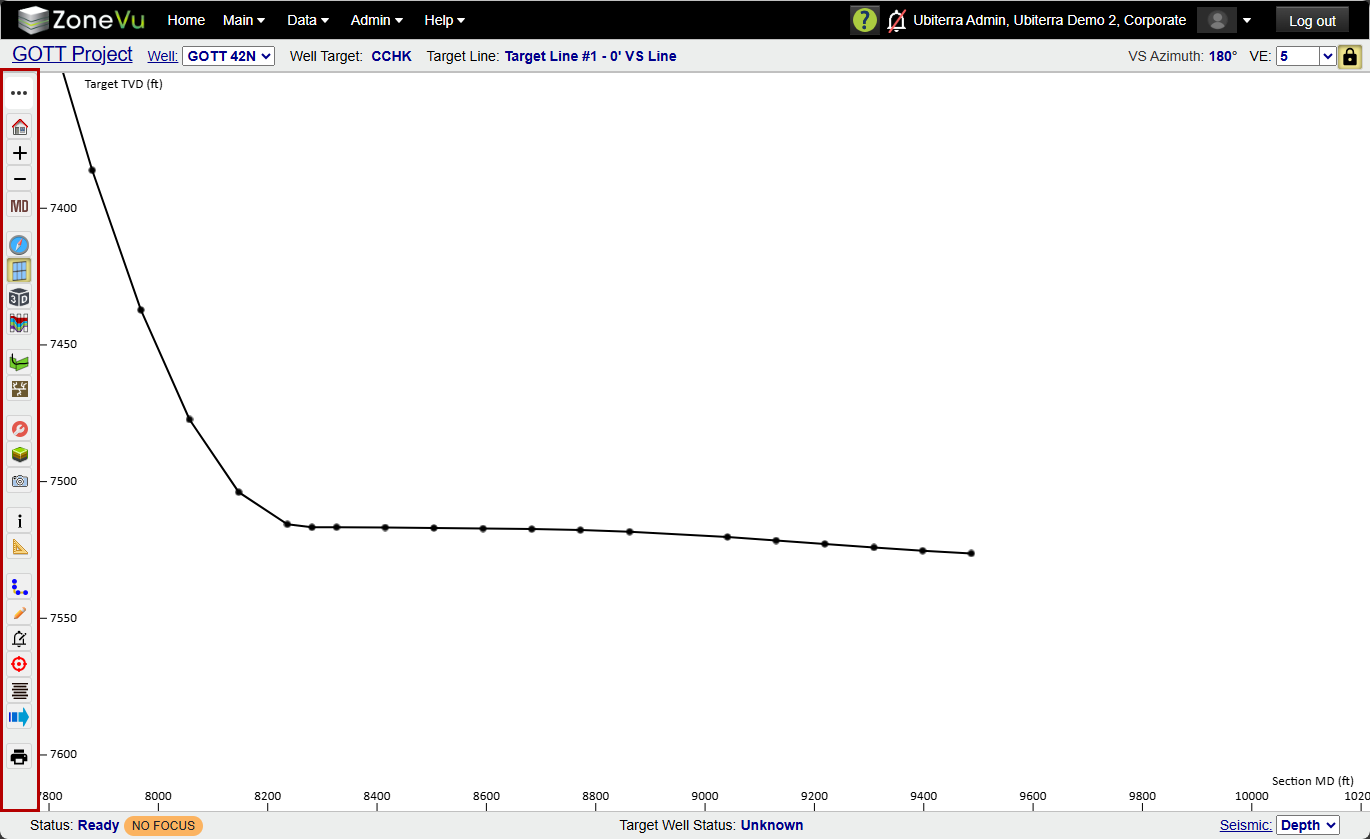
Main Button Tree: the Main button tree defaults to the left side of the screen. It's used to switch between the different Viewers (2D, 3D, Map, & Correlation Panel) and activate the different Modules (Geosteer, ZoneVu Frac, & Report Generator), and Features (MD/VX Control, Display Settings, Scene Control, Scene Snapshot, Scene Info, Measuring Tool, Wellbore Mods, Drawing Too, ZoneVu Alerts, Target Line Tool, Wellbore Notes, & Manual Drilling Updates).
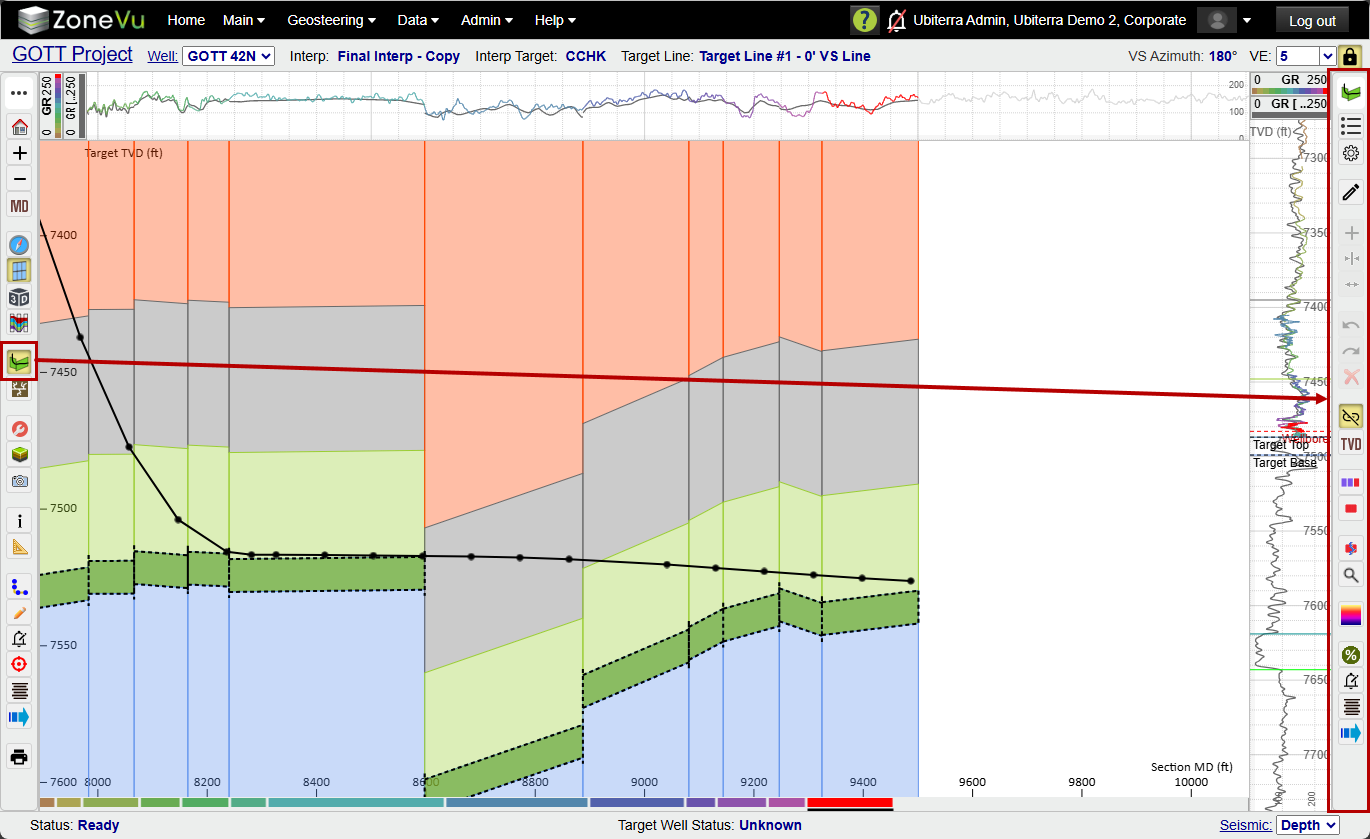
Geosteering Button Tree: The Geosteering button tree will default to the right side of the screen. It contains all of the controls for the Geosteering Module: Interp List, Interp Settings, Add Block, Track Normalization, Undo, Redo, Delete Block, Unlink/Link Scales, TVD/TVT, Hide Up To, Show Only Selected, Hide Inactive Type Curve Data, Zoom Vertical Track, Steering Field, Percent in Zone Tool, ZoneVu Alerts, Wellbore Notes, & Manual Drilling Updates
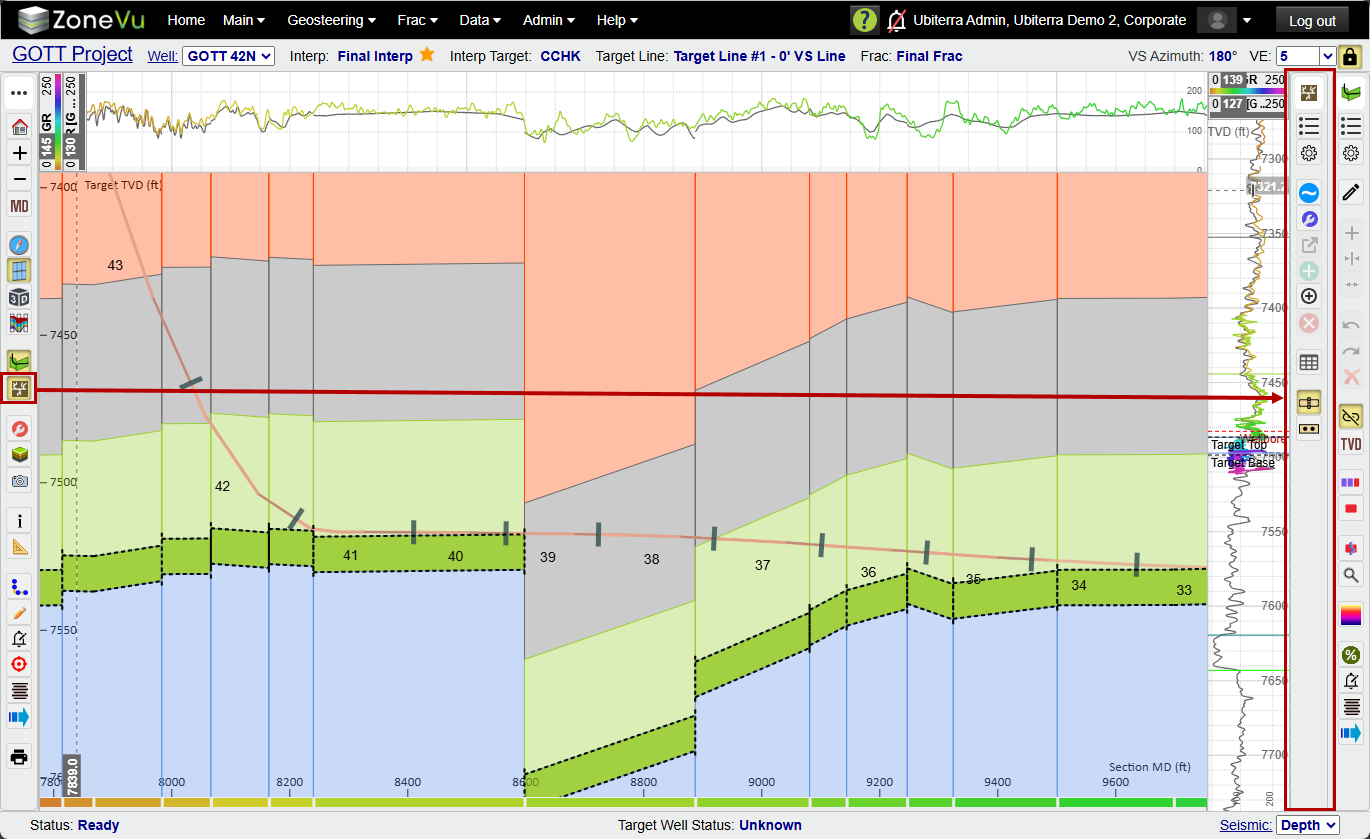
ZoneVu Frac Button Tree: The ZoneVu Frac button tree will default to the right side of the screen. It contains all of the controls for the ZoneVu Frac Module: Frac List, Frac Settings, Frac Update, State Properties, Open Stage in 3rd-Party Vendor, Add Stage, Add Cluster, Delete, Stage Table, Show Plugs, Show Cluster
Button Tree Controls:
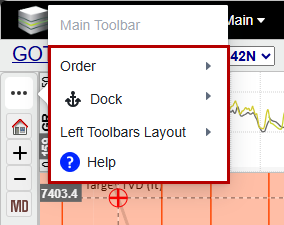
Clicking on the button tree header icon will open the button tree options allowing you to change the Order, Dock Location (Right, Left, Top, & Bottom), Stacking option (separate or shared), & Open the related Help Article.
There are two button tree stacking options: separate & shared. Separate will place each button tree in its own row/column and shared will place all the button trees into a single row/column.