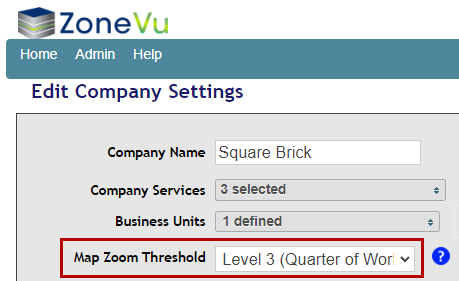
The Map Zoom Threshold specifies at what zoom level the map view will begin drawing the survey details. For 3D surveys, the survey details include the survey outline and Inline/Crossline information. For 2D surveys, the details include the line geometry and line names. This setting can affect performance for a large number of surveys.
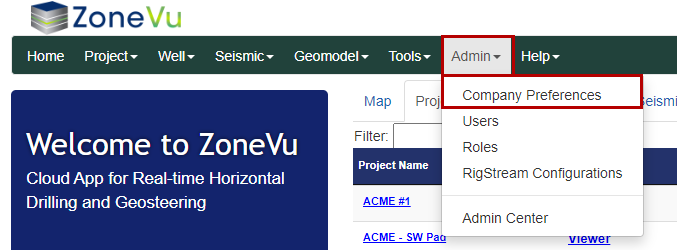
To access the Map Zoom Threshold, open the "Admin" dropdown and select "Company Preferences". This will open the Company Settings in a separate browser tab. Use the "Map Zoom Threshold dropdown" to select the required zoom threshold.
Note: Only admins can adjust the Map Zoom Threshold