Create a Business Unit (BU) for every Customer and assign all data associated with this customer to that BU. We recommend you use the client's company name as the BU name
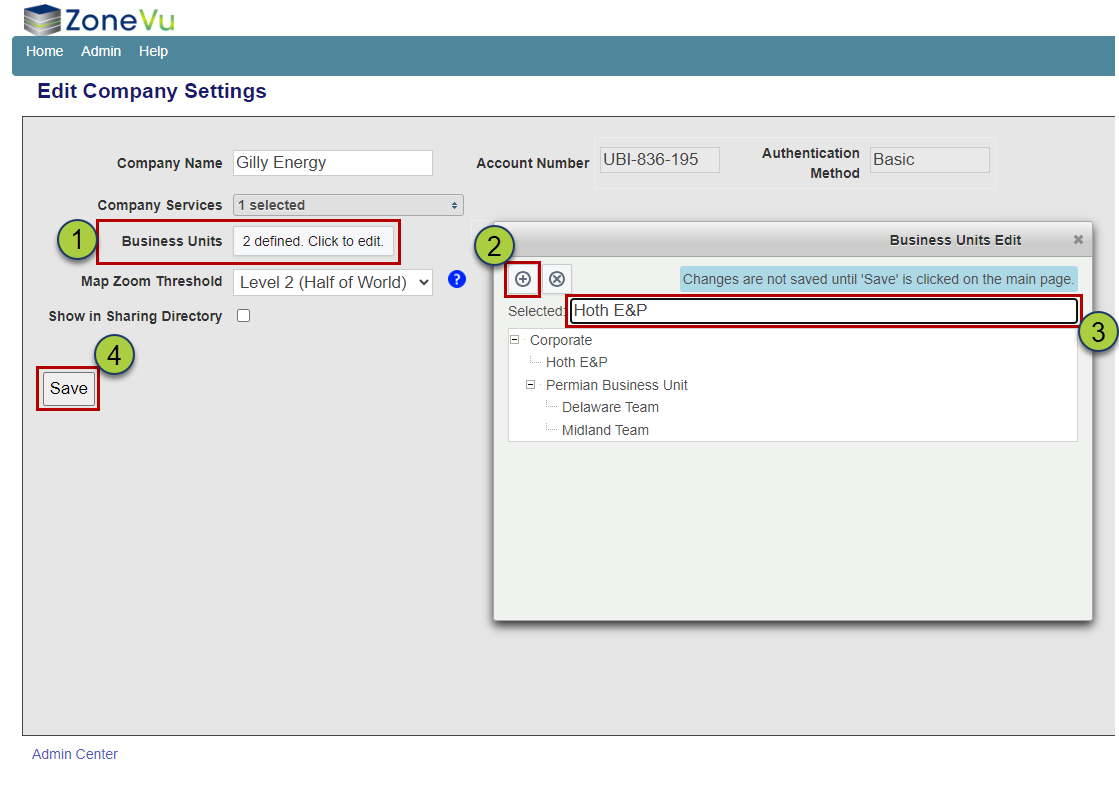
Go to "Company Settings" under the Admin dropdown
Click the "business Unit Dropdown
Click the "Grey (+)" New Business Unit Button
Name the new BU
Click "Save" to create the new BU
For more details see this article: Setting up a BU in your Zonevu Account
Create a strat column per client per basin. We recommend you use the client's name basin name in the Strat Column Name (Ex. DJ Basin - ACME O&G)
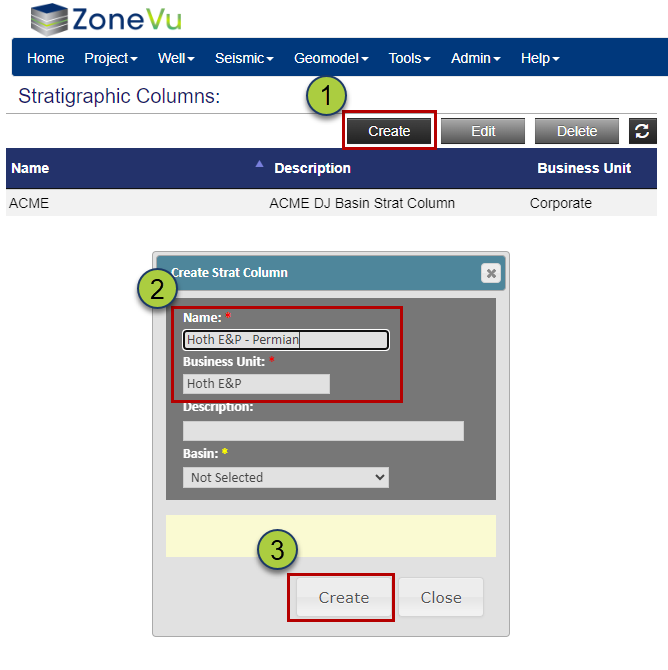
Go to "Strat Column" under the Tools dropdown
Click the "Create" button to open the Create Strat Column dialog
Name the new Stat Column and select the appropriate BU
Click the "Create" button to create the new Strat Column
For more details see this article: Setting up a Strat Column
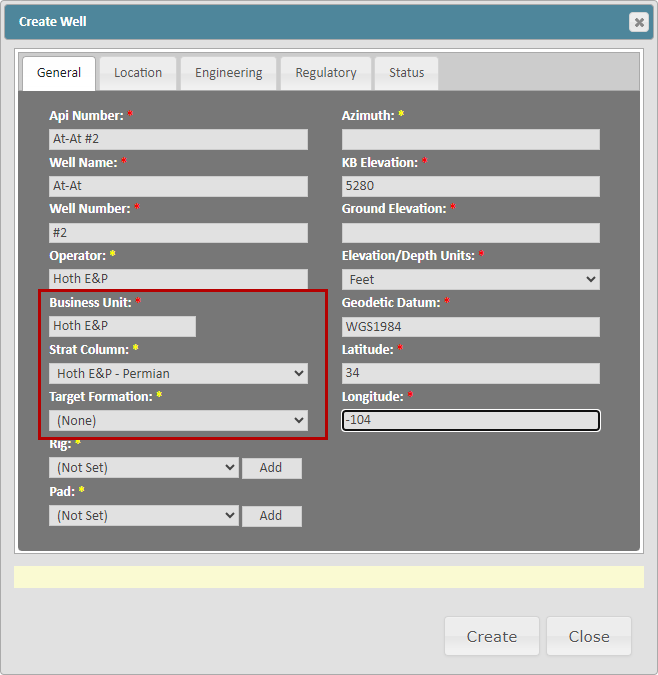
When creating or loading a client's Wells into ZoneVu, make sure to assign this Well to the BU and the correct Strat Column you created for the client
For more details see this article: Creating a Well in ZoneVu
For more details see this article: Bulk Importing Wells into ZoneVu
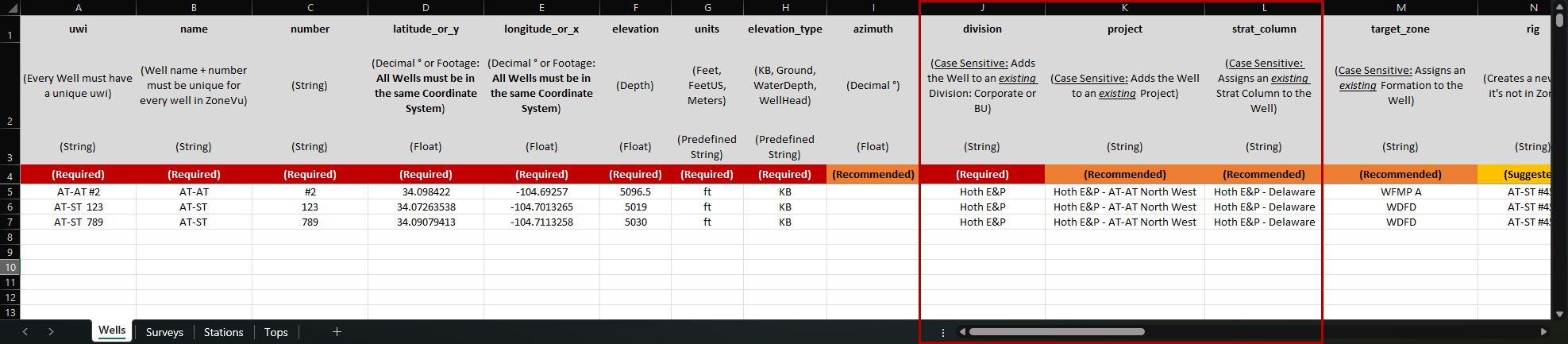
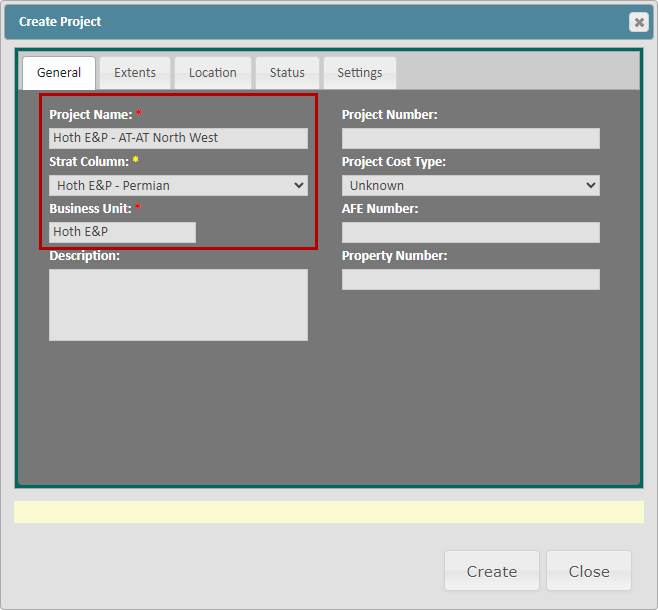
When creating a Project in ZoneVu, we recommend you add the Client's name to the Project name to prevent confusion. You will also need to assign the Project to the correct BU and Strat Column
For more details see this article: Setting up a Project in your Zonevu Account