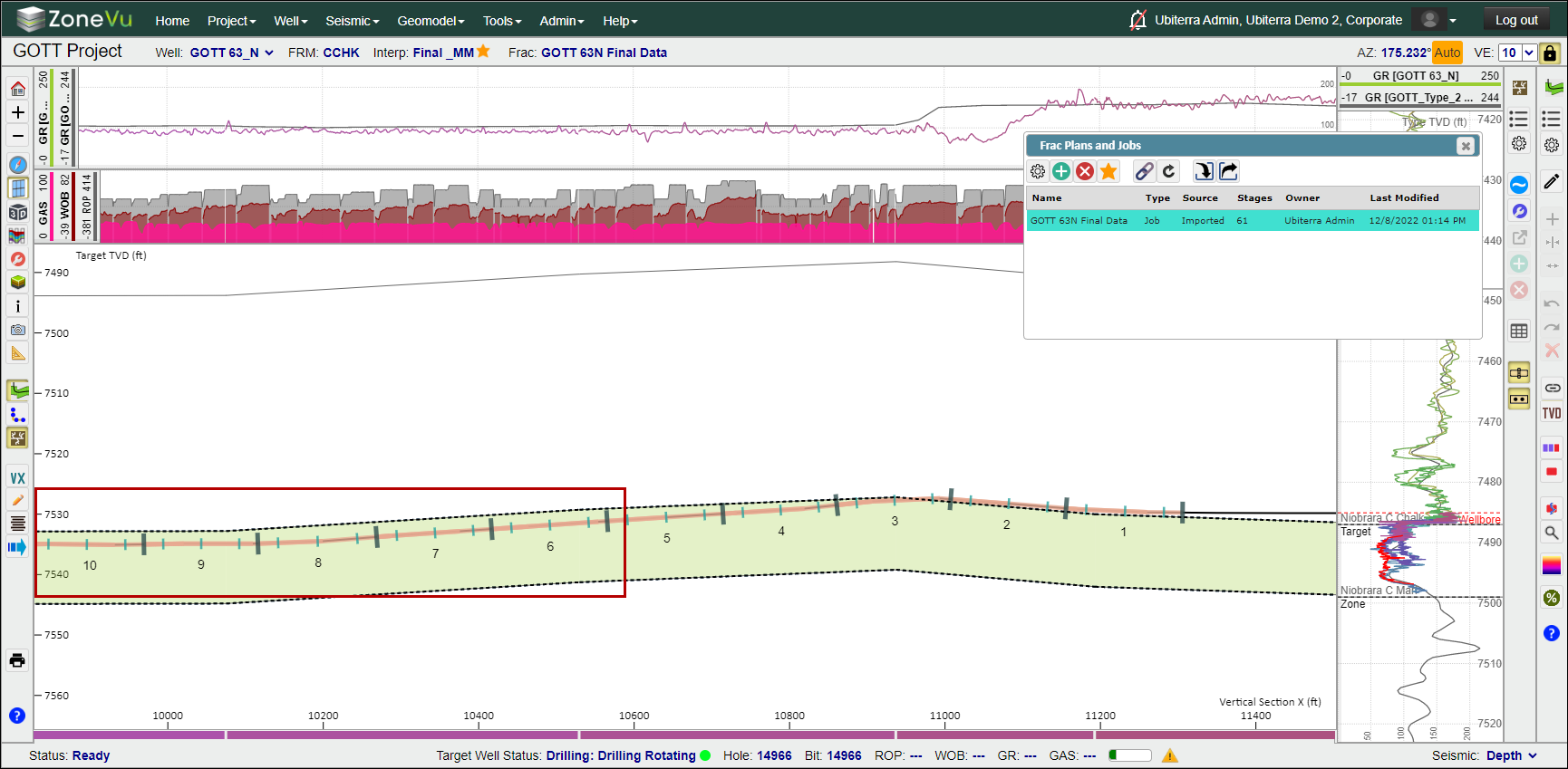
Append Data to an Existing Frac:
Open the "Frac List"
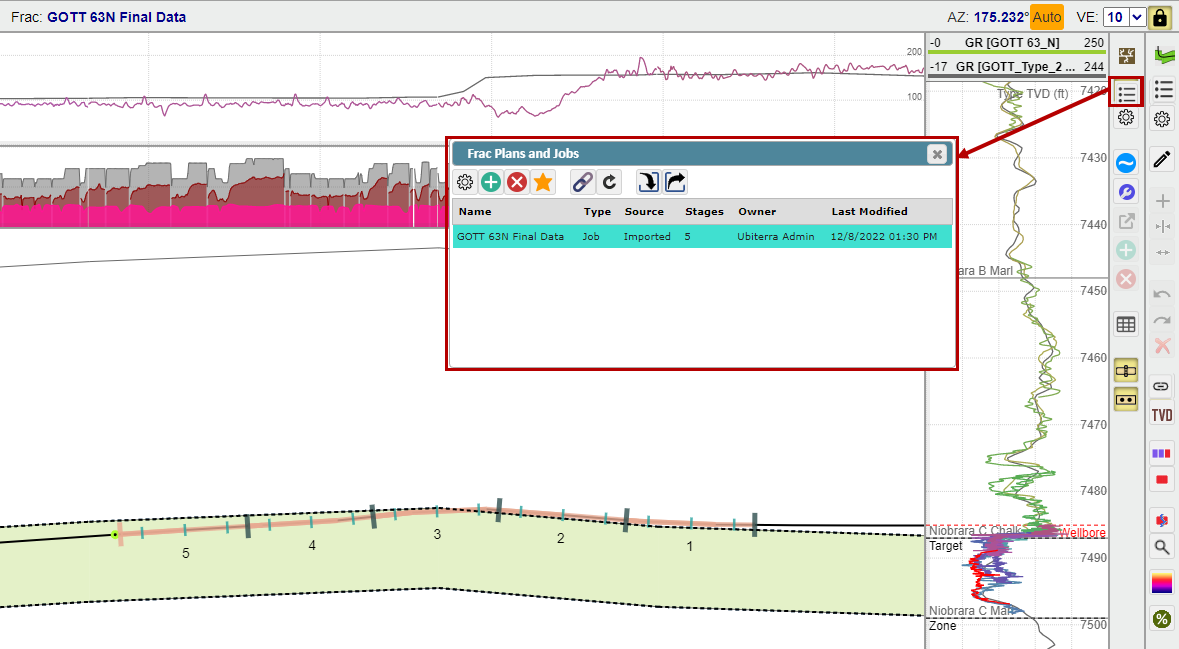
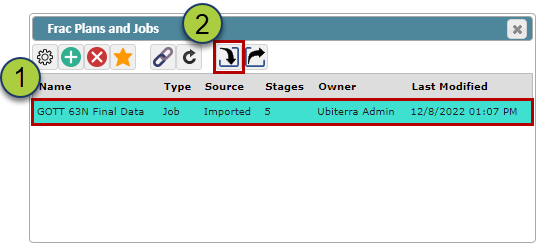
Select the Frac you want to append
Select the "Import" button
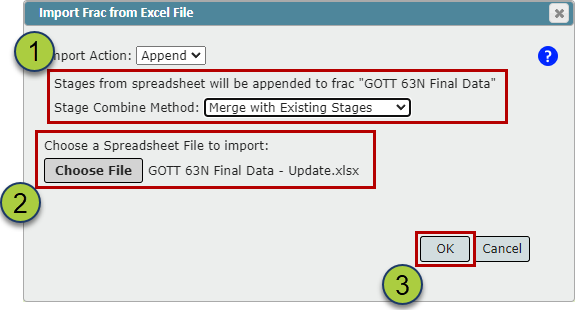
Choose an append option
Do Not Modify Existing Stages: ZoneVu Frac will only add new Stages. It will not alter any Stage Table data on the existing Stages
Merge with Existing Stages: ZoneVu Frac will add any new Stage data and fill in any missing data on the existing Stages
Overwrite Existing Stages: ZoneVu Frac will completely replace all the Data in the Stage Table for the existing Stages
Drag & Drop or use the File Search to find the Frac Import Spreadsheet
Click the "OK" button to import and append the selected Frac
Once the import is complete, the new Frac data will be displayed along the Wellbore