
Welcome to ZoneVu's Knowledge Base

Support content and general information

Copy/Paste Log Display Settings

Log Curves

Copy/Paste Log Display Settings

ZoneVu supports right-click copy/paste to display Settings of a single Log Curve or an entire LAS file

Last updated on 28 Jan, 2026

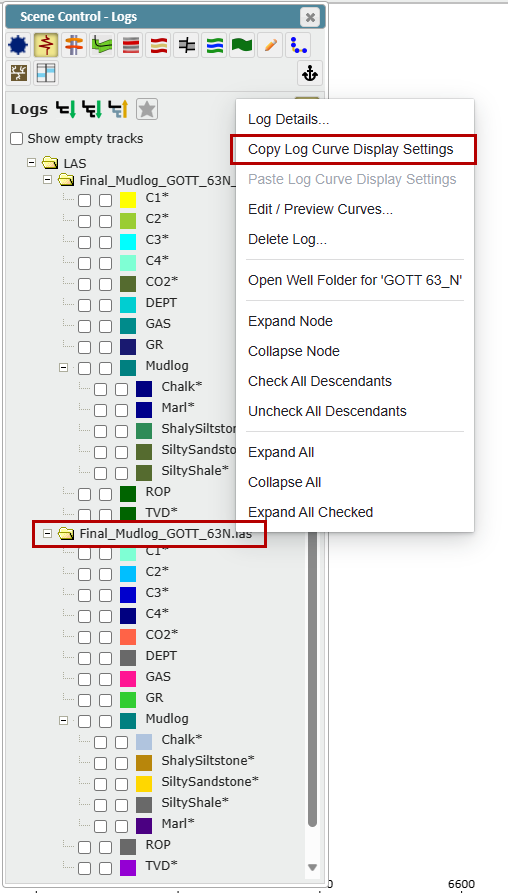
  • While in the Viewer, right-click on a curve or LAS file and select "Copy Log Curve Display Settings"

    • This will save the Curve/LAS display settings on your computer clipboard
Image
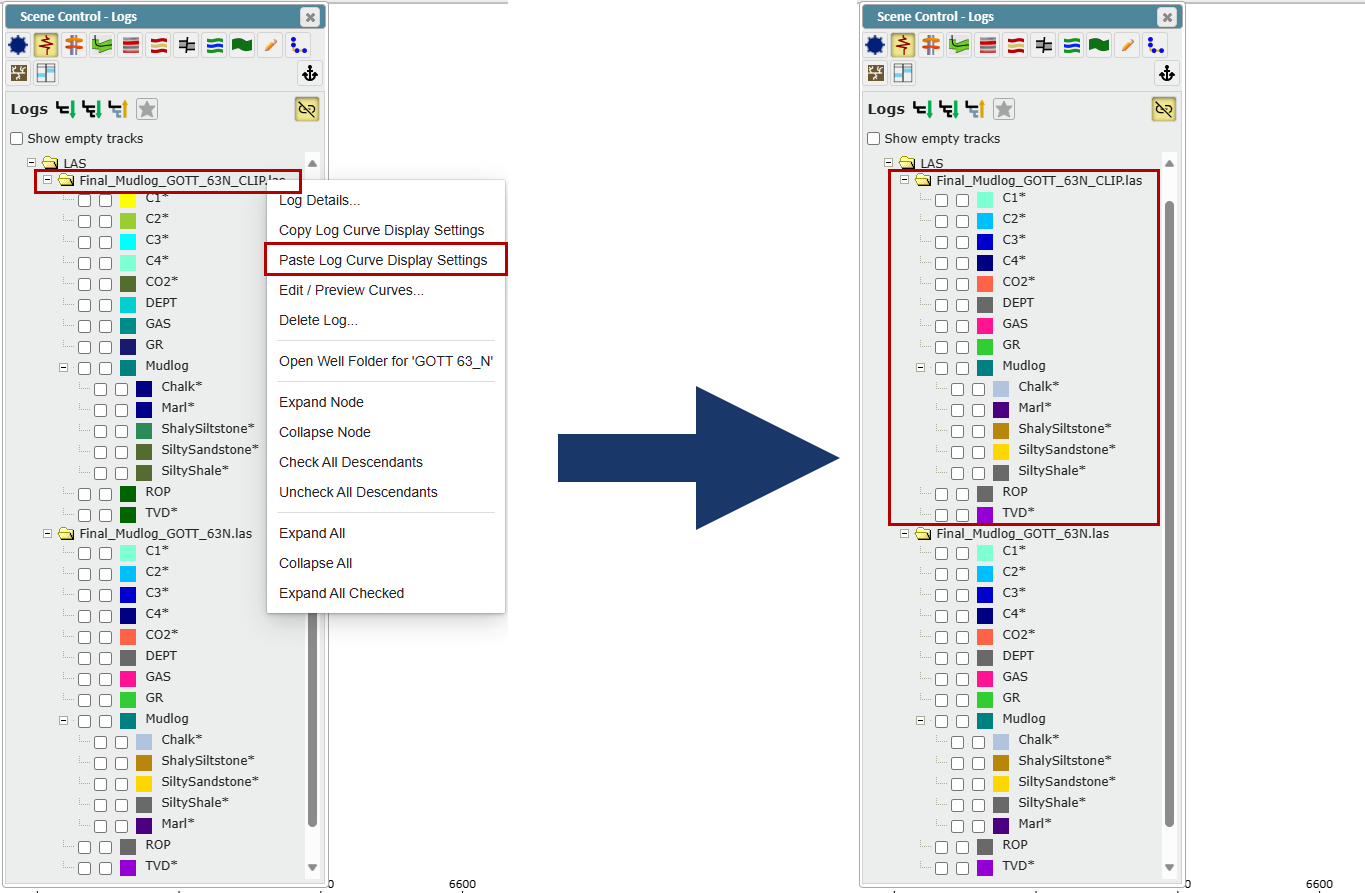
  • Right-click on the destination Log Curve/LAS File and select "Paste Log Curve Display Settings"

    • This will apply the display settings to all Log Curve(s) that have the same Curve name as the source data
Image


Did you find this article helpful?
Previous

Log Curve Histogram Tool

Next

© 2026 Ubiterra - Home of ZoneVu.