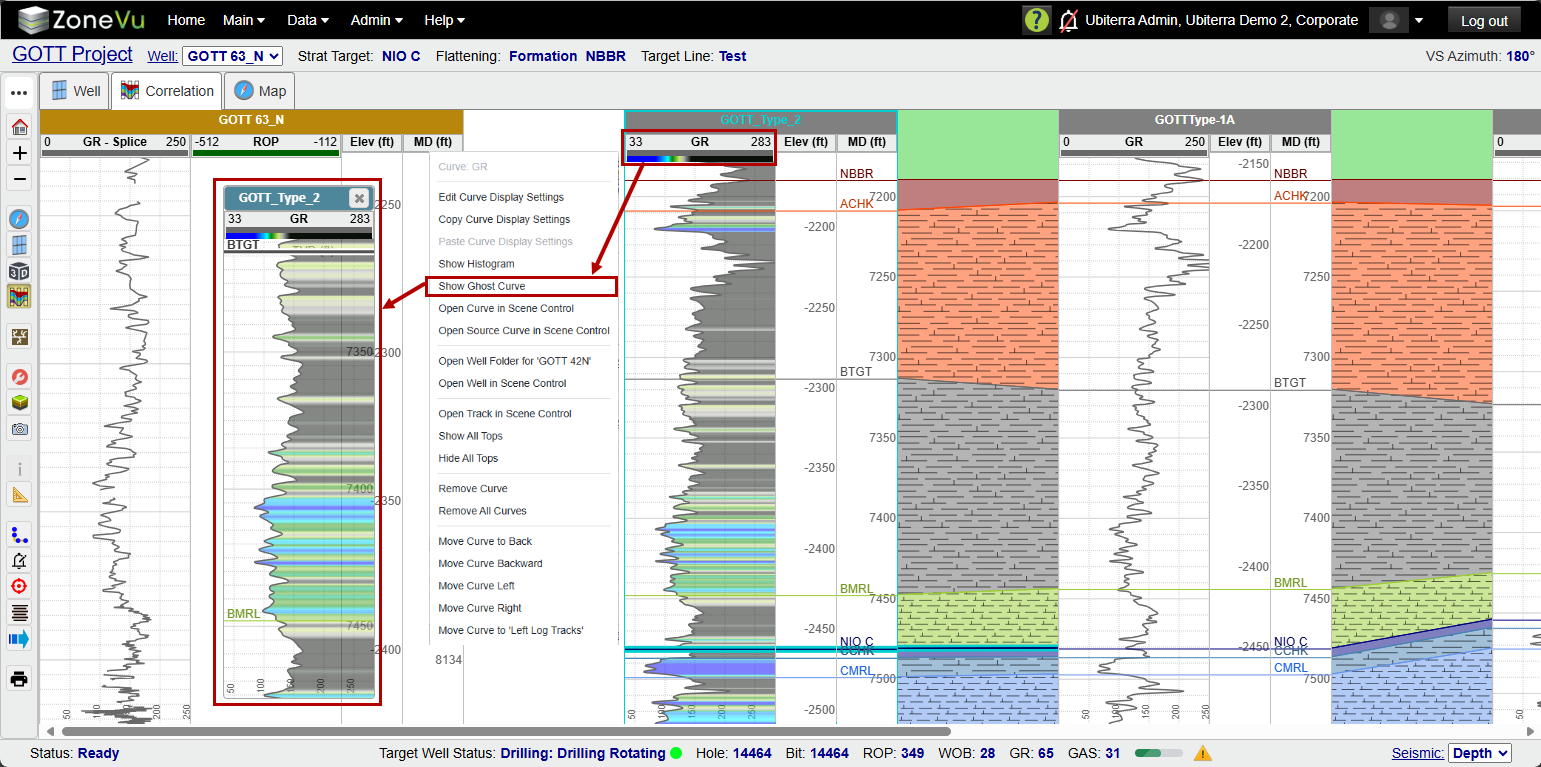
Using the Ghost Curve tool in the 2D Viewer:
To Turn on a Ghost Curve in the 2D Viewer: Right-click on the Curve Header and select 'Show Ghost Curve'. A dialog will pop up with the Ghost Curve in it, and you can pan and adjust the display as needed (just like any other log curve). You can also have as many Ghost Curves open as you need.
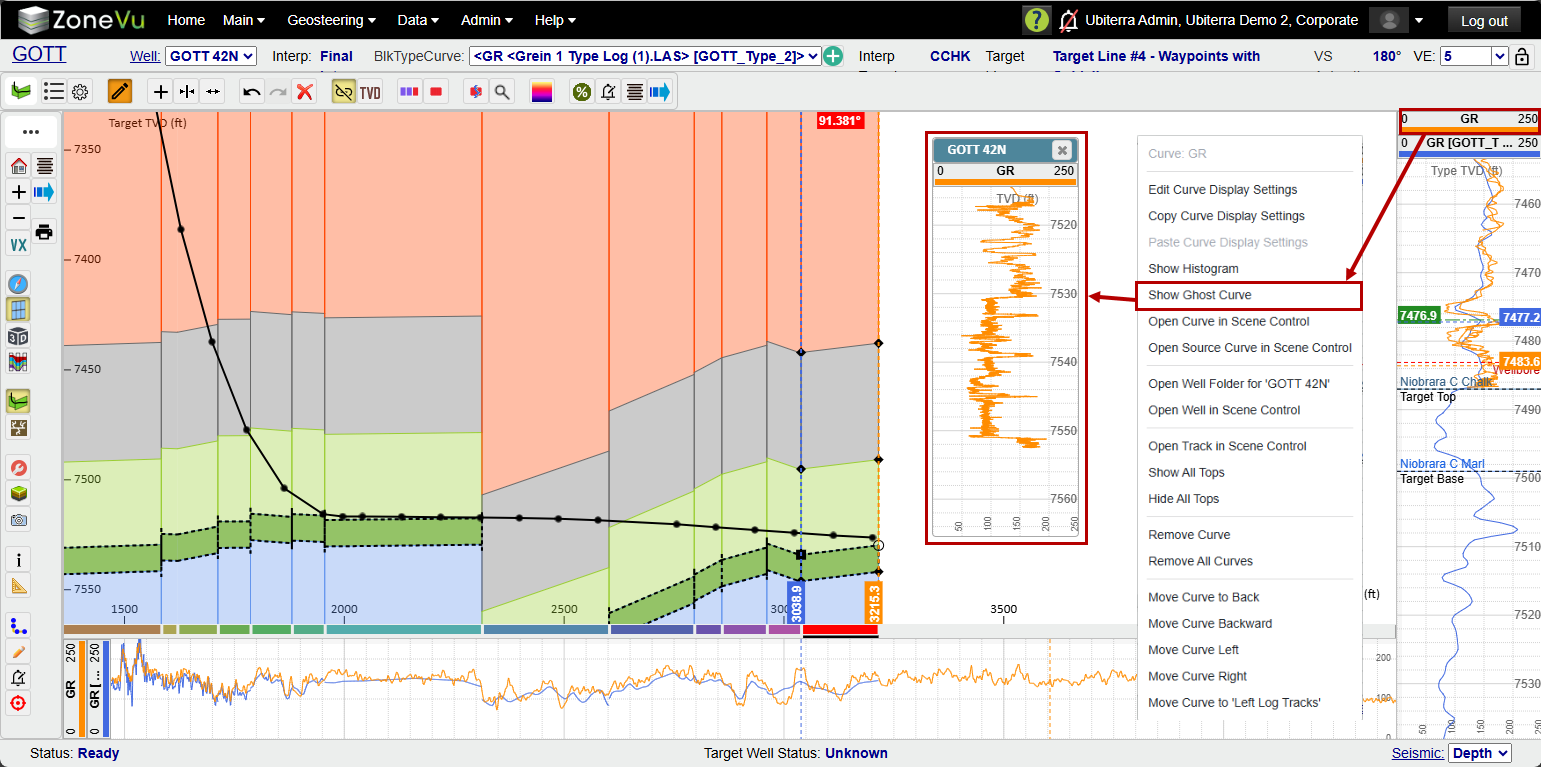
Using the Ghost Curve tool in the Correlation Panel:
To Turn on a Ghost curve in the Correlation Panel: Right-Click on the Curve Header and select 'Show Ghost Curve'. A dialog will pop up with the Ghost Curve in it, and you can pan and adjust the display as needed (just like any other log curve). You can also have as many Ghost Curves open as you need.