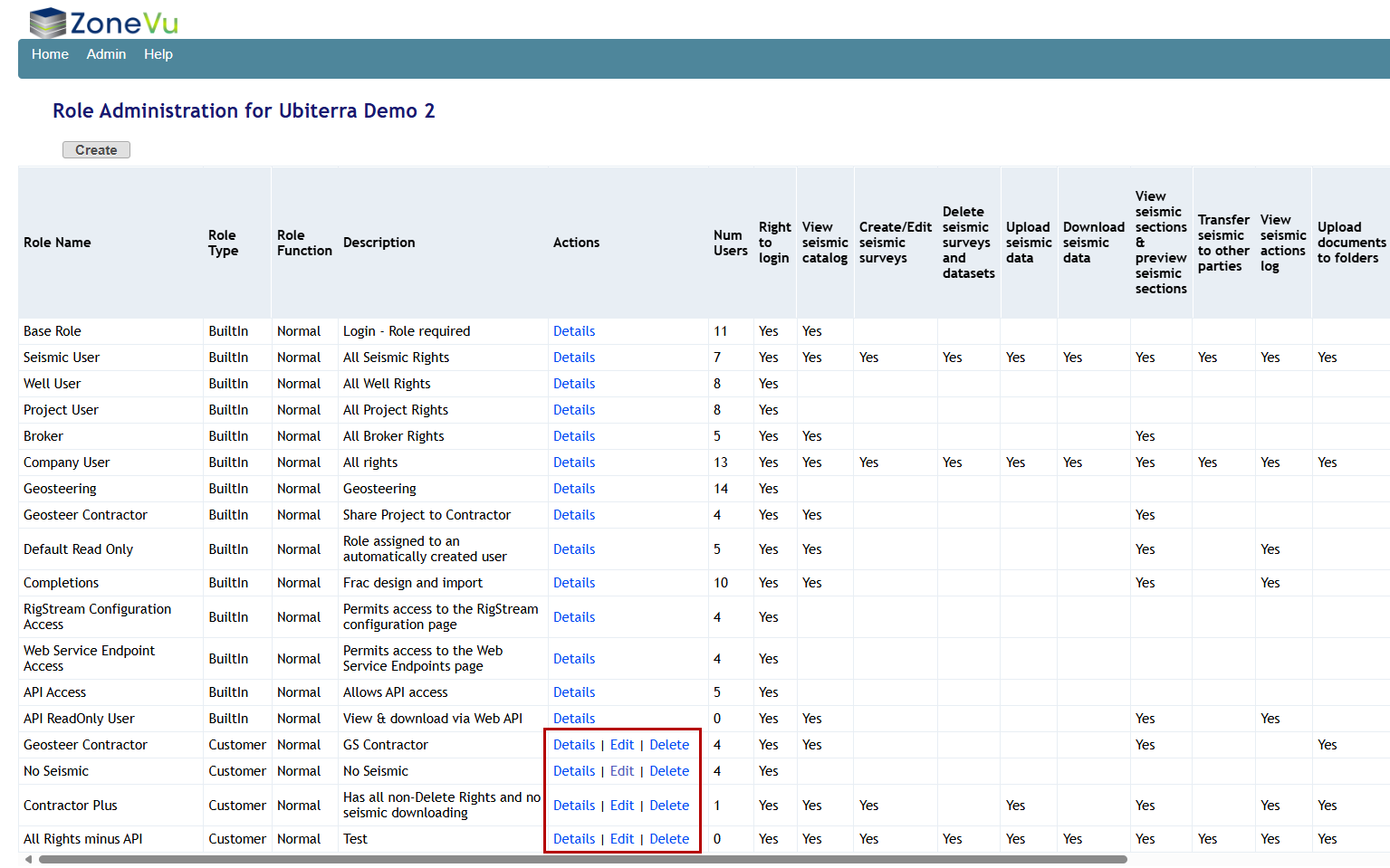
ZoneVu has a set of default Roles built into every account (https://help.ubiterra.com/help/default-user-sharing-roles). There are times where these default Roles do not meet a user's needs. This article walks through the process of creating a new Role that can be applied to User Profiles and Project Shares. Please note that only company admins can create and manage Roles.
Creating a New Role:
The Roles list can be found under the 'Admin' menu dropdown.
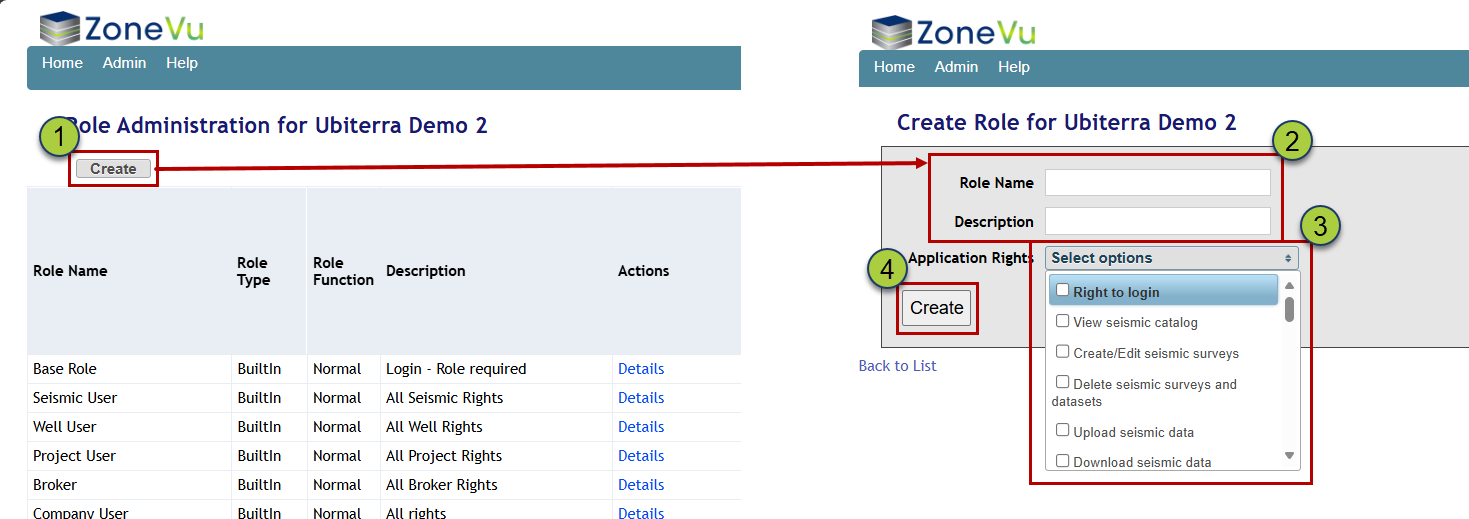
To create a new Role, click the 'Create' button in the upper left corner. This will open the "Create Role" page
Fill out the Name and Description fields
Finally, check on all of the Rights this role requires
See the Rights List KB article for more details on each Right (https://help.ubiterra.com/help/user-sharing-rights-list)
Click the 'Create' button
Once created, the Role will appear at the bottom of the Roles List. You can edit any custom role by clicking the Edit Button