

You can create a Structural Surface out of Structural Grid data or Seismic Horizons. Surfaces can be a direct product of these data sources (Grid or Horizon Data) or you can vertically shift these Surfaces either in bulk or variably using an Isopach.
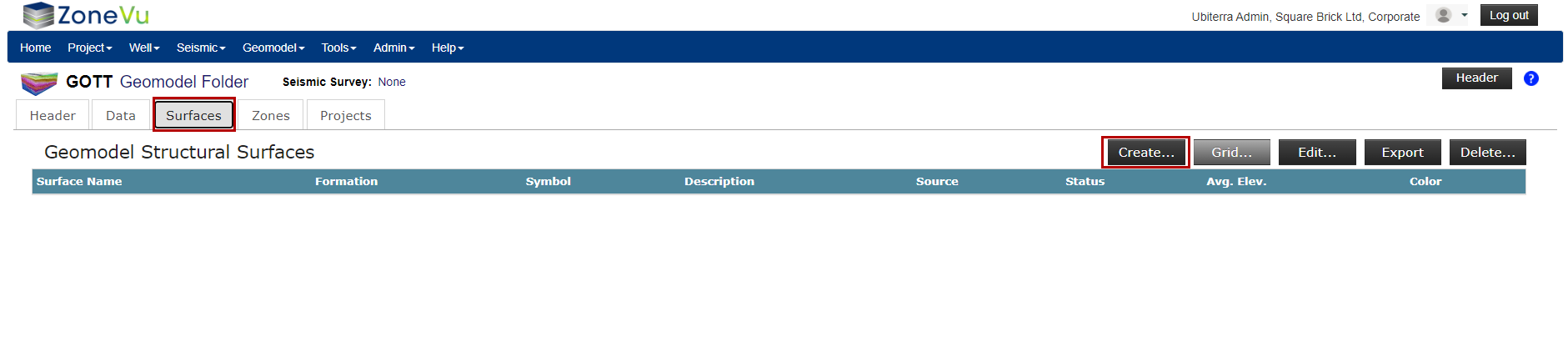
To create a Structural Surface, navigate to the “Surfaces” tab and select the “Create” button to open the “Create Surface” pop-up
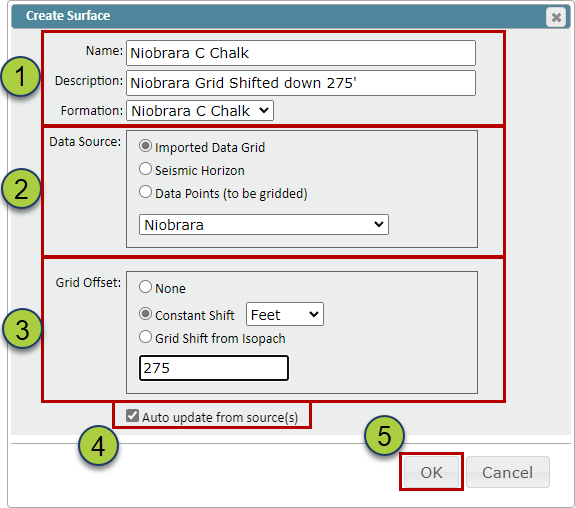
Name your Surface, add a description (Optional), & select the associated formation from the related Strat Column
Note: ZoneVu will use the color from the assigned Strat Column Formation
Select the data source, either from an imported Data Grid, Seismic Horizon, or Point Set to grid up
Select a Grid Offset (Optional) to shift the Surface higher or lower (Positive numbers will shift the Grid downward. Grid Offsets can be either a bulk shift or a variable shift based on an Isopach
The “Auto-update from source(s)” checkbox, when checked on, will automatically update the created Surface when the source data has been updated
Click the “OK” button to create the Surface
Similar to grid importing, ZoneVu will calculate the average elevation of the Surface to help you check the created Surface