

ZoneVu can import any Structure, Isopach, or Data Grid (Ex. Porosity). To load this data, you must first create a Data Folder to store the data in.
Navigate to the Geomodel folder. This will take you to the “Data” tab
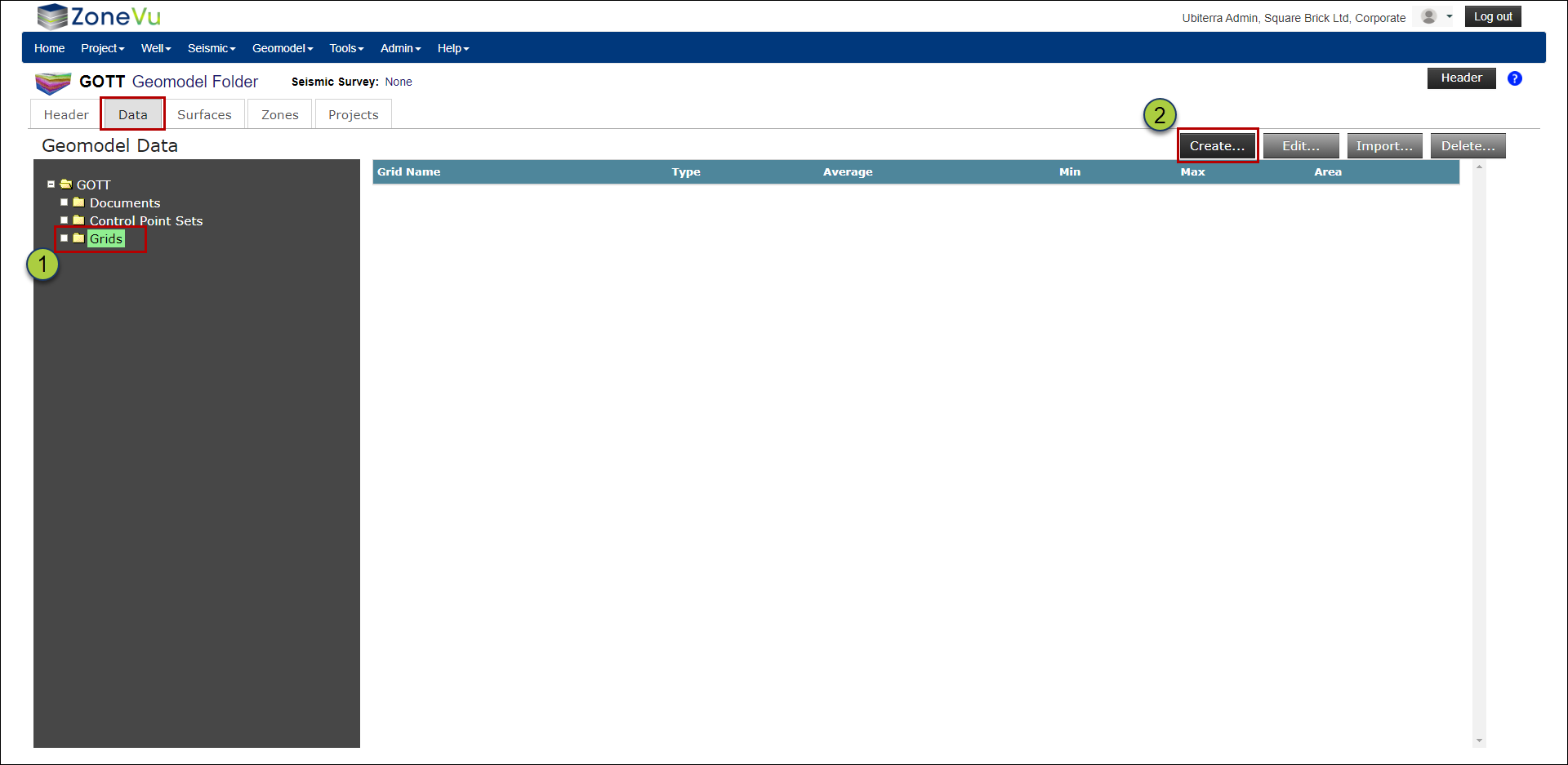
Make sure the “Grids” folder is selected and click the “Create” button to bring up the “Create Grid” pop-up
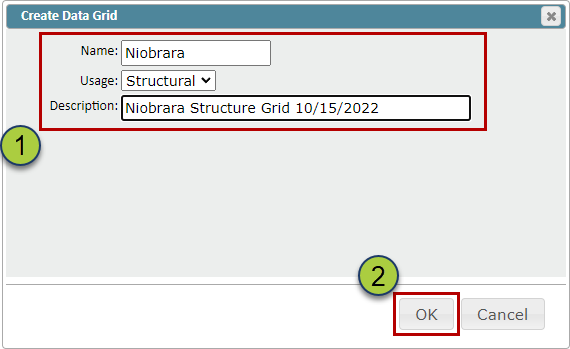
Give your Data Grid a Name, select a Usage (Structure, Isopach, Data), and a description (Optional)
Click the “OK” button to create your Data Grid
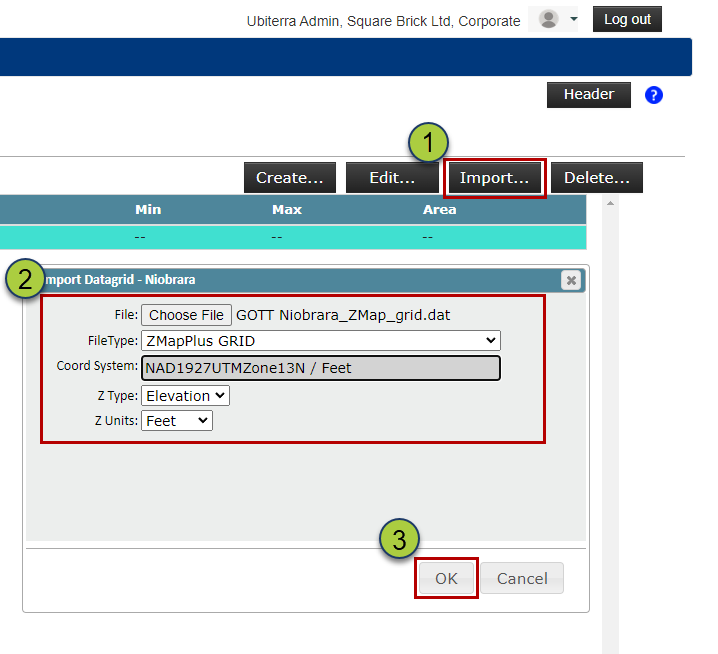
Select your newly created Data Grid, and click the “Import” button to open the Import Data Grid pop-up
Drag & drop or find your file, select the file type (ZMapPlus/ZMap or XYZ), and define the Coordinate System, Z Type, & Z Units
Click the “OK” button to load your Grid Data
ZoneVu will calculate the Average, Min, Max, & Area of the imported Grid, and use this information to check that the import worked correctly