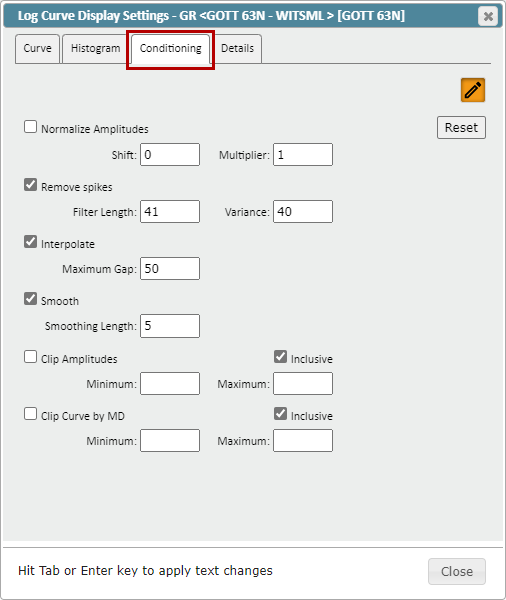
To adjust the Log Conditioning parameters, go to the "Conditioning" tab in the Log Curve Display Settings: From here you can turn on/off and adjust any conditioning parameters.
Normalized Amplitudes: Applies an amplitude shift and multiplier to the selected curve
Remove Spikes: Defines a Filter Length and Variance tolerance to remove spikes
Filter Length: Distance of the de-spiking filter
Variance: Amount of amplitude change for a data point to be considered a spike
Interpolate: Linearly connects data across a gap up to the set distance
Smooth: Applies a smoothing filter of a set length (Greater Length = more aggressive filtering)
Clip Amplitudes: Set a minimum/maximum amplitude range that will clip data beyond this range
Inclusive checkbox: Check on to keep the data inside the set range, check off to keep data outside of the range
Clip Curve by MD: Set a minimum/maximum MD range that will clip data beyond this range
Inclusive checkbox: Check on to keep the data inside the set range, check off to keep data outside of the range