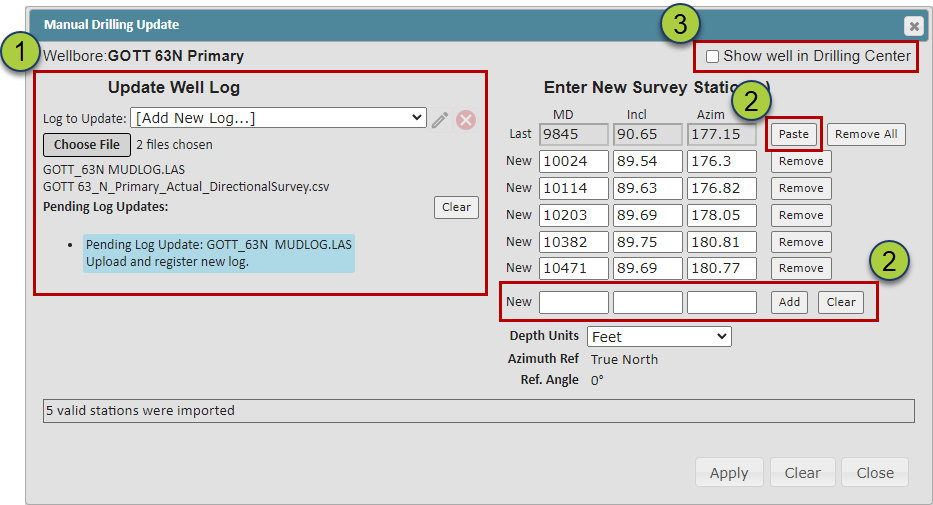
In the Viewer, you can manually load .las and Survey data for the drilling well. This article details all manual loading options for this data in the Viewer.
Manually Loading .las and Survey Data:
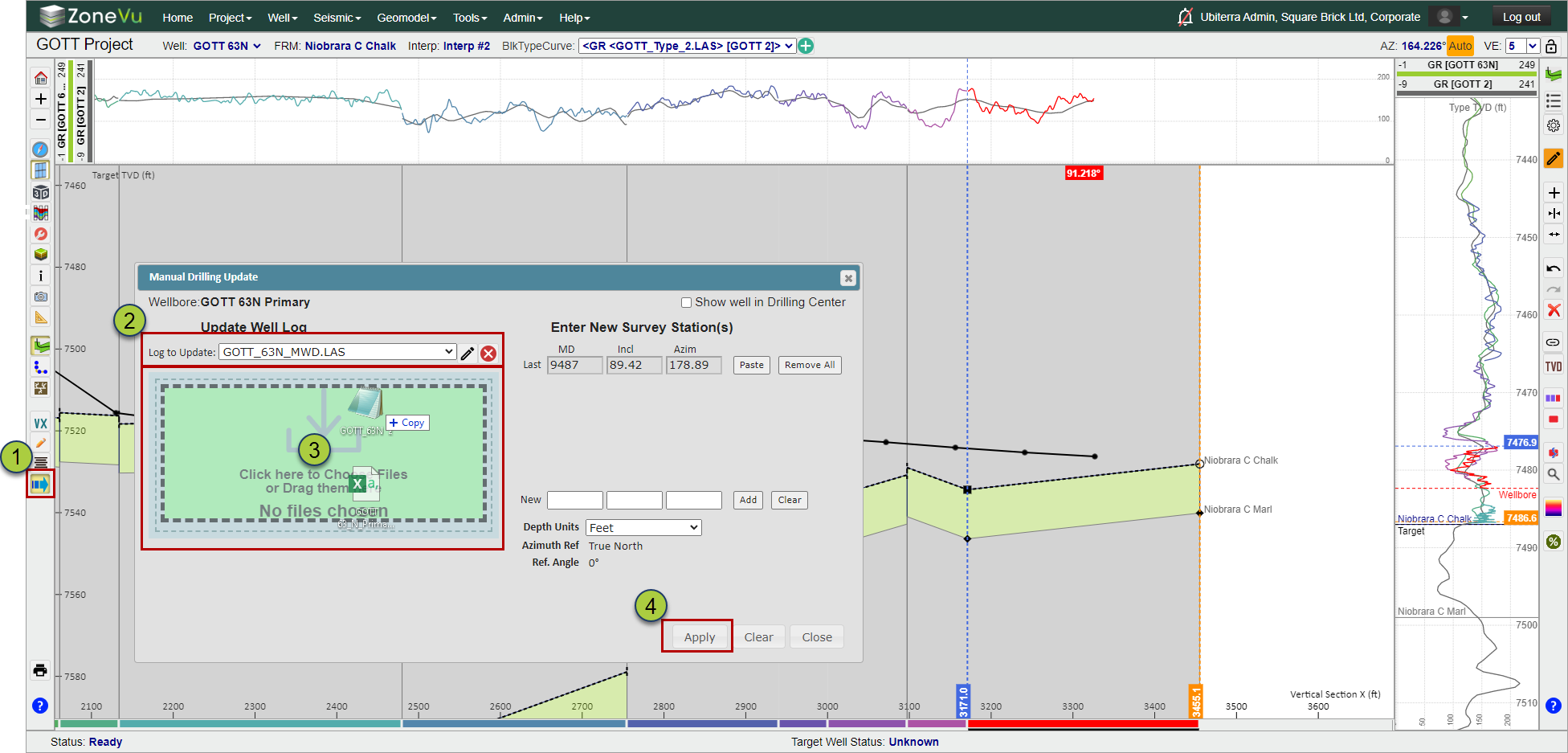
Open the Manual Drilling" dialog box
Choose which .las file to update (can be done after selecting the files)
Drag & drop or Select the .las and/or survey files
Click the "Apply" button to load these files
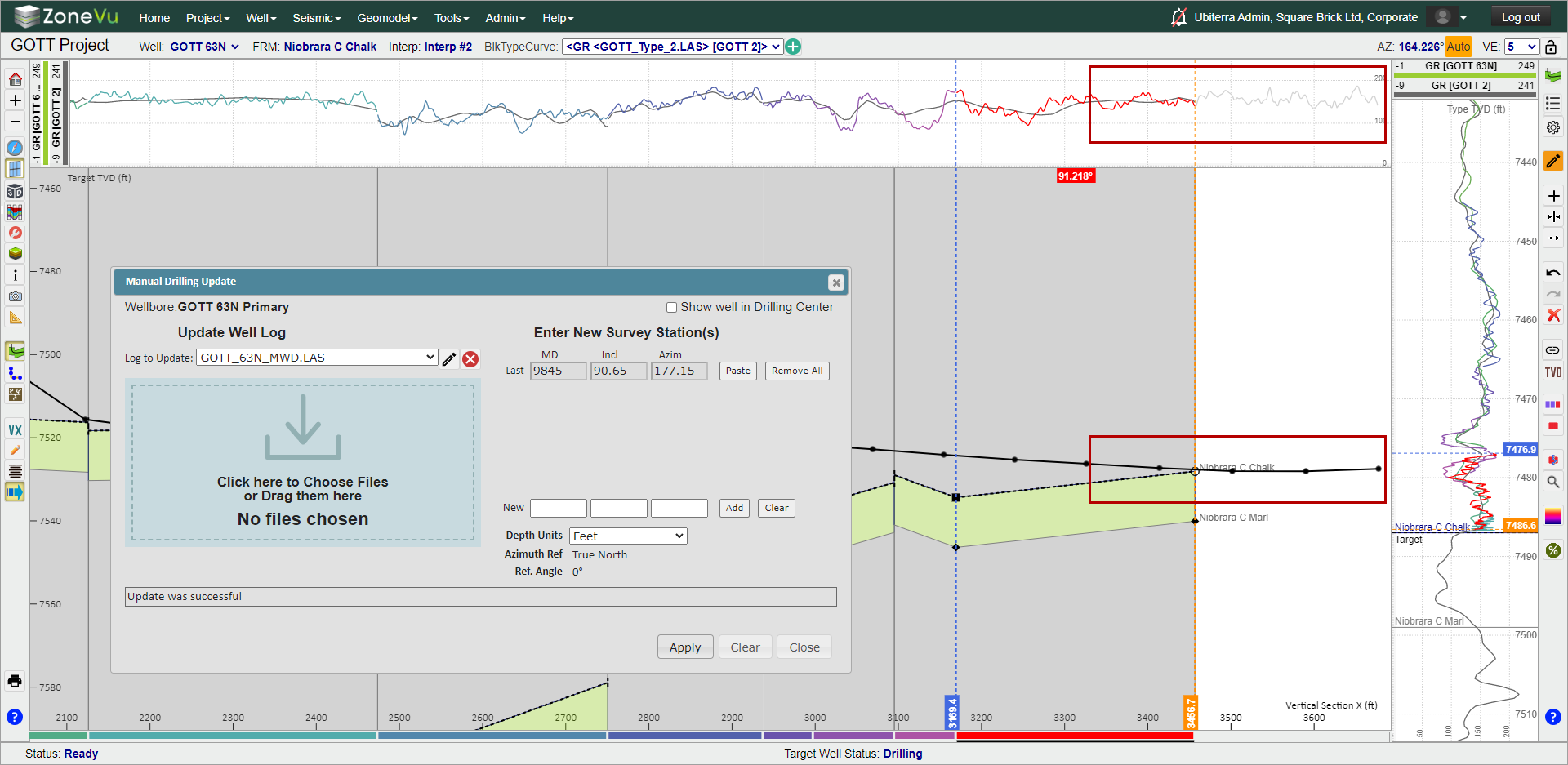
Once ZoneVu has imported this data, the Well Path and Log Files will be automatically updated
Other Data Loading Options:
You can create a new .las file for the Active Well by selecting "[Add New Log...]" under the "Log to Update" dropdown and importing the new .las file
There are two other options to load Survey Data:
Pasting survey data from your computer's clipboard using the "Paste" button
Typing the MD, Incl, & Azim data in the "New" row input fields
Select the "Show well in Drilling Center" check box to add this Well to the Drilling Center on the Home Page