While the real power of ZoneVu is its ability to automatically download directional survey data from the WITSML using RigStream, there is also functionality to manually add Directional Surveys in the 2D Viewer.
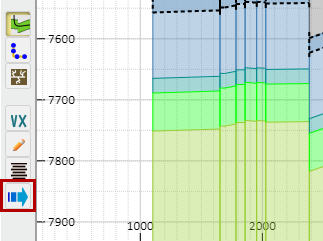
Click on the "Manual Drilling Update" button on the left side of the screen to open the Manual Drilling Update dialogue box.
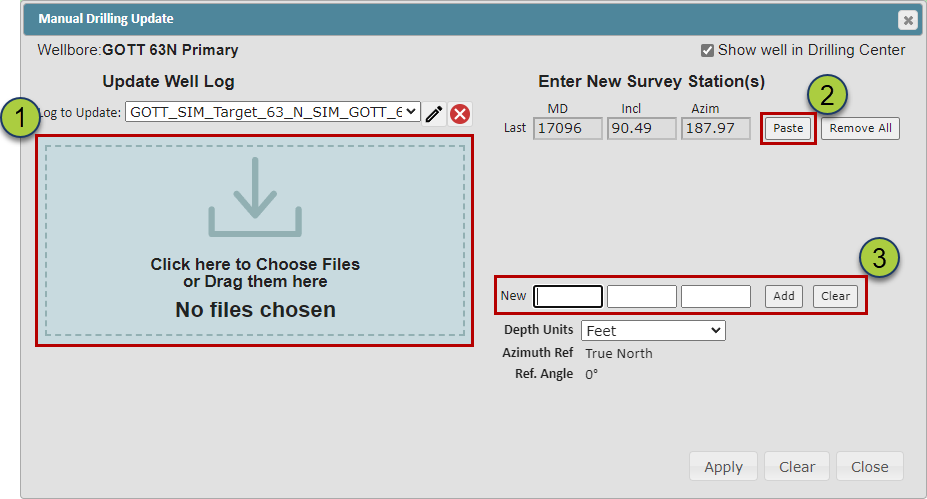
There are three ways you can load Survey Data in this dialog box:
Select or drag .las, .csv, .txt, or Excel Workbook files into the box on the left
Pasting data copied to your computers clipboard by clicking the "Paste" button
Manually typing the Survey Data directly into the dialog box (3)
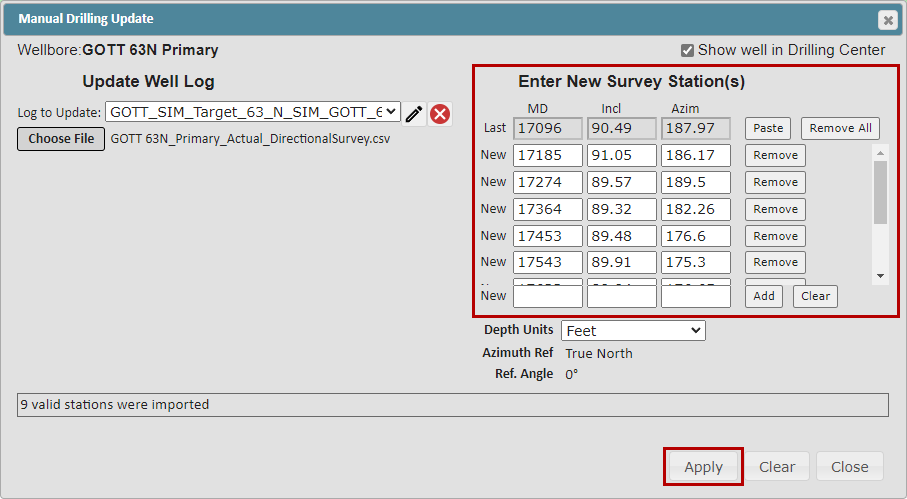
ZoneVu will compare the imported data to the current Deviation Survey dataset and list all new Survey Stations on the right side of the dialog box, allowing you to QC the data.
-In the example below, we dropped an Excel Spreadsheet with 9 new Survey Stations onto the dropzone; these were automatically added to the Direction Survey data for the Well. Make sure to click the "Apply" button to finish the data loading.