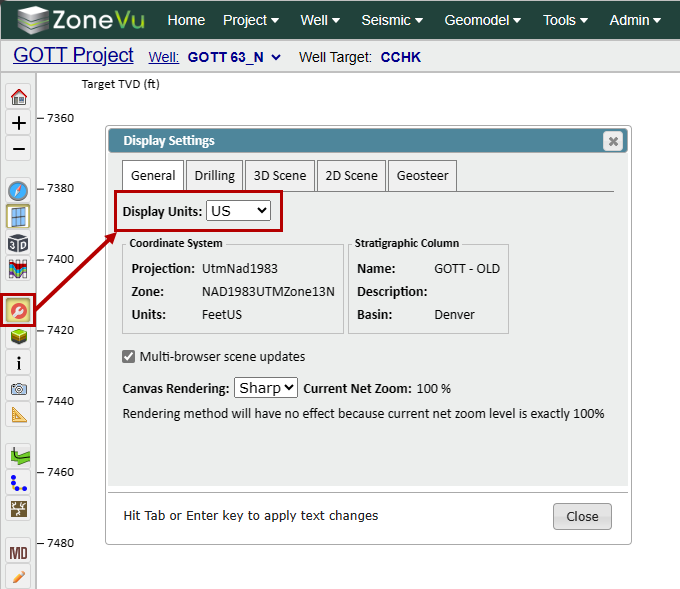
ZoneVu uses the KB/Ground Elevation Units or the Coordinate System Units to determine the Default display units for the Drilling Center, Well Folder, and Viewers. This allows the Drilling Center to display different Wells in Metric and Imperial units. Depending on the Project, the system will auto-display data in the Viewer in the desired units.
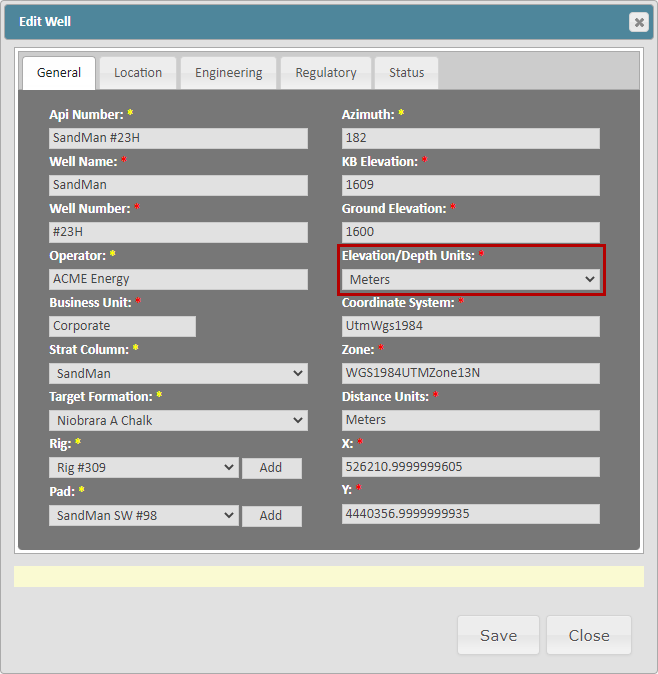
Setting Default Units for Well Data:
ZoneVu uses the Elevation/Depth Units dropdown selection as the default units for each Well in the Well Folder and the Drilling Center.
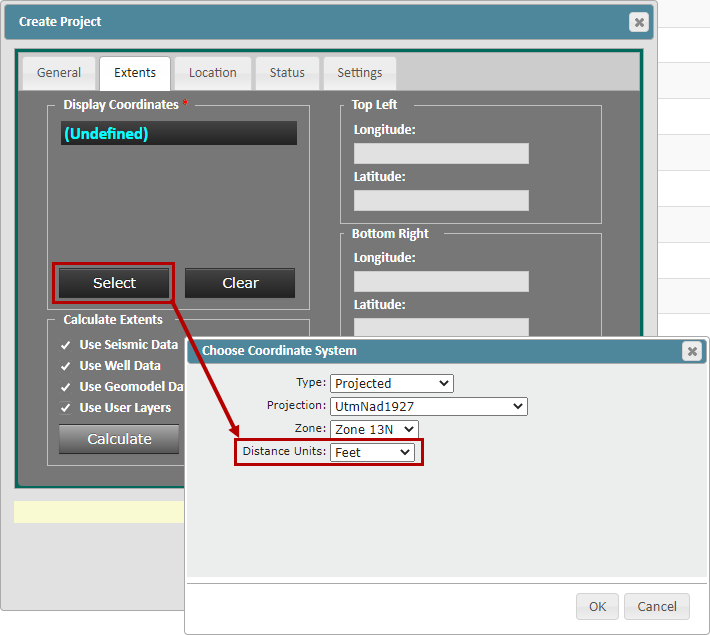
Setting Default Units for Projects:
ZoneVu uses the units selected for the "Display Coordinates" as the default units. All data in the Project will be converted over to these default units when the User enters this Project's Viewer.
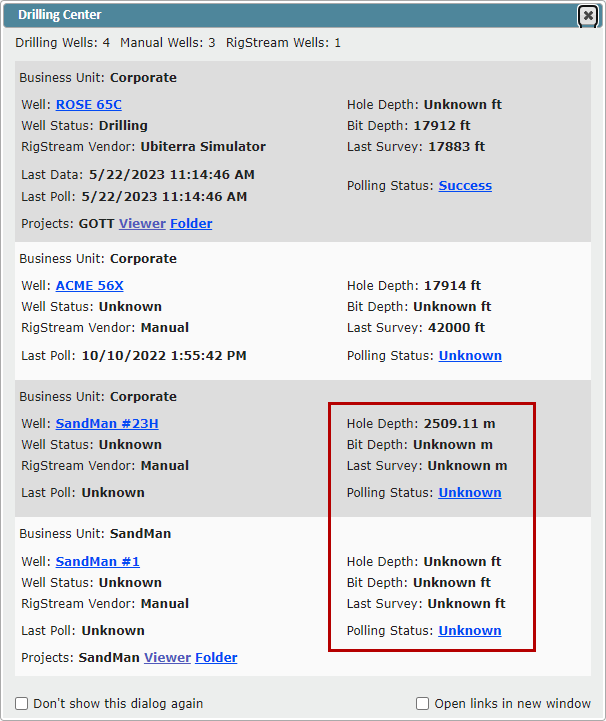
Setting Default Units for Wells in the Drilling Center:
ZoneVu will use the Wells default units, controlled by the KB/Ground Elevation units to determine the units used in the Drilling Center.
Viewer Unit Override:
While in the Viewer, you can override the default unit selection by opening the Display Settings and using the "Display Units" dropdown on the General tab