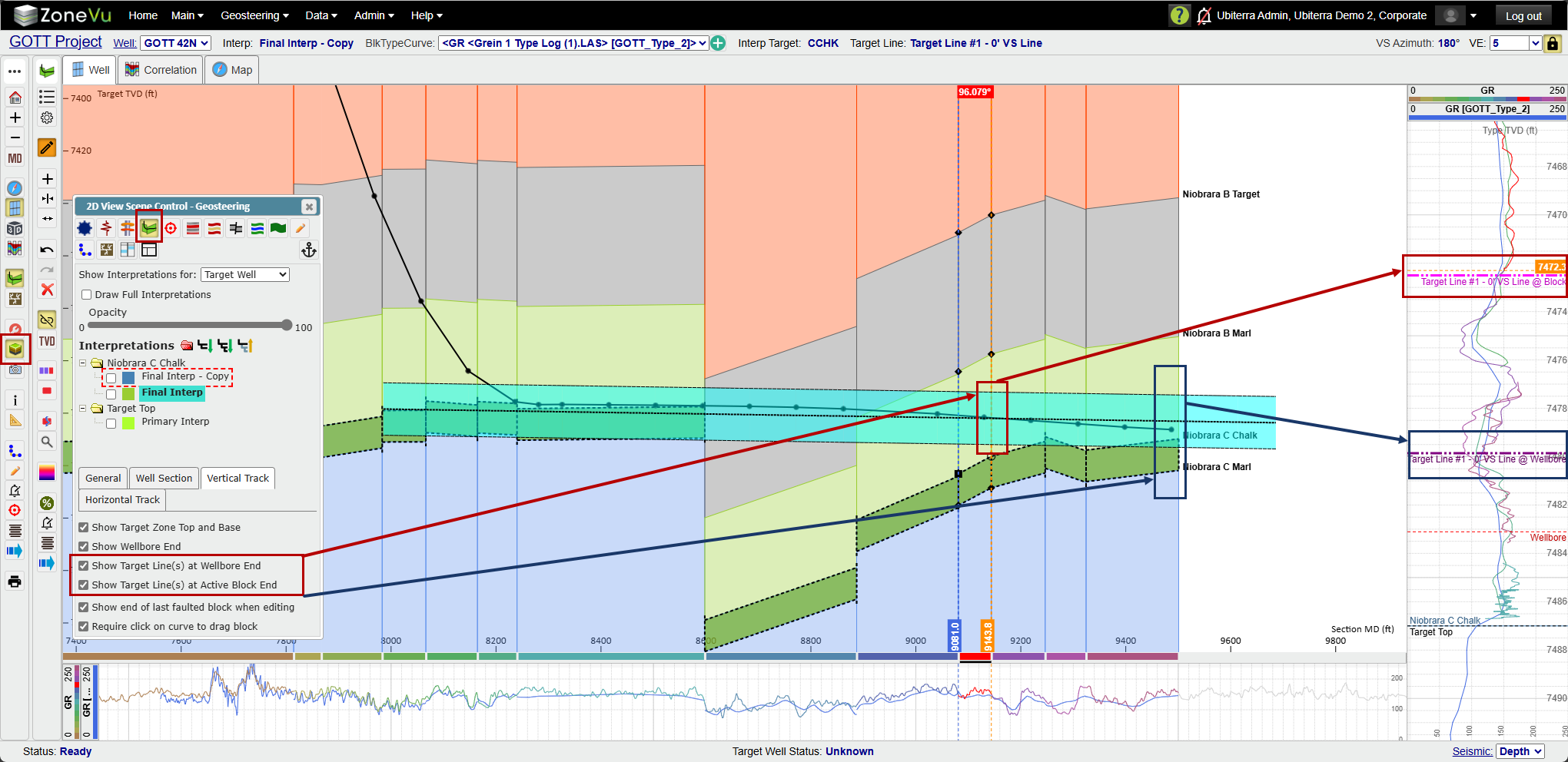
ZoneVu will display the location of the displayed Target Line(s) in some or all of the Vertical Log Tracks in the 2D Viewer.
There are two Target Line Display options:
Show the Target Line(s) at the end of the Wellbore (purple dashed line)
Show the Target Line at the end of the selected Geosteering Block (pink dashed line).
ZoneVu will use the displayed interpretation to determine where the Target line is relative to the Type Well and show the locations accordingly.
To turn these lines on, go to the 'Geosteering' tab of Scene control, select the 'Vertical Tracks' tab at the bottom of the dialog, and check on the Target Line location lines that you want displayed.
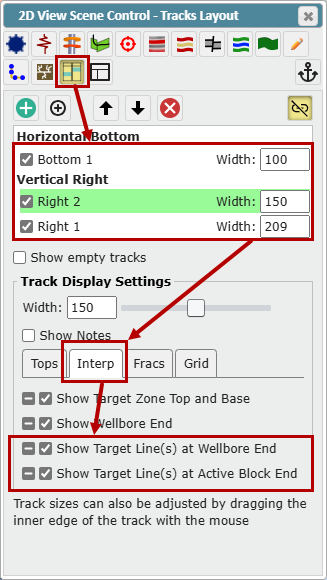
You can control if a Track displays the Target Line locations by going into the Tracks tab of Scene Control, selecting one or more tracks, and checking on/off the Target Line checkboxes in the 'Interp' tab.