

ZoneVu Alerts: Three New Alerts Rules
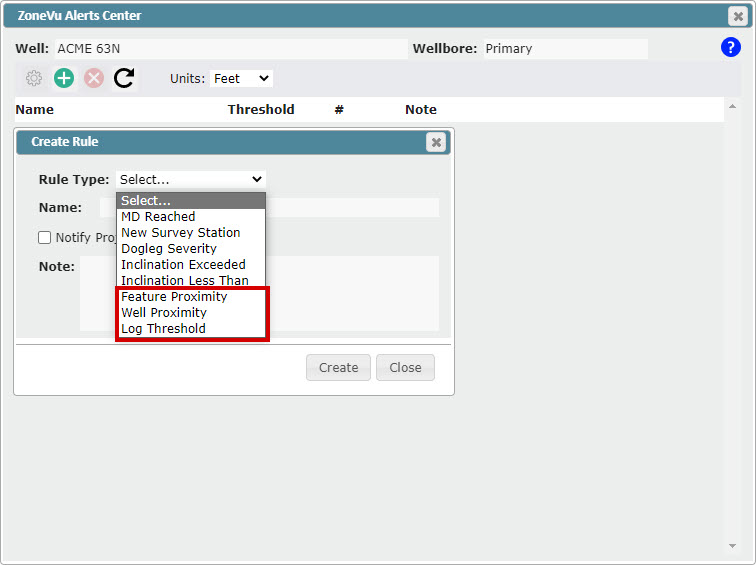
Feature Proximity Rule
Feature Buffer - Specify a buffer around a Feature (point, line, polygon) and when the bit enters this buffer you will receive a text and/or email notification
Bit Projection - Project the bit location out X', when the bit projection intersects the Feature you will receive a text and/or email notification
Depth Zone - Set a depth range where the Feature Proximity Alert is active
Wellbore Proximity Rule - Set a buffer around another wellbore, if the bit enters this buffer you will receive a text and/or email notification (works for both vertical and horizontal Wells)
Log Threshold Rule - Assign a < or > Log Threshold, when the threshold is crossed you will receive a text and/or email notification
Team ZoneVu Alert Notifications: ZoneVu can now Notify your entire team when an Alert is triggered
Notification List can be set in the Project Folder under the "Members" tab
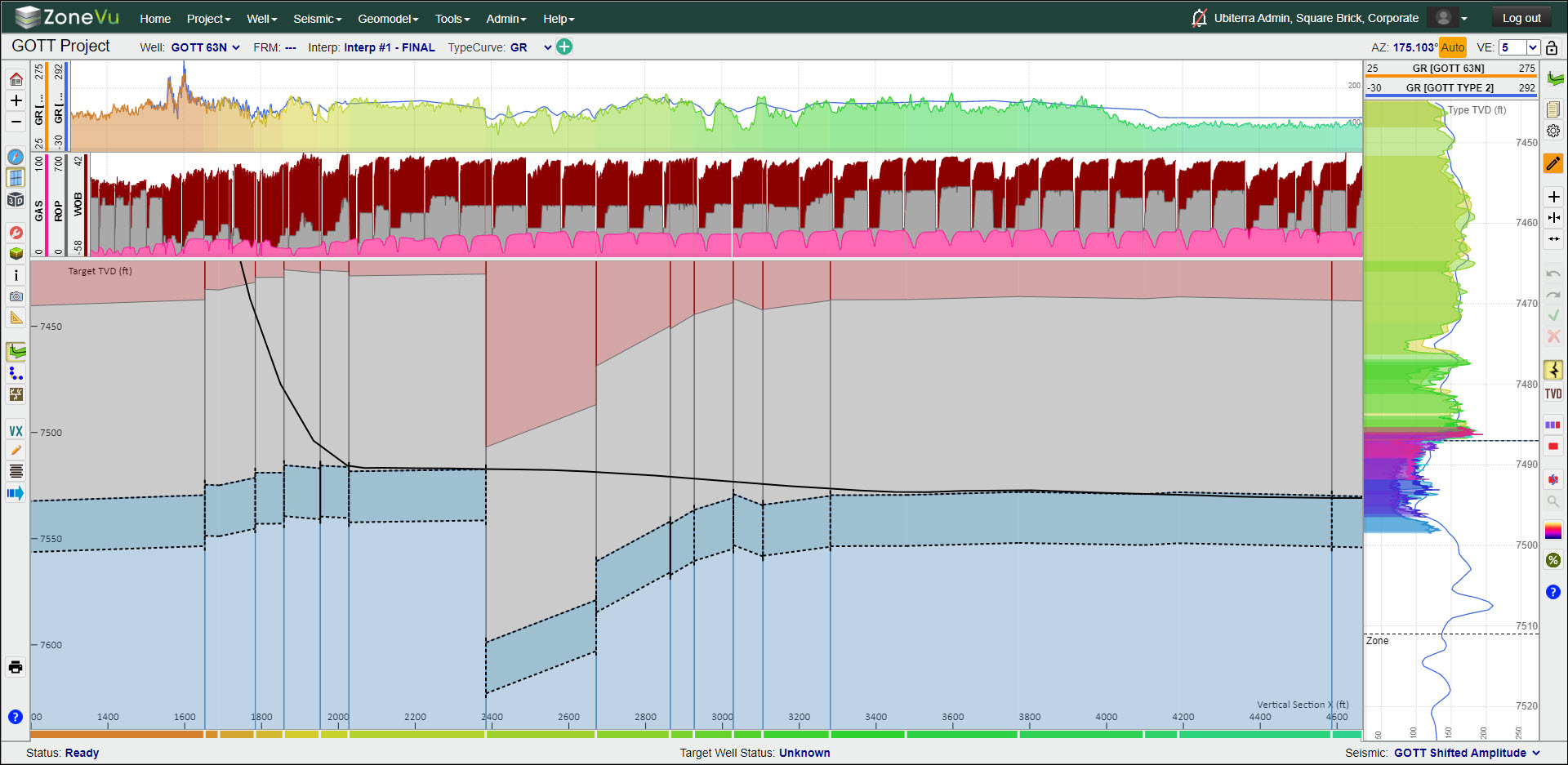
Log Color Fill
Log color fill is now supported
Solid Color
Geosteer: Uses the Geosteering Interpretation Block coloring
Fill above/below the line
GUI enhancement
User Notes Enhancements
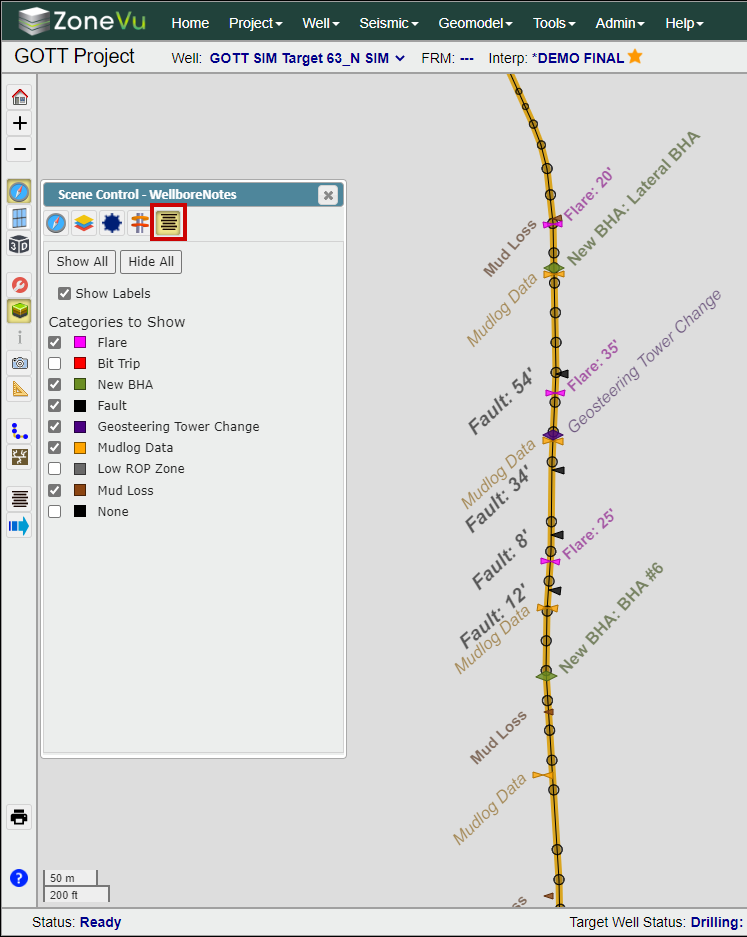
User notes can now be displayed in the Map Viewer
Added Export to File (.txt)
Added Export to Clipboard
Mobile Viewer Enhancements
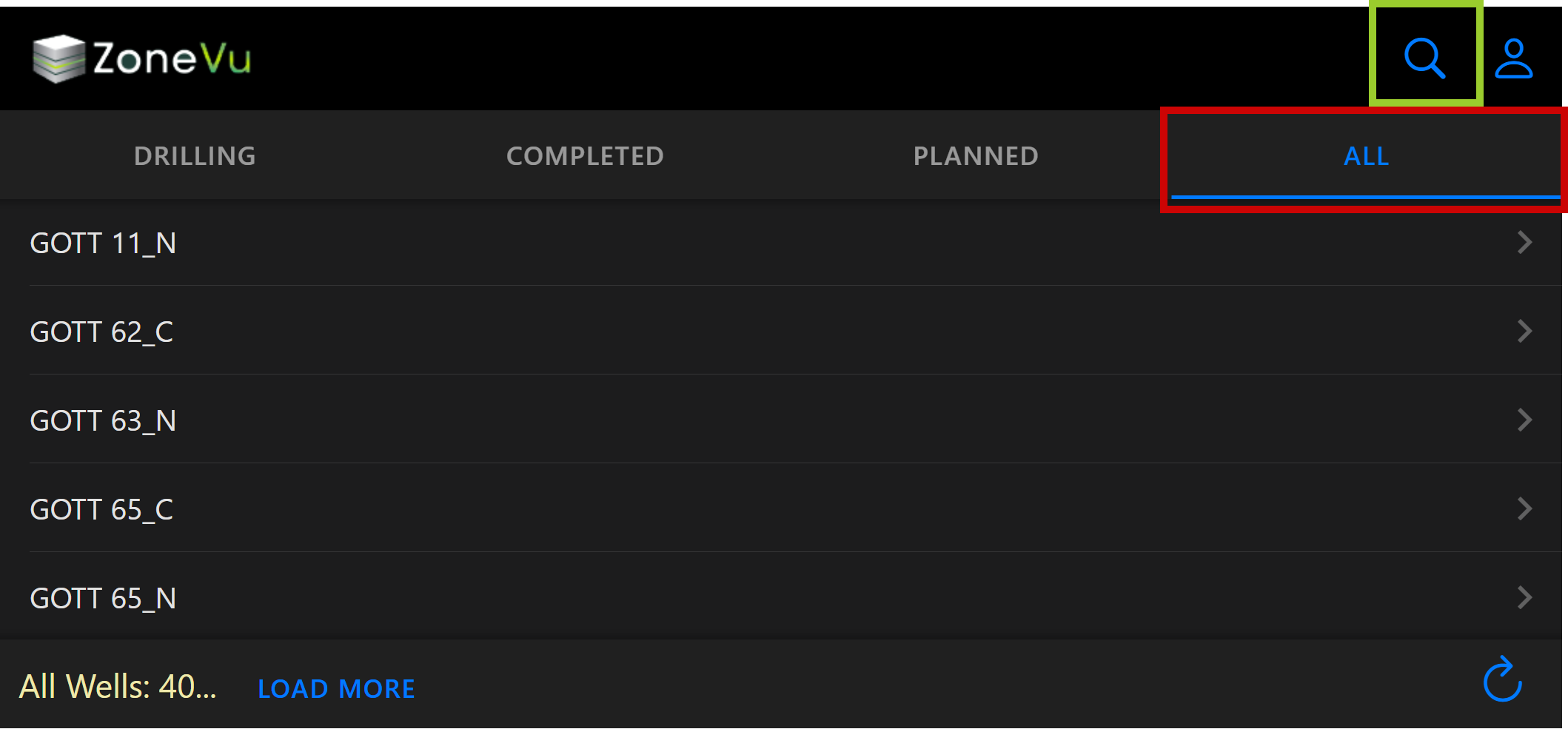
Added an "All" tab to the Home Page that lists all Wells in the Company
Added a search feature to help navigation of large Well lists
Removed "Completion Date" requirement for Wells to appear in the "Completed" tab
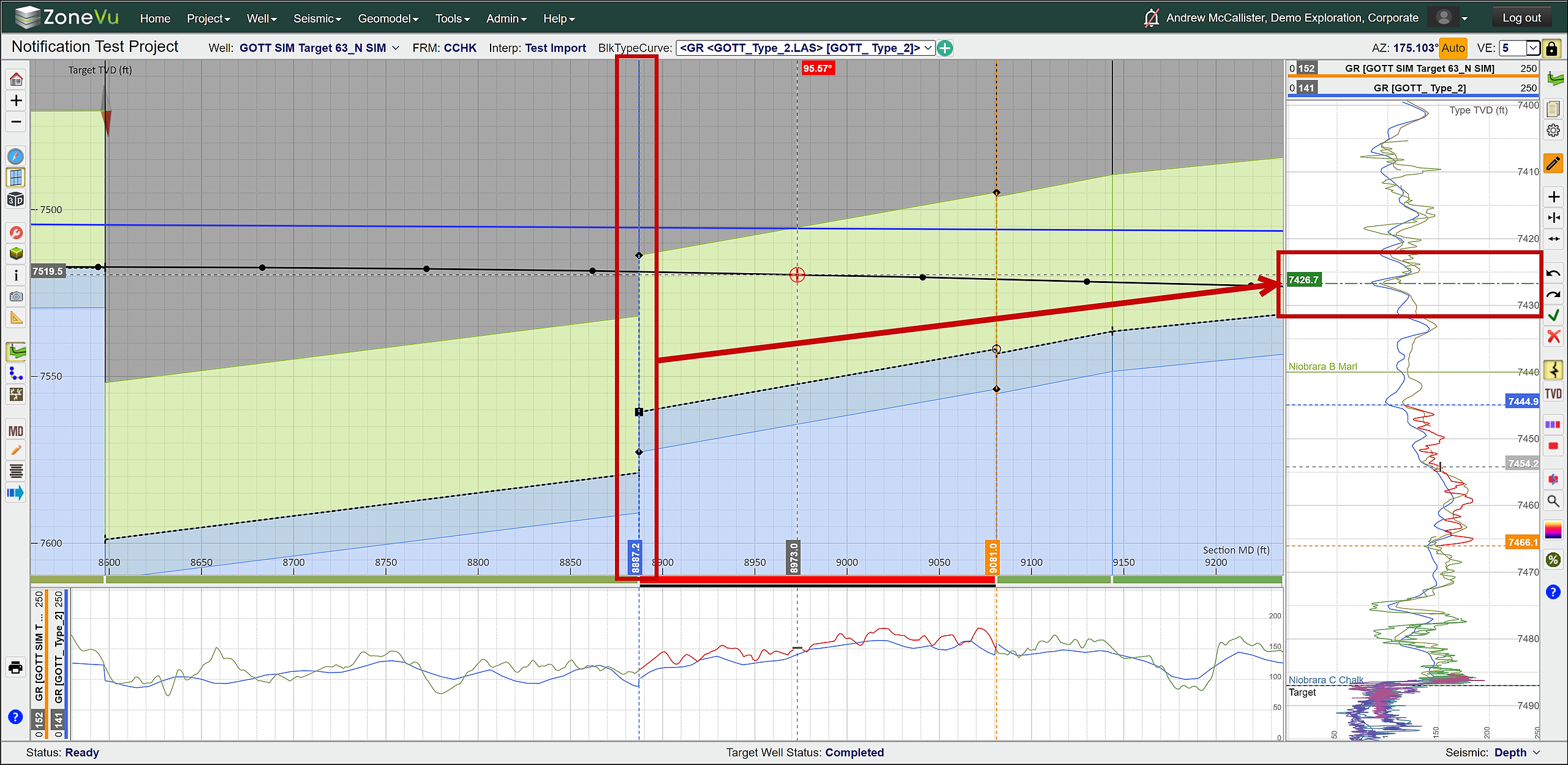
Added an "End of Last Geosteering Block" line to the Vertical Correlation Track
This line shows where the end of the last Geosteering Interpretation Block is located on the Type Log
Green label with green long-dash-dot line
This line will only show up if the Geosteering Interpretation Blocks are "faulted" (not linked), otherwise the start of the current Geosteering Interpretation Block coincides with the end of the last Geosteering Interpretation Block
This will be on by default; it can be turned off in the Display Settings under the "Geosteering" tab
Completions Module Enhancements
Export button added to the Frac Job List, this will export the Completions Job/Plan data
Export button added to Frac Stage Table (.txt file)
Manual Drilling Update Enhancements
Manual Drilling Update pop-up now supports drag and drop of survey files (.txt, .csv, Excel Workbook)
Create and load a new LAS file from the Manual Drilling Update pop-up
Snapshot Enhancements
Added the ability to rename existing Snapshots
Fixed Snapshot handling of cube changes when the seismic survey in a project is changed
Fixed invalid Snapshot when removing a grid that is displayed on the map from the Geomodel
Data Create Pop-Up Enhancement
Required Vs. Suggested Tags
Auto Filling of some required inputs
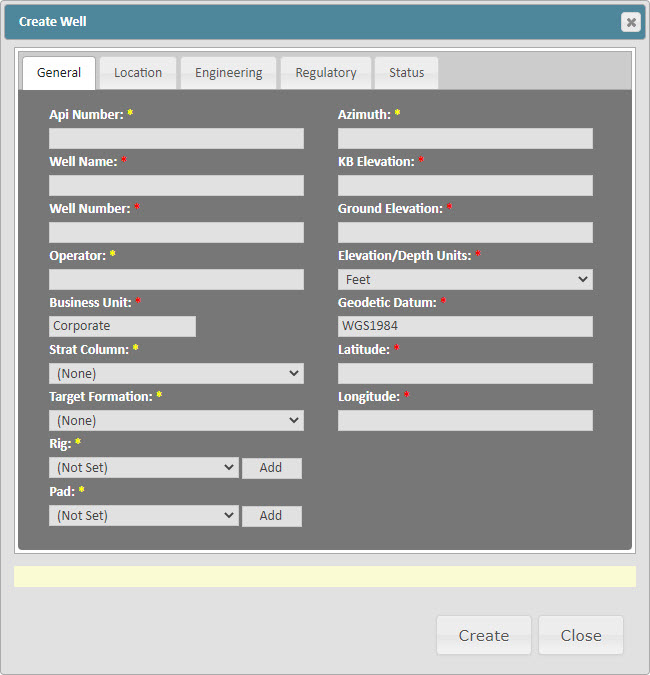
Create Well Pop-Up
All required fields moved to the General Tab
Required Vs. Suggested Tags
Surface Hole location data expanded to support all coordinate projections
Added "Pad Name": You can now assign wells to a specific Pad
Added Pad Column to the Well List
Knowledge Base Security Upgrade
Users must now be logged on to ZoneVu to access the ZoneVu Knowledge Base
If you get a 404 Error when accessing a Knowledge Base link, log in to ZoneVu and click a help link in ZoneVu to get access to the Knowledge Base again
Plan MD Projection Modes
Added 'Plan MD Projection Mode' drop down to 2D Scene display settings
Added 'Show MinVX Line' to 2D Scene settings
Other Updates:
RigStream connection to Rig Vision
Added "WGS 1984" tags to the "Directional Survey" & "Header" tabs to clarify what Lat/Lon coordinates are being displayed
Fixed "Grid North" Correction Angle being applied in the opposite way when applied on the "Directional Survey" tab
Hyperlinks added to all items in the Wells, Geomodels, & Seismic tabs on the Home Page
Wellbore Modification Target Change Table now registers Wellbore Modification point changes without users having to click the "OK" button in the Wellbore Modifications settings Pop-up
"Apply" button removed from Log Display Settings pop-up, any changes will now be automatically applied
You can now select "Hidden" Geosteering Interpretation blocks
Fixed Lathe Display not rendering logs at the correct depth
Fixed Geomodel Create/Edit - Fixed Cannot Change Seismic Survey bug
Fixed error when clicking on a well with a degenerate survey on the map
Fixed seismic slices looking washed out compared to the wellbore section
Allow ZMap grids to import even if the columns end without filling up the file lines (ZMap+ support)
Minor bug fixes