

Completions Module Update:
Rebranded to ZoneVu Frac
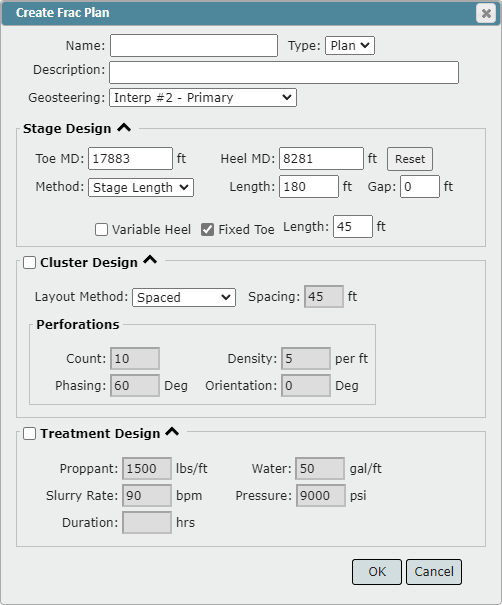
Expanded Frac Planning Functionality
Plan Fracs by Stage Length
Fixed stage length or absolute number of stages
Apply a different stage length for a Wet Shoe/First Stage
Fixed or variable final stage length
Design your Perf Cluster
By spacing, static number, or offset
Number of shots, shot density, phasing, orientation
Designate your Treatment plan
Proppant, water, rate, pressure, duration
Iteratively work up your wellbore adjusting your Frac Design or integrating skipped sections of the lateral
Update the stage spacing, perf clusters, and/or treatment for one, a selected portion, or all stages on an existing Frac
Move, add, & delete individual perf clusters
Update an existing Frac via the importer
Only add new stages, append missing data, or overwrite all existing data
Updated Stage Info dialog box providing more details on the stage as well as redesigned the Per Clusters and Treatment
Frac tab added to the Scene Control
Select and Display Frac on all displayed Wells in the 3D and Map Viewer
Shift-Select of Stages now supported
Corrected the BHPSL column calculation
Select a Geosteering Interpretation when first creating a Frac
Expanded data export
Export the Stage Table with the Frac Sheet
Frac design export option added
GUI enhancements
Splice Log Function:
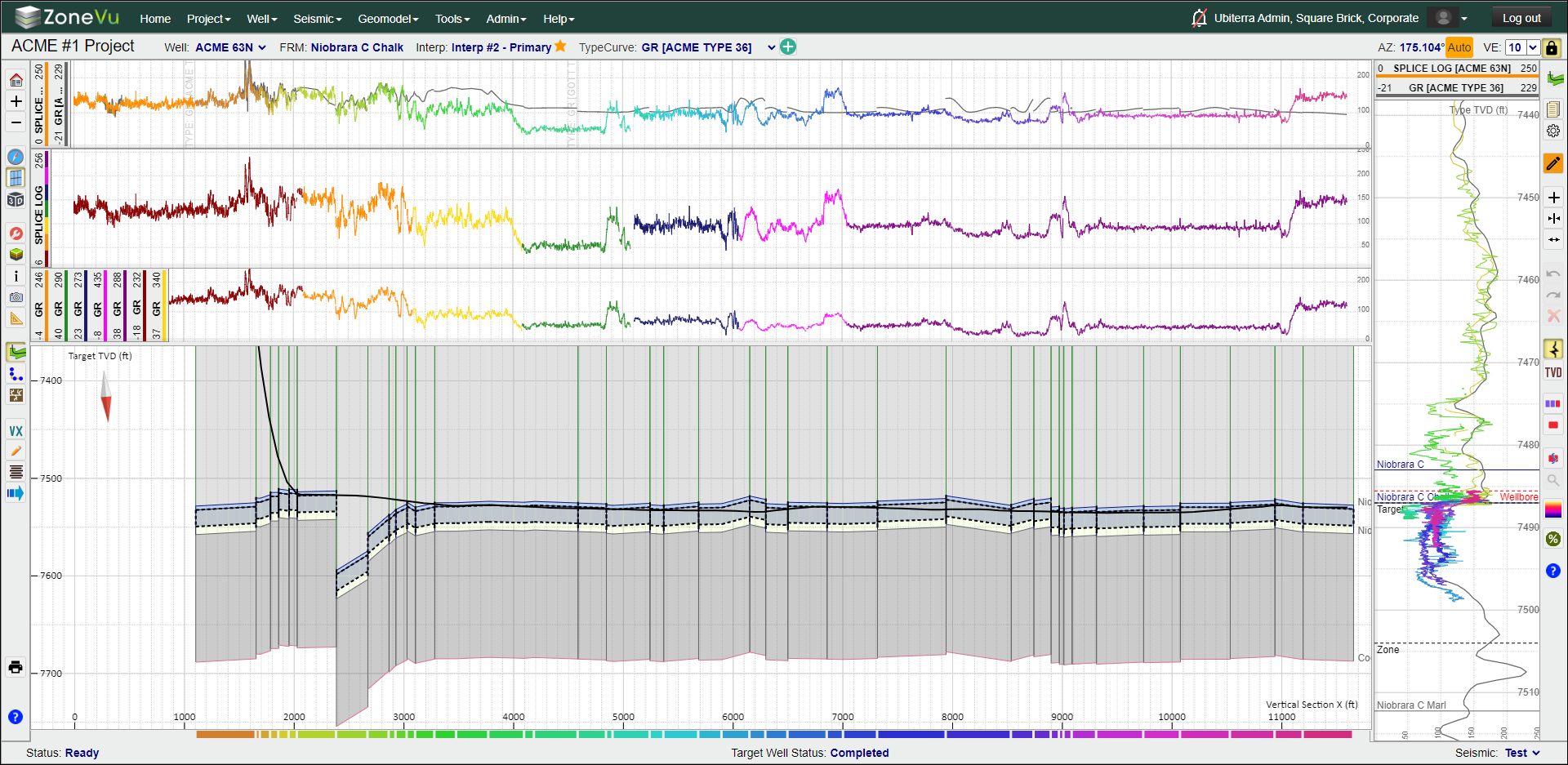
Splice together as two or more RigStream and/or LAS log curves together to make one unified log curve
Scale and condition each log channel individually to create a “Normalized” log curve
You can splice any RigStream, LAS file, or a combination thereof
Continue “splicing” other logs onto an existing Spliced Curve
Use this Spliced Log Curve as your LWD log
Export a LAS file of the Spliced Log Curve for use outside of ZoneVu
Retain the ability to display each Composite log as a separate curve
Expansion of Datum/Coordinate Systems supported with the Bulk Well Importer:
You can now bulk import Well’s using any Datum or Coordinate System
Must import data using the same datum (Multi-Datum is no longer supported for a single import)
Importer GUI enhancement
Well, Top, & Completions data import spreadsheets updates:
Completions Import Spreadsheet
Greater detail is provided for each data column to help support the user and improved column ordering and styling
User Defined Column names are now imported and updated in the Stage Table
Added Stage Table data to the Stages Tab, including ZoneVu calculated columns
Column reordering to improve user experience
Bulk Well Import Spreadsheet
Greater detail is provided for each data column to help support the user and improved column ordering and styling
Removed the Coordinate column
Added a Pad & Rig column
Tops Import Spreadsheet
Greater detail is provided for each data column to help support the user and improved column ordering and styling
Other Updates/Improvements/Enhancements:
Security upgrades
SOC2 compliance upgrades - Ubiterra is SOC2 Compliant!
Knowledge Base security update
Snapshot Enhancements
Improvements to curve rendering order, selected Frac, wellbore modification, block selection button status, objects added to the Snapshot
Snapshot remembers ZoneVu Frac display status
Enhanced Log display settings saved in the Snapshot
Seismic Data Enhancements
XYZ format now supported for Seismic Horizon data
Added Datum box for fault importing, allowing you to specify a datum that is different from the seismic volume datum
Increases the precision of seismic grid calculations
Directional Survey Export
If the “Show Unused Stations” checkbox is not checked on, the hidden stations will not be included in the export
Log Display Improvements/Updates
Decimal inputs are now supported in the 3D Viewer log display
Upgraded log loading and rendering speed
Manual Update of LAS/Survey enhancements
Added functionality to auto match logs and prevent duplicate log file uploads
Manual Update now waits until “Apply” is clicked to register a new log
“LAS 3” warning only appears when unsupported sections are found
Seismic Grid Calculation enhancement
Expanded manual update support where gaps exist between the existing and new data
Increased stability of multiple Type Logs displayed in the Vertical Correlation Track
Log Header Stability support
Log header given a minimum drag distance before entering Drag/Drop Mode
Removed the required link between the LWD and TYPE logs
Other Display Enhancements
Import/Export Icons Changed

Geosteering Block Dip text made larger and darker in color
Option to turn off the Predicted Survey
Reordered Bulk Well Import report to provide time and number of wells upfront
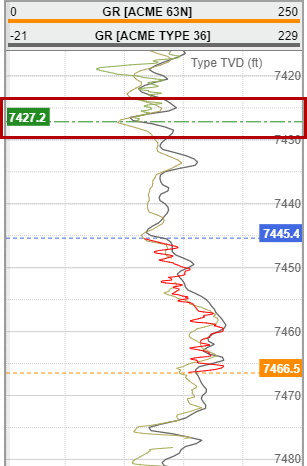
End of Last Geosteering Block Location added to the Vertical Correlation Track
When your selected Geosteering Block and the previous block are “faulted” a green dot-dashed line and depth label will appear in the Vertical Correlation Track showing you the ending location of the last Geosteering Block
Bug Fixes
Fixed issues related to data gaps between the existing log and manually added log data
Fixed RigStream log shift related to sporadic hole depths << 0’
Fixed grid correction issues causing survey data loaded as a plan to not match the existing Actual survey data
Fixed seismic horizon XYZ import “Arithmetic Overflow” issue
Fixed snapshot support of multiple Type Curves in a Vertical Track
Fixed addition of Geosteering Blocks in the Vertical Log Track
Fix the bug about the number of User Curves that can be displayed
Fixed Manual Update bugs
Fixed map contour rendering issue
Other minor updates and bug fixes
New Knowledge Base Articles:
Exporting Seismic data from Kingdom and importing it into ZoneVu
Adding Multiple Type Logs to a Geosteering Interpretation
Importing a Geosteering Interpretation
Exporting Geosteering Interpretations from other Software
Creating User Notes in ZoneVu
How to load and view Azimuthal GR data
Working with logs in the 2D Viewer
Setting up a Sidetrack SOP