

Frac Data Visualization Upgrades:
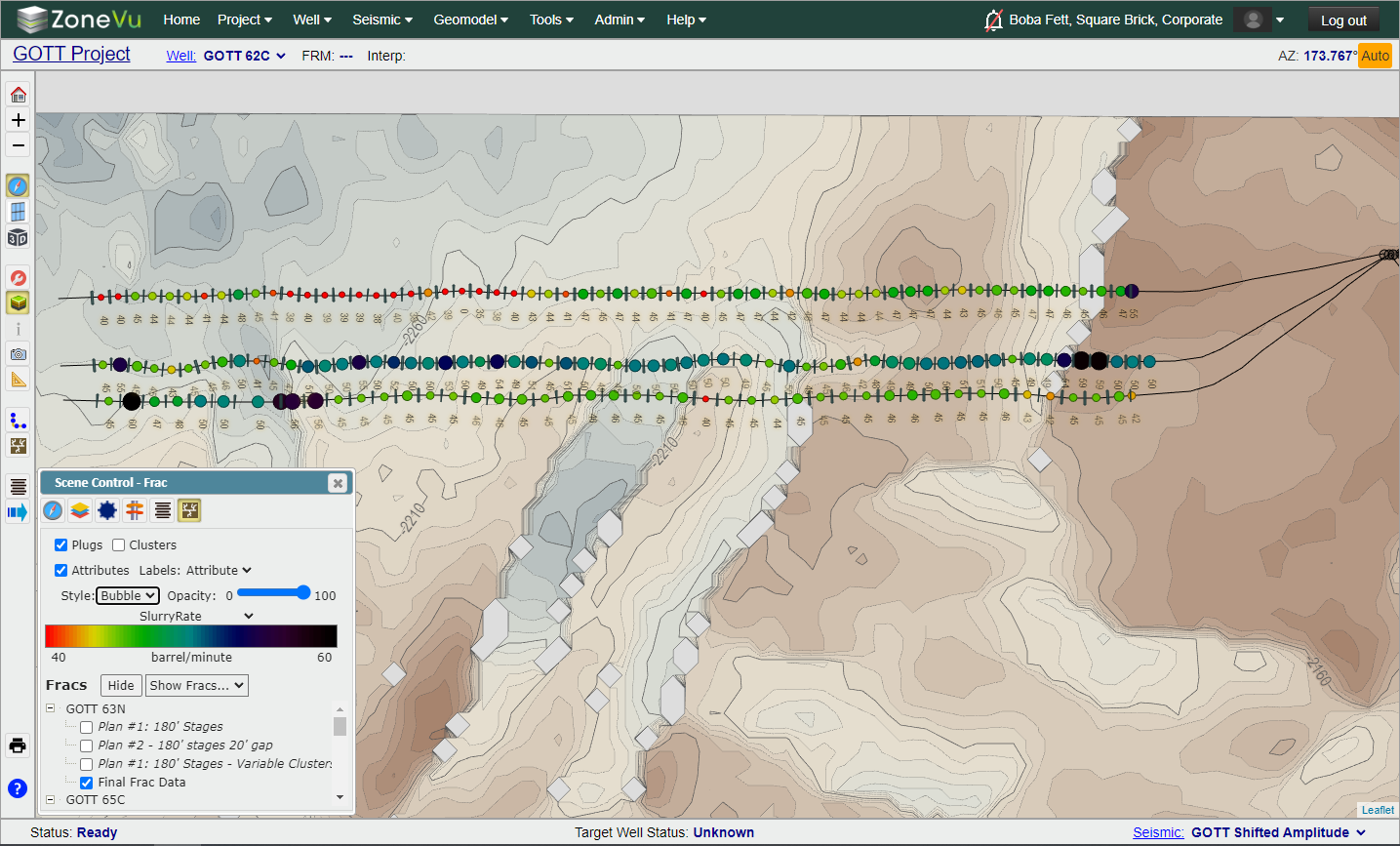
Plot frac data along any Wellbore in the Map Viewer using a Line or Bubble plot
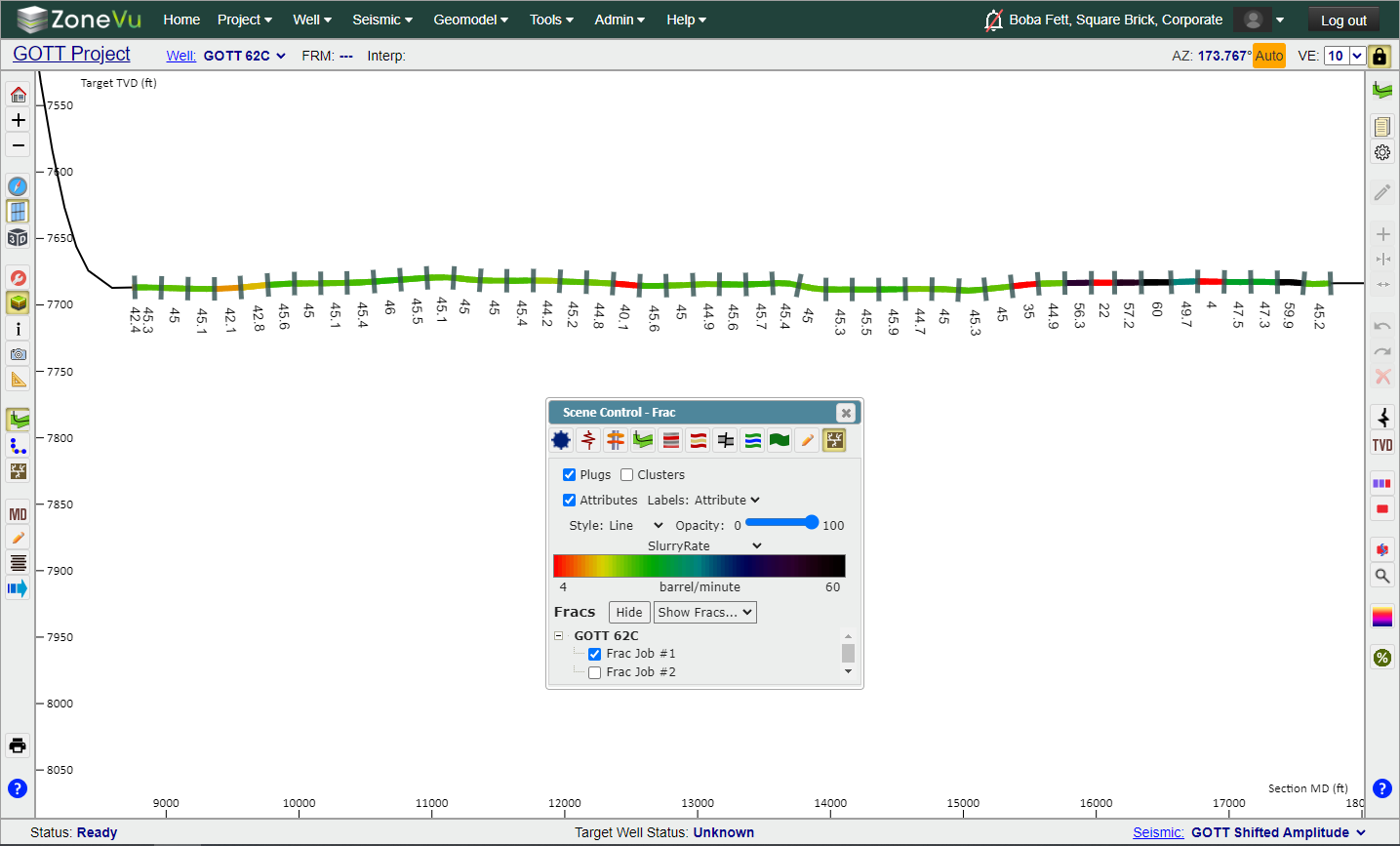
Plot frac data along the Target Wellbore in the 2D Viewer using a Line or Bubble plot
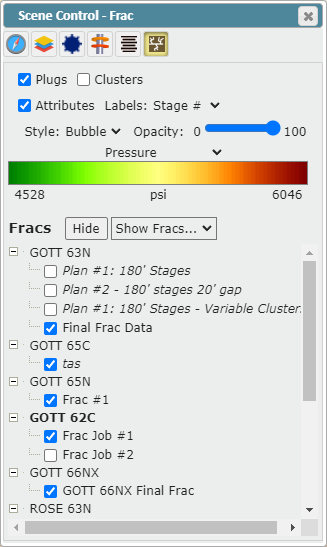
Frac tab in Scene Control updated, allowing the user to choose the Frac Data Source for each Well in the Frac tab in Scene Control
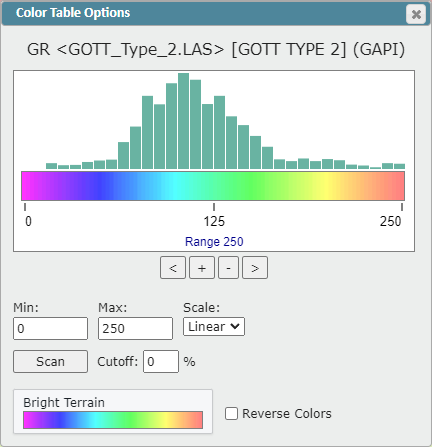
Dynamic Color Bar Histogram Plot supports the use of a mouse to adjust the histogram along the selected Color Bar
Toggle the Stage label between the Stage Number and the displayed Frac Attribute Value
Log Color Fill Upgrades:
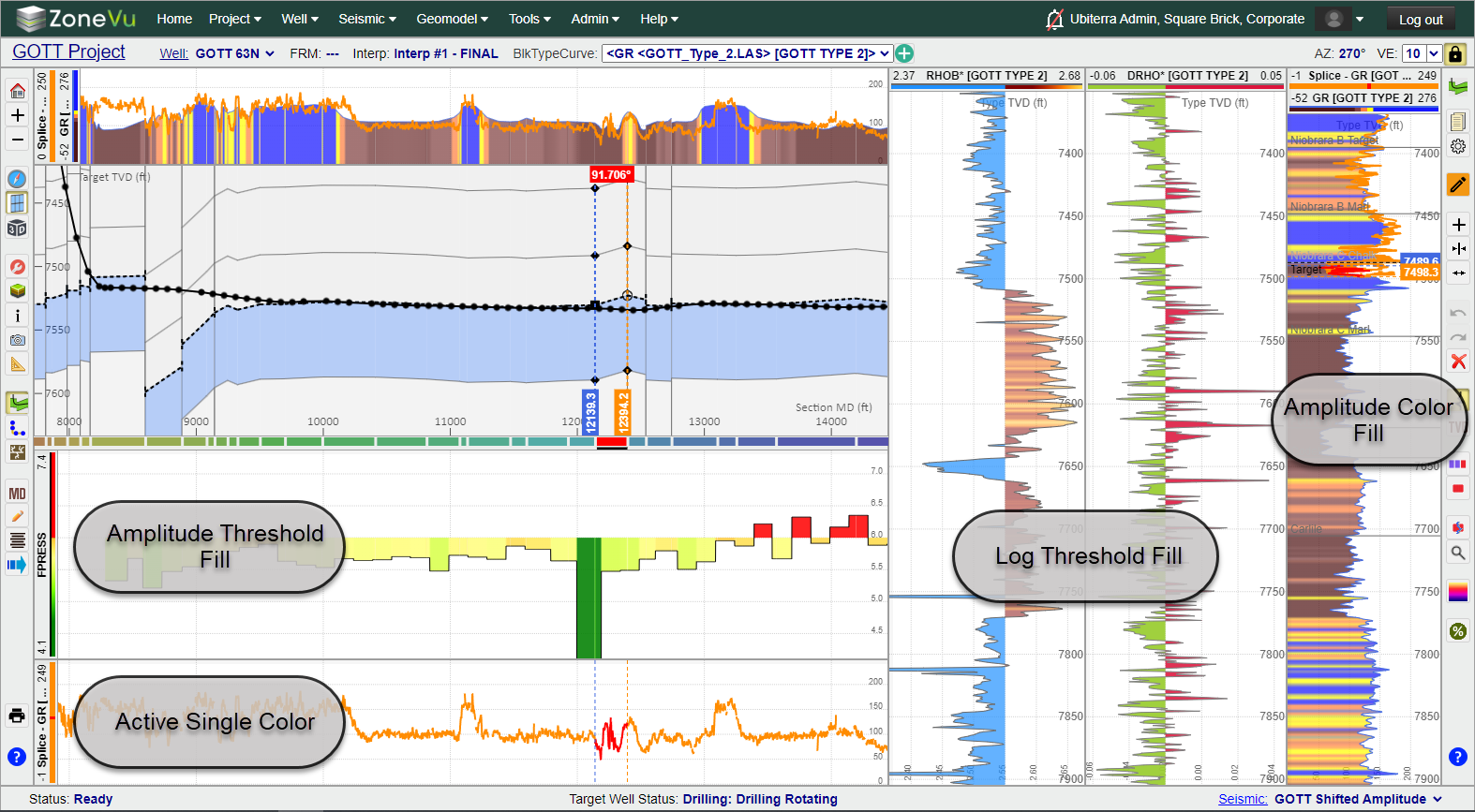
Added Amplitude Log Color Fill (See image below)
Added Threshold Log Color Fill (See image below)
New Line Color Style: Solid Line with Active Geosteering Block Color (See image below)
Dynamic Log Header Color Bar dynamically displays the related Color Bar/Threshold coloring/scaling
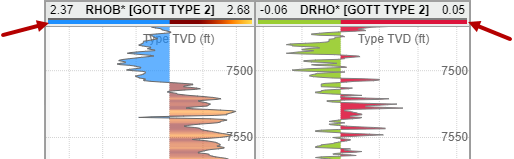
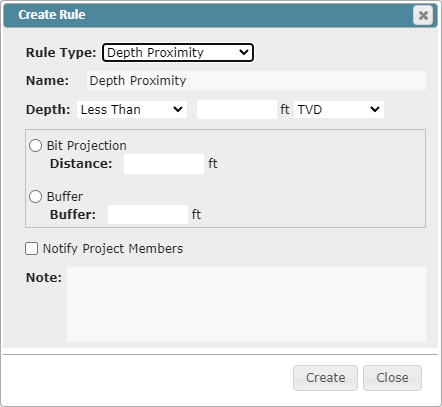
New ZoneVu Alert Rule: TVD Threshold
Users can now set a Depth Threshold and apply a Bit Projection of Buffer to the alert. When the wellbore crosses this threshold, an Alert will be sent to the user
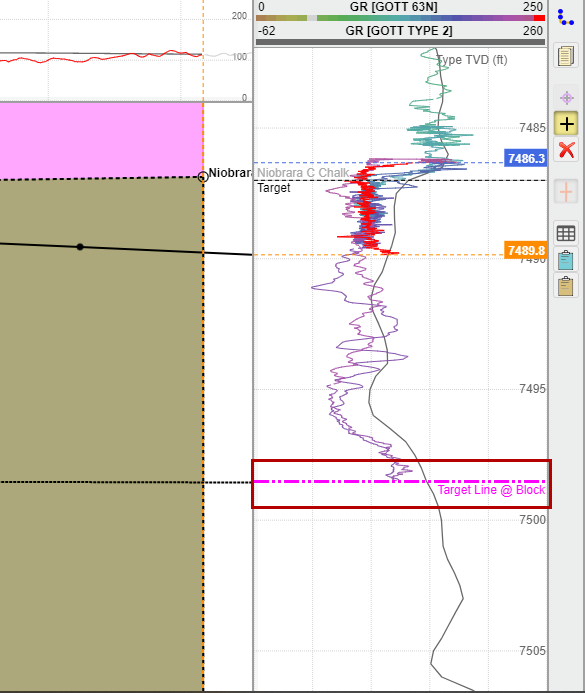
Added Target Line Location to the Vertical Log Track
ZoneVu will show the Target Line location in the Vertical Log Track at the Last Survey point and/or the end of the selected Geosteering Block
Color Bar Updates:
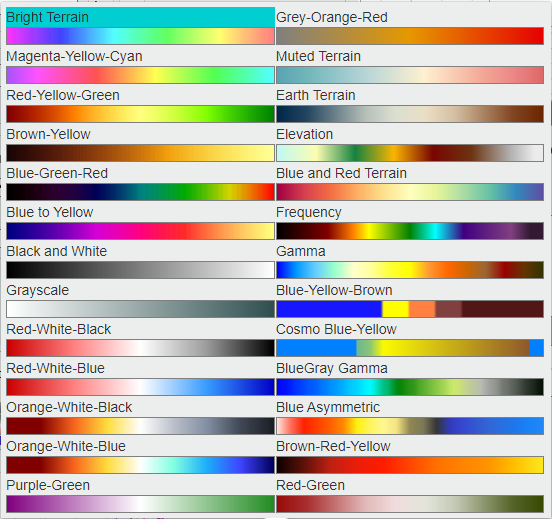
Updated the Color Bar Selector and added 8 new Color Bars
New Color Bars: Grey-Orange-Red, Elevation, Blue and Red Terrain, Frequency, Blue-Yellow-Brown, Cosmo Blue-Yellow, Purple-Green, & Red-Green
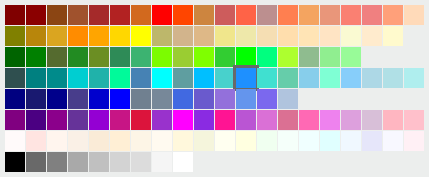
Added a new Color Picker
GUI was updated and the color order was updated to simplify the color selection
Updates Default Unit Selection for Data
ZoneVu now uses the Coordinate System or KB Depth Unit to determine the Default Unit
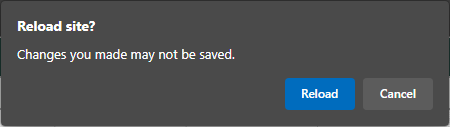
Added a prompt to the Viewer alerting the user that the most recent Snapshot has not been saved
When a user closes or refreshes a ZoneVu tab and their personal Snapshot has not been recently updated, a "Reload Site?" pop-up will appear. Clicking "Cancel" will cause ZoneVu to immediately save the user's personal Snapshot. Clicking "Reload" will refresh the page.
Minor Updates:
Updated the Well & Project folders icons
Scene Control's Well tab advance options section is now expanded by default
Geosteering Cross-Section Formation labels were darkened to improve readability
Geosteering Block Dip labels were darkened to improve readability
Dialog Box GUI Updates:
Display Settings
Geosteering Interpretation Settings
Geosteering Interpretation Management
Scene Info
LAS import Dialog Box
Bug Fixes
Fixed auto-scroll Mouse Icon bug
Fixed Mouse Wheel Tilt bug
Fixed large grid cell Contour Label bug
Fixed 3D Camera Change Bug
Fixed Missing Clusters during Frac Redesign bug
Fixed ZoneVu Mobile Viewer Default Depth Units bug