

Correlation Panel: (NEW)
We have added a 4th Module in this release, the Correlation Panel. In this module, you can select a series of wells, order them, display/pick Well Tops, display any number of curves, display and edit Frac data (Plugs & Clusters), and flatten on a TVD or a Formation.
Create a correlation Panel with one or more Wells
Display any number of tracks on each Well
Display Depth Tracks in MD, TVD, or Elevation
Ghost Curves
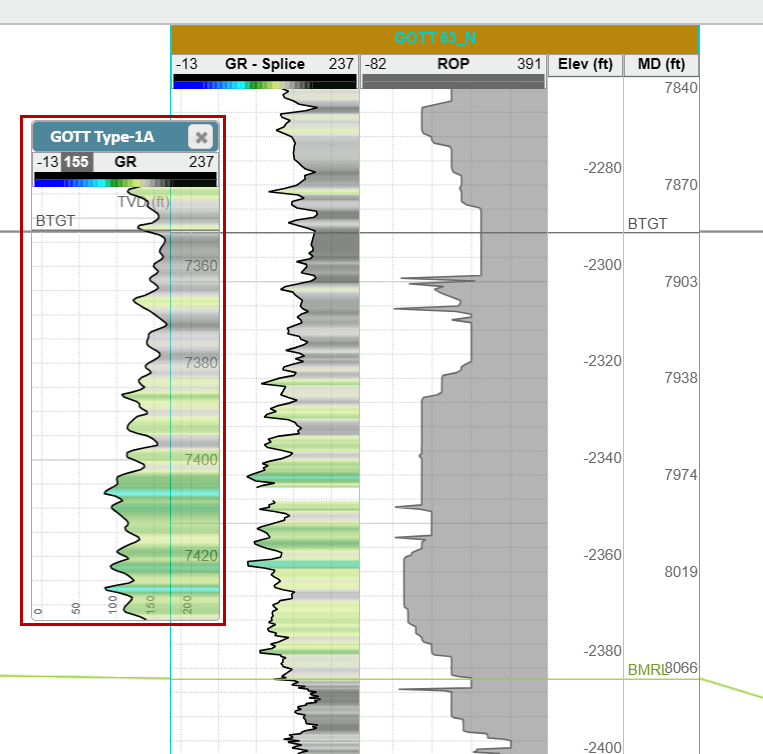
Display and pick Frac Plug and Clusters in any track on the Target Well
Display and Pick User Notes on the Target Well
New Hotkeys:
Alt + E: Toggle on Top editing mode On/Off
Hold Shift: Will pan the entire Correlation Panel no matter what each Well's hang state is
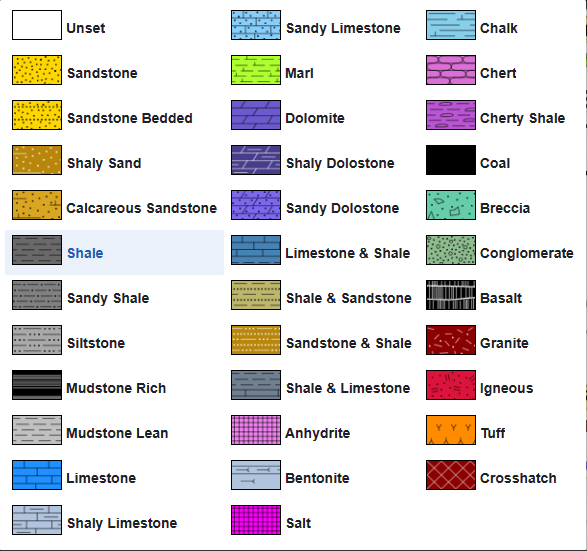
Expanded the list of supported Lithology Textures:
35 supported Lithology Textures!
Assign Lithologies when importing Top data!
Log/Curve Enhancements:
Right-click style copy and paste function added for curves and LAS files
Splice Logs have a centralized display control
Logs now remember which Track they were in and return to that track when turned on
Vertical Log Tracks now default to the right side of the Cross-Section in the 2D Viewer
Log Track Enhancements:
Unlimited number of Log Tracks (Vertical/Horizontal)
A new tab in Scene Control specifically for Log Tracks (Correlation Panel and 2D Viewer)
Display Color and Lithology fills in any Log Track
Control Top Display in any Track
Default Horizontal track width has been reduced
Can now add “Label” tracks
Turn off the Grid lines in individual tracks
Geosteering Enhancements:
“Alt+E” hotkey to toggle on Geosteering edit mode
Geosteering Importer supports Elevation depth data
Add Lithology Textures to the Geosteering Cross-Section
Improved Type Well Selection Workflow
All Tops are selected by default when creating a new Geosteering Interpretation
Type Well Selection Workflow has been improved
Turn off Zone Labels in the Vertical Log Track
Geosteer from any Vertical Log Track
Minor GUI updates
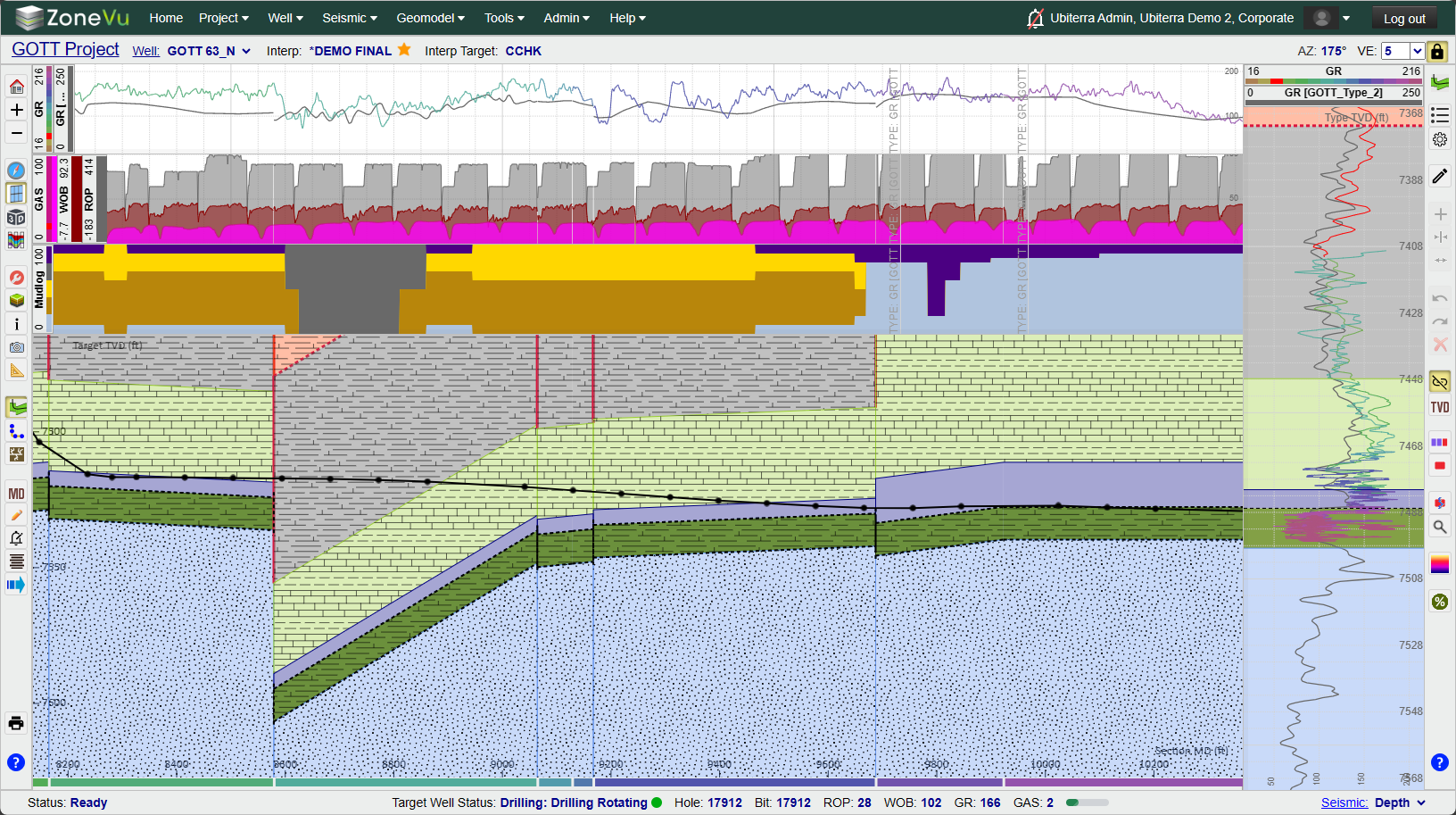
Scene Control Enhancements
New Tracks Tab
Tops Tab Updated in all Viewers
Scene Control can now be docked to the right/left
Wellbore Mod Tab Added to 2D Viewer Scene Control
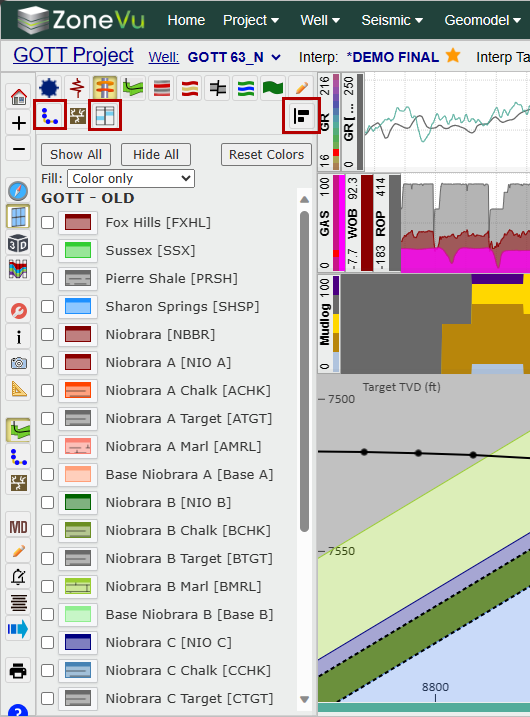
Viewer Updates:
Defaults to the Map Viewer (Use to be 3D Viewer)
Default Map is the USGS Topo Map tiles
Map turned off by default in the 3D Viewer
Grid Display Updates:
Better default contouring intervals in the Map Viewer resulting in better performance
Icon Updates:
Scene Control Map Tab icon updated

Geosteering, Frac, & Wellbore Mod List button icon updated

New Track Control button

New Correlation Panel button

New Correlation Panel button for Map Viewer Scene Control

New Scene Control Docking Buttons added

Performance Updates:
Project Page load times improved
Well Page load times improved
Viewer load times improved
Data Loading Improvements:
Updated import spreadsheets to add new columns and improve clarity (V3)
LAS Files: Depth Mnemonic is now assigned by default
Top Importing Updates
Multi-Well Top Importing now supported
Single and Multi-Well Top Importers now use the Intelligent Importer
Supports Lithology Designation
Enhancements made to the Top Import Spreadsheets
User Notes:
Bulk import User Notes
Uses the Intelligent Importer
Assign User Note Categories upon import
Download the import template here: User Notes Import Spreadsheet Download
Well Creation:
UWI/API is now a required field and needs to be unique for every Well in your account
ZoneVu Alert updates:
ZoneVu Alert Toast Notifications now work
ZoneVu Alerts Bell icon now only turns off the “Stadium” horn, not the Toast Notifications
ZoneVu Frac Updates:
Added “CTRL” hotkey for Cluster picking
Pick Clusters and Plugs in any Log Track
Display Frac data in the Correlation Panel
RigStream/Webservice Endpoints:
Added rights for RigStream and Webservice Endpoints
Added RigStream and Webservice Endpoints to the Tools dropdown, removing the need to give a user Admin rights to access these features
Added NOV & Pason Canada to the RigStream Connection List
Upgraded the Webservice Endpoints GUI
Updated Import Spreadsheets:
Formatting Updated on Import Spreadsheets to improve clarity
Minor Updates:
Map in the 3D Viewer is now off by default
5 Blue Question Marks leading to the ZoneVu Knowledge Base were added across the system
The cursor location icon in Map Viewer has been upgraded to improve the clarity
Upgraded to Redis V6
SOC2 Updates
Multi-AAD Tenants now Supported
1 new Color Table: DVRN GR
Wellbore Mods button added to Scene Control
Setting button added to the Wellbore Mod Button Tree
Bug Fixes:
Manual Loading GUI – Bad UWI display
Splice Log Tool Setback Export Error
Geosteering API Export is Broken
Geosteering Export – All Tops Export Error
Gaps in LAS Manual Update causing errors
Curser tracking improved in the 2D Viewer
Geosteering Interpretation LWD and Type Curve deselection
Log Tree flickering on RigStream updates
Splice Log Setback export
Tops Table Missing Depth Columns
Business Unit Deletion
Duplicate Business Unit Name
Scene Control Data Tree Indentation Icon
Well Deletion
Well Deletion: Zombie Well Creation
ZoneVu Alert: Feature Prox selection issue
ZoneVu Alert: Log Threshold Error