

Report Generator: (NEW)
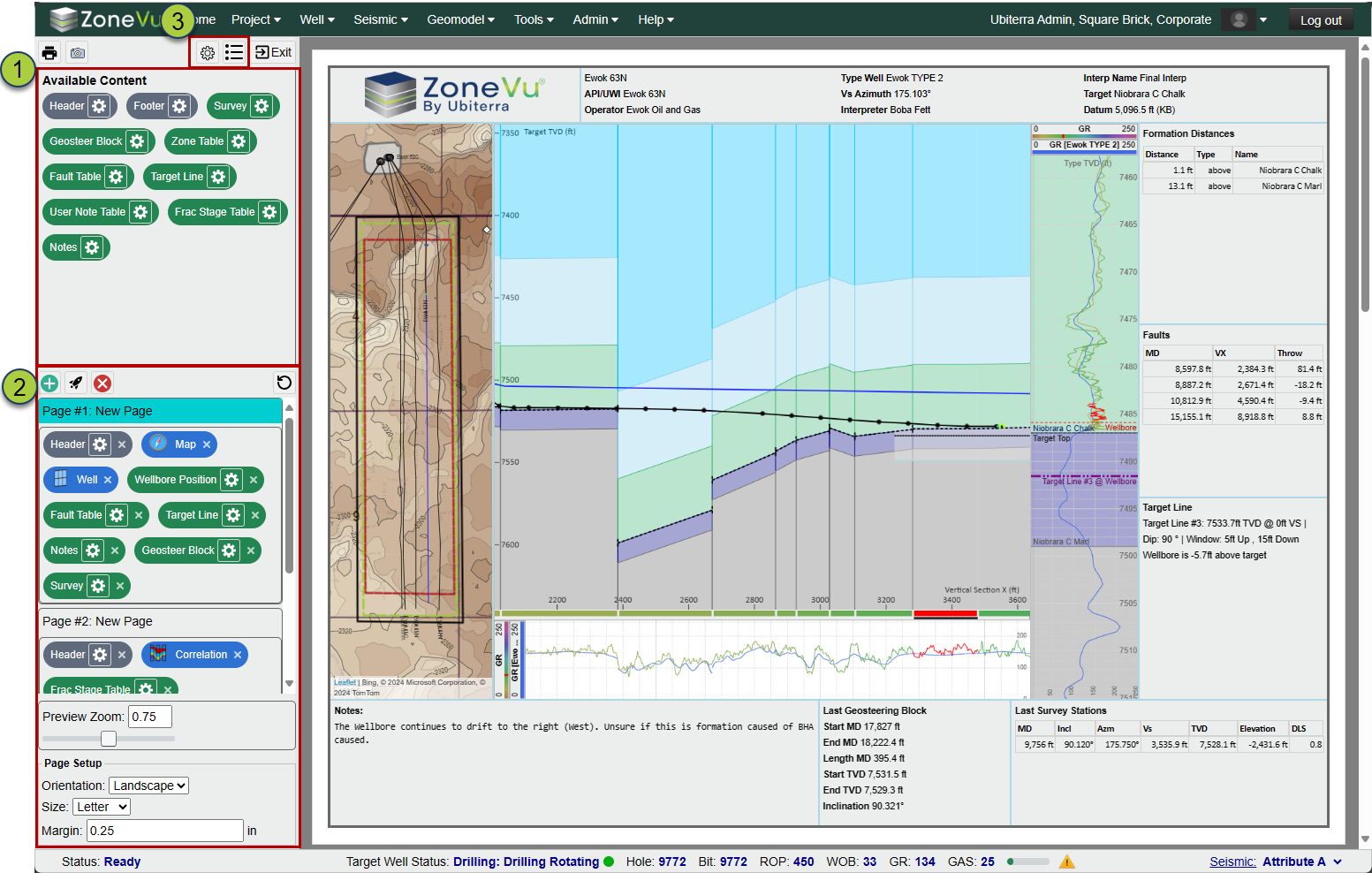
The ZoneVu Report Generator lets you create multi-page PDF reports by dropping and sizing different widgets into the Report Layout Window. Each Widget has a basic default setting, but opening the settings allows a user to customize the data and layout style for that Widget. Once you have created a report, you can save a template of it, allowing other users (even contractors) to generate a PDF report with just a few clicks of the mouse.
Drag and Drop Widgets to place them on the report
Build out multi-page reports
Save Report Templates that can be used on any Well in your account, and enabling your team or contractors to quickly generate consistent reports
Report Templates have Viewing and Editing controls (similar to Geosteering Interpretations)
Viewer Layout Tool: (NEW)
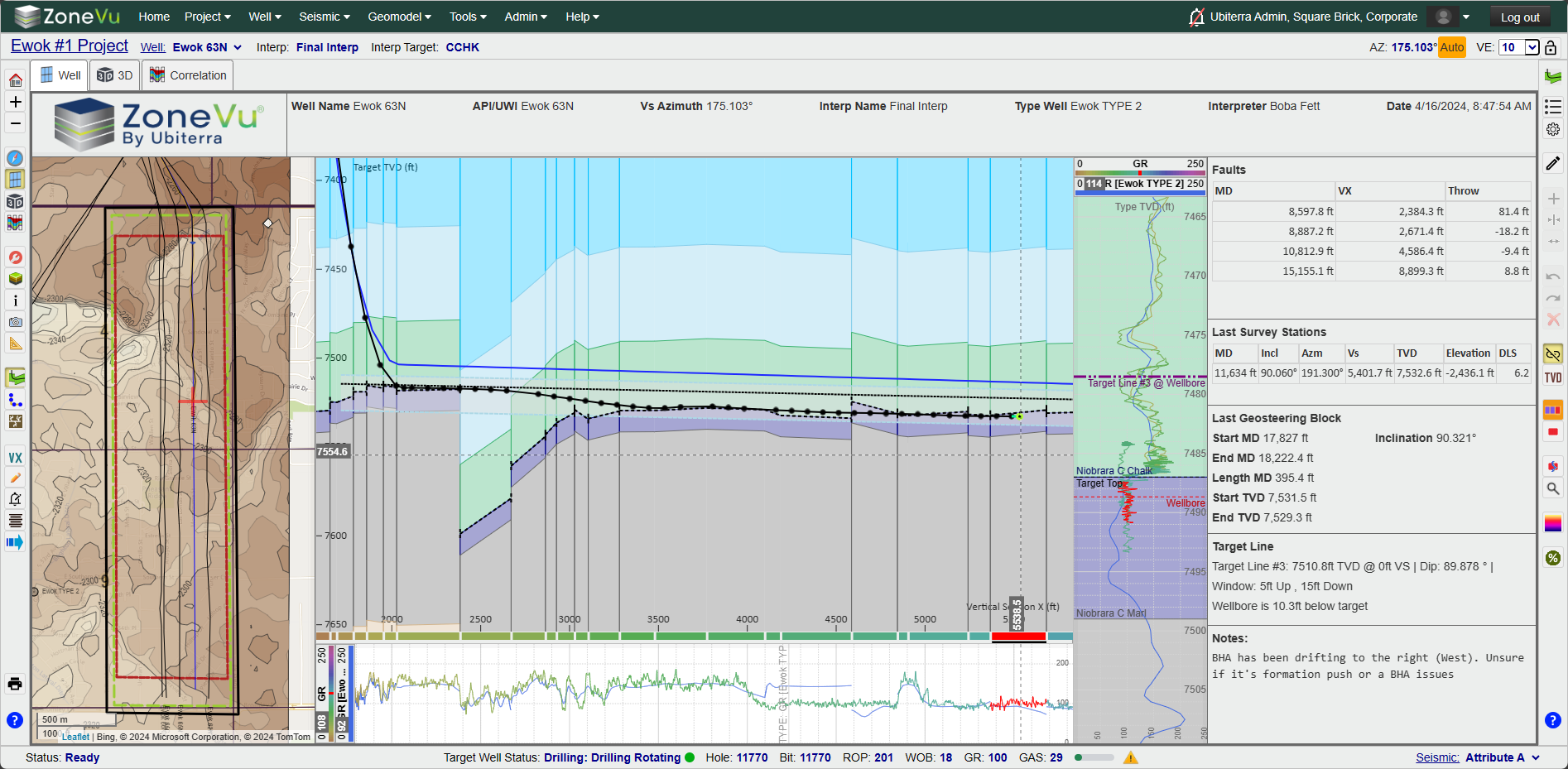
The Viewer Layout Tool allows you to create more complex Viewer displays. Similar to the Report Generator, you can drag and drop different Widgets (including other Viewers: 2D, 3D, Map, Correlation Panel) into one or more 'Tabs'. The layout can be saved using the Scene Snapshot. This lets you create custom displays for different users or team members.
Drag and Drop Widgets to place them in the Viewer
Each Widget has different data and layout options
Have more than one Viewer (2D, 3D, Map, or Correlation Panel) in the same view/tab
Create Tabs to quickly toggle between different Layout Views
Geoprog Generator: (NEW)
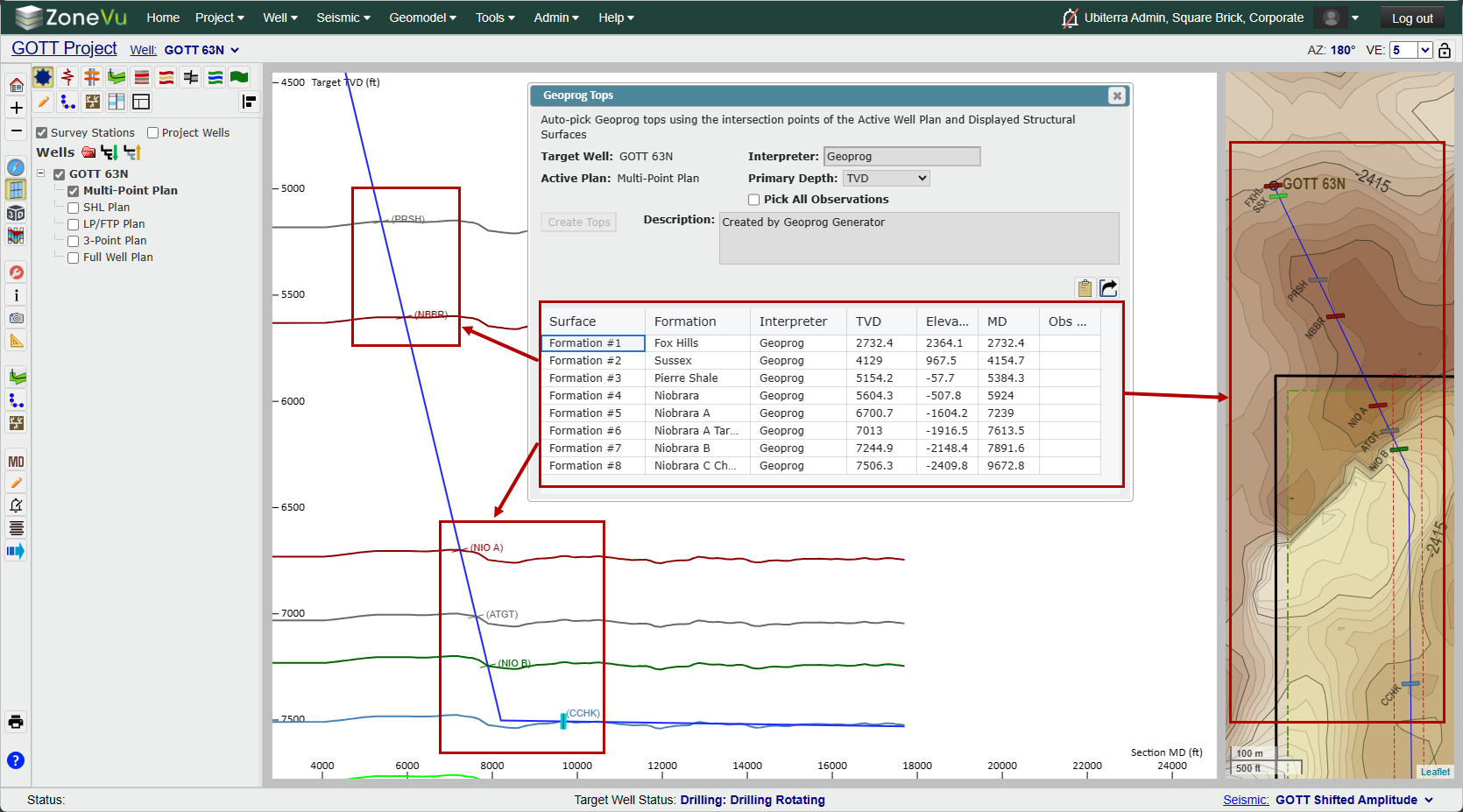
ZoneVu's Geoprog Generator picks Geoprog Tops based on the intersection (in 3D) of the active Well Plan and displayed Structural Surfaces. ZoneVu will then populate the Geoprog Table with the picked Geoprog Tops and associated data. You can export this data in an Excel Workbook or copy it directly out of the table. These Tops will also be automatically saved on the Well.
Load a Well Plan, turn on some Structure Grids, and have ZoneVu calculate the intersection and auto-create Geoprog Tops
Export an Excel Workbook with the picked Geoprog Top Table
Tops can now be flagged as Geoprog Tops
Imported Tops can now be flagged as Geoprog Tops
Tops Table on the Tops tab has been upgraded to support multi-top select
Import Spreadsheets that bring in Top data have been updated to support the Geoprog flag
Web API Expansion and Update: (NEW and Expanded)
Note: The updated API will be available on April, 18th, 2024
The ZoneVu Web API has been upgraded to support the pushing and pulling of all major datasets in ZoneVu. Combined with the ZoneVu Python SDK, users can now bulk import entire projects from other systems using the API.
API documentation can be found in the API Knowledge Base Article: API Knowledge Base Article
ZoneVu Swagger Site: https://zonevu.ubiterra.com/swagger/ui/index
Python SDK: (NEW)
The ZoneVu Python SDK has been published on PyPI. It can be installed directly to your Python environments via a 'pip' install. This SKD will promote a simpler streamlined interface with the ZoneVu API. The library contains numerous example scripts to help you move data in and out of ZoneVu.
Published on PyPI: PyPI ZoneVu Project
Download using a pip install into your Python environment: 'pip install zonevu'
Example Scripts are included in the SDK
Updated Import Spreadsheets:
The Geoprog column has been added to the Top Import Tabs, allowing users to denote Geoprog Tops when importing data.
New Knowledge Base Articles:
Geoprog Top Generator
Creating a Custom Viewer Layout
Setting a Top as a Geoprog Top
Creating a Report in ZoneVu
Minor Updates:
Mobile Number is now optional for Enterprise (SSO) Users
Basic Auth passwords require more complex passwords
Better support for Wells with complex horizontal geometry (U-Turn Wells)
Expanded supported EPSG Coordinate Systems
Optimized Township and Range Map Layer
Bug Fixes:
End of Litho Log pinout issue
Curve Display issues related to large step lengths
Splice Log "Hide Overlapping Values" checkbox checked status persistence
SnapShot: Geo Interpretations saved on Project, not Wellbore
EPSG 4413 'Authority Code not found' Error