

ZoneVu Mobile Viewer
View all your active, completed, and planned wells on your phone's browser
Display seismic backdrop, geosteering interpretations, rig notes, WITSML updates, live interpretation updates, a drilling dashboard
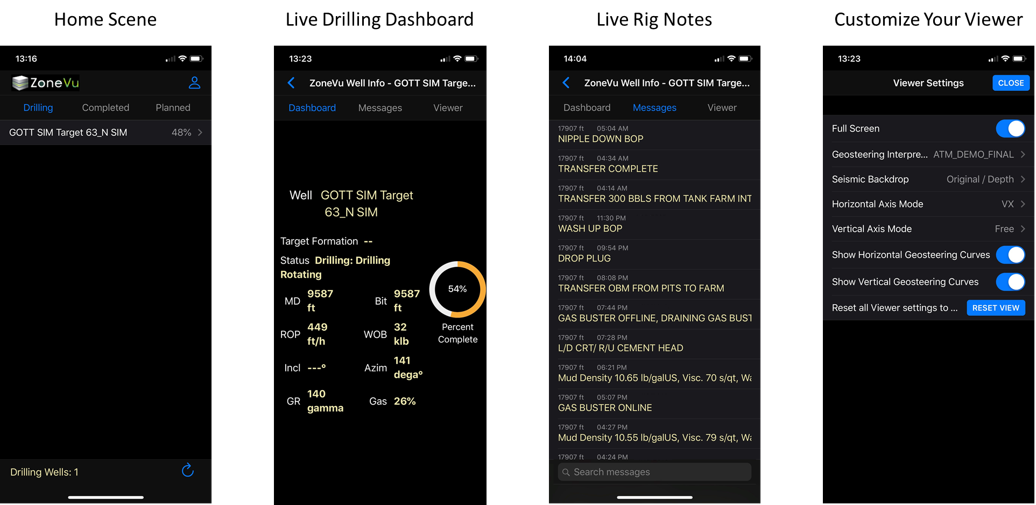
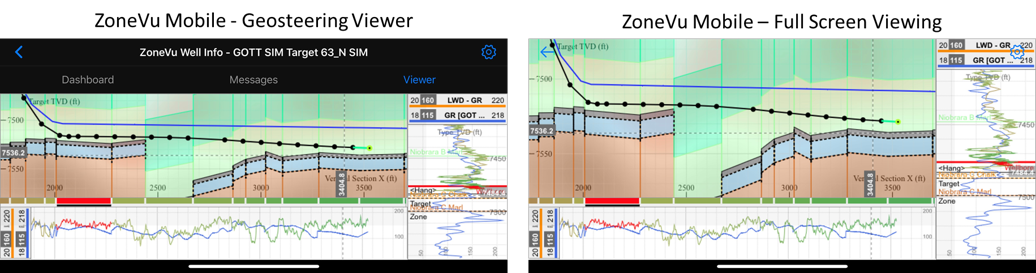
Pro Tip: Add the ZoneVu Mobile web page to your phone’s home screen for quick access

Bulk Well Import
Import numerous wells, associated surveys (Plans and Actual), and well tops with a single spreadsheet
Bulk Well Import How To: https://help.ubiterra.com/help/how-to-bulk-import-well-data
Imported tops that are not present in the assigned Strat Column are now automatically added to the Strat Column
Support for multiple Directional Survey Plans
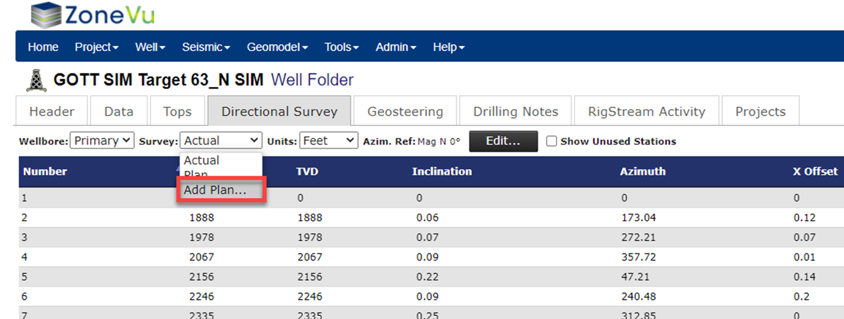
ZoneVu now supports multiple directional well plans for each target well
Users can create new plans within the target well’s Directional Survey tab
NOTE: There can only be one Actual Directional Survey per well
Updated Completions Module
Updated Completions Import Spreadsheet:
17 new data columns
Breakdown Pressure (BrkPres), Closure Pressure (ClosPres), Avg Surface Pressure (AvgSrfPres), Max Surface Pressure (MaxSrfPres), Max Bottomhole Pressure (MaxBotPres), ISIP, Closure Gradient (ClosGrad), Frac Gradient (FracGrad), TVD of Stage, Slurry Volume (SlurVol), Avg Proppant Concentration (AvgPrpConc), Max Proppant Concentration (MaxPrpConc), & 5 user defined columns
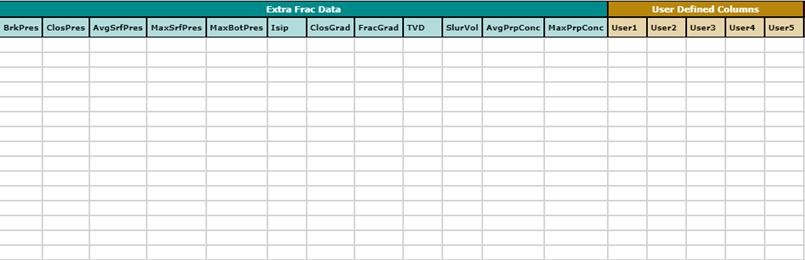
Edit cells within the Frac Table
Note: Any cell that is not calculated data (ex. Proppant, Pressure, Water, ISIP, User1) can be edited in the table, must be integers
Calculated Columns: Mid MD, Length, Prop/ft, and all Lithology, Drilling, and Petrophysical Info columns
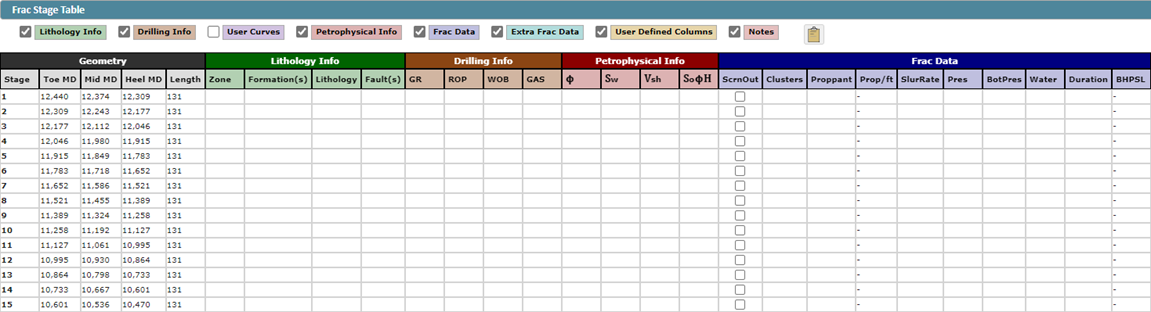
Updated table layout
We have added column-set color-coding to improve the readability of the table
Other Key Updates:
Enhanced Strat Column editing
Improved survey editing
Multi-station selecting/deleting
Drilling notes support for Nabors RigCLOUD WITSML
Expanded export capabilities
Expanded API support
Billing report available to company Admin