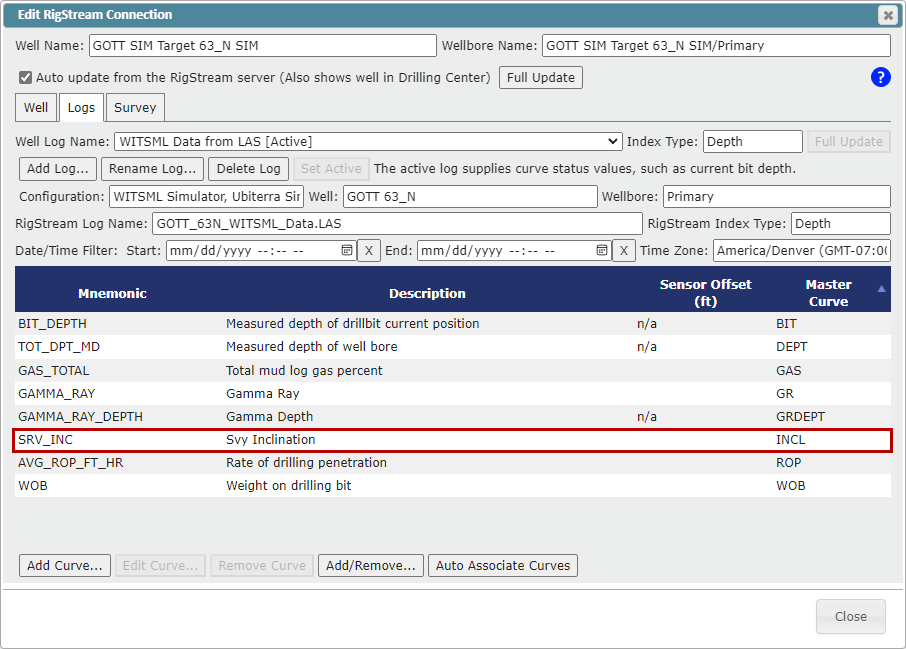
RigStream has the ability to pull any log data sent over WITSML. By default, RigStream will pull the most commonly used Log Curves. This article walks through the process to add other logs that RigStream does not auto-pull.
Adding a new Log Curve to RigStream:
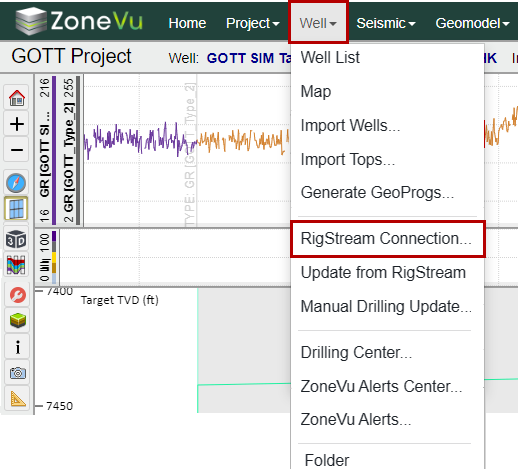
In the "Well" dropdown, select "RigStream Connection..."
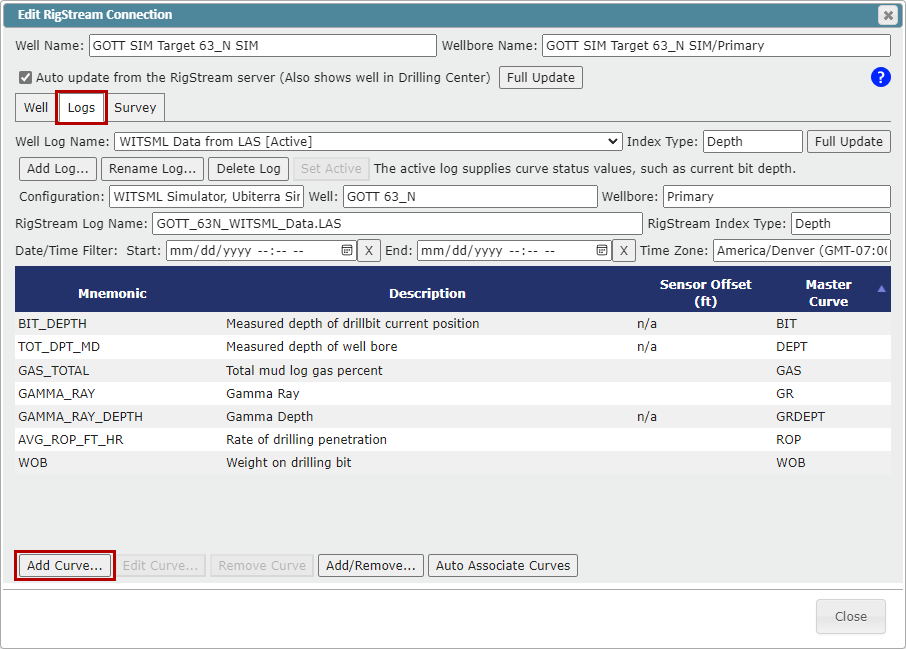
Go to the "Logs" tab and click the "Add Curve..." button to open the "Add RigStream Curve" window
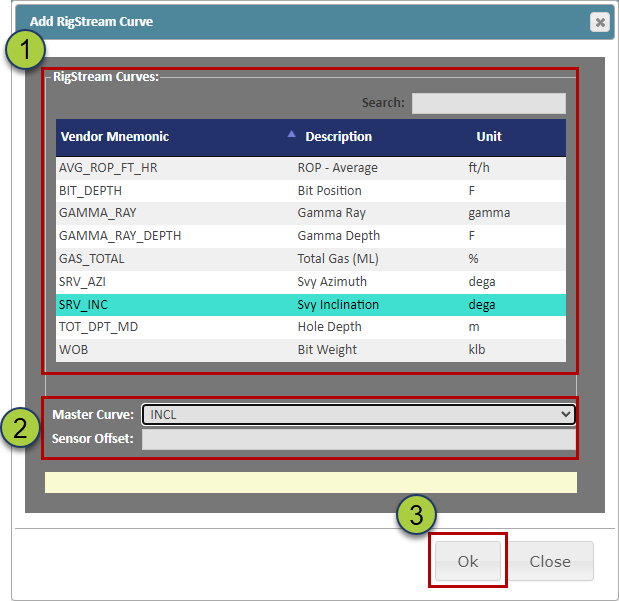
Select the curve
Assign a Master Mnemonic and Sensor Offset if applicable
Click the "Ok" button to add the log curve
The newly added Log Curve will now appear in the Curve List and will be added on the next RigStream Update