

How can I reach the Ubiterra Helpdesk?
The best way to reach the Ubiterra Helpdesk is to email support@ubiterra.com. You can also call our Helpline at (303) 629-8330, and you will be directed to an agent who will take your information and create a ticket for you.
Can I reverse the Scroll Direction in ZoneVu?
At this time, you cannot reverse the scroll direction in ZoneVu.
Is Elevation = SSTVD in ZoneVu?
Yes! In ZoneVu Elevation is the same as SSTVD with positive values above sea level and negative values below sea level.
How do I change the Vertical Exaggeration in the 3D Viewer?
The Vertical Exaggeration controls can be found in the upper right corner of the 3D Viewer. You can type in a value or select it from the dropdown list. You can also control the Min & Max elevations of the 3D Cube
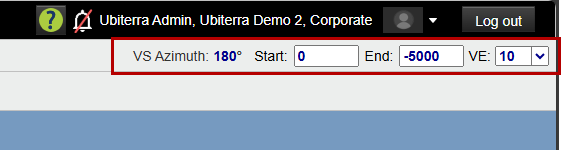
How do I change the Vertical Exaggeration in the 2D Viewer?
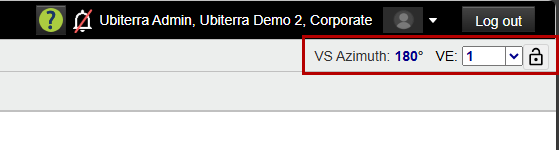
The Vertical Exaggeration controls can be found in the upper right corner of the 2D Viewer. You can use the 'Lock' button to lock the Vertical Exaggeration between wells.
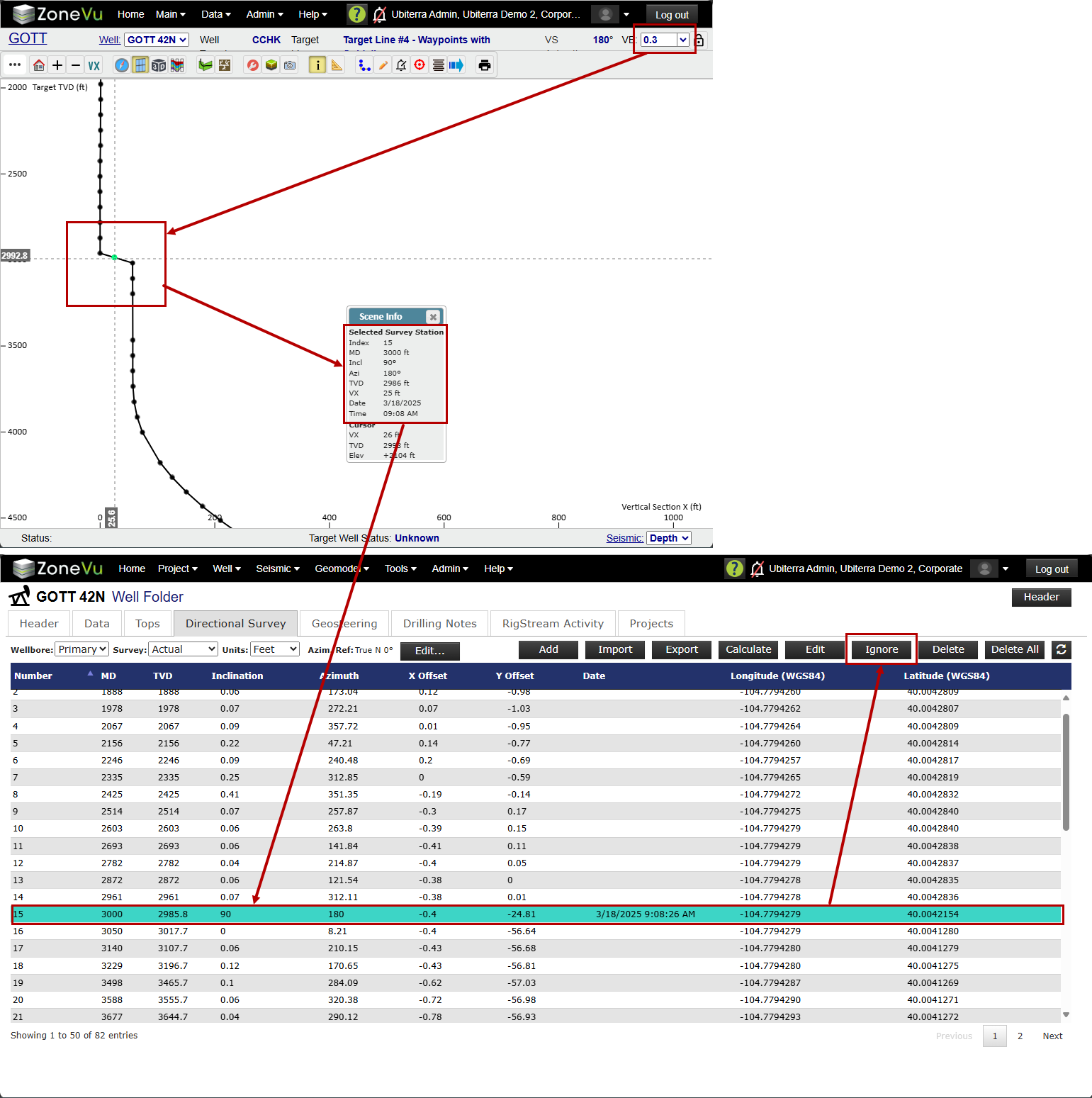
My Wellbore just jumped up or dropped down suddenly. What caused this?
It's very likely that a bad Survey Station may have been pushed over WITSML. To figure this out, change the VE to 0.01, zoom out on your Wellbore, and look for any major kinks in the vertical portion of the Well. Then, go into the Well folder and ignore this Survey Station using the 'Ignore' button.
For more details, please visit this KB article: https://help.ubiterra.com/help/rigstream-sudden-wellbore-tvd-shift
I am receiving an 'Access Denied' or 'Unauthorized Access' error from RigStream. What is causing this?
These errors indicate that either the password for the WITSML data provider has expired and needs to be reset or the User profile used in RigStream for this WITSML data provider does not have access to the WITSML server or the Well.
For more details, please visit this KB Article: https://help.ubiterra.com/help/common-rigstream-error-messages
Can I change the 2D Cross-Section Y-Axis to Elevation?
At this time, the Y-Axis of the 2D Cross-Section is only available in TVD
Can I reset the Home Button settings?
At this time, the Home Button will bring you to a set view that cannot be reset
Can I remove the Crosshair in the 2D Viewer Cross-Section?
At this time, you cannot turn off the Crosshair in the 2D Viewer Cross-Section
Can I create a Pseudo Type Log in ZoneVu?
At this time, ZoneVu does not have a Pseudo Type Log Tool
Can I change the relative size of the Frac Attribute Bubbles?
At this time, the Frac Attribute Bubble size is set by the data values, and the relative size of the bubbles cannot be adjusted
How do I turn off the Notifications (Popups)?
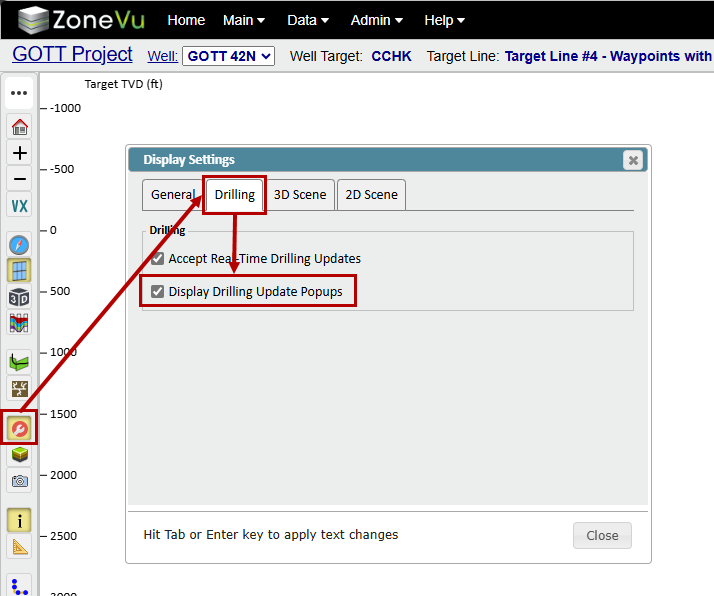
To turn off the Toast Notifications, open Display Settings, select the 'Drilling' tab, and uncheck the 'Display Drilling Update Popups' checkbox
Is there a Desktop App?
No, ZoneVu is a pure cloud and browser software application. Please note that we only support Edge and Chrome browsers
Do I need an active internet connection to run ZoneVu?
Yes, since ZoneVu is pure cloud and browser software, an internet connection is required. ZoneVu is a light bandwidth application, so you are able to easily run ZoneVu off of a hotspot, on a plane's Wifi, or with spotty internet.
Is there an offline mode for ZoneVu?
No, ZoneVu requires an active internet connection. ZoneVu is a light bandwidth application, so you are able to efficiently run ZoneVu off of a hotspot, on a plane's Wifi, or with spotty internet.
When sharing a Project with a Geosteering Contractor, which Role should I use?
The 'Geosteering Contractor' role was designed to give a geosteering contractor the needed access to geosteer an operator's Well. If this role does not meet your need, an Admin for your ZoneVu account can create a custom Role, which you can then use for the Project Share.