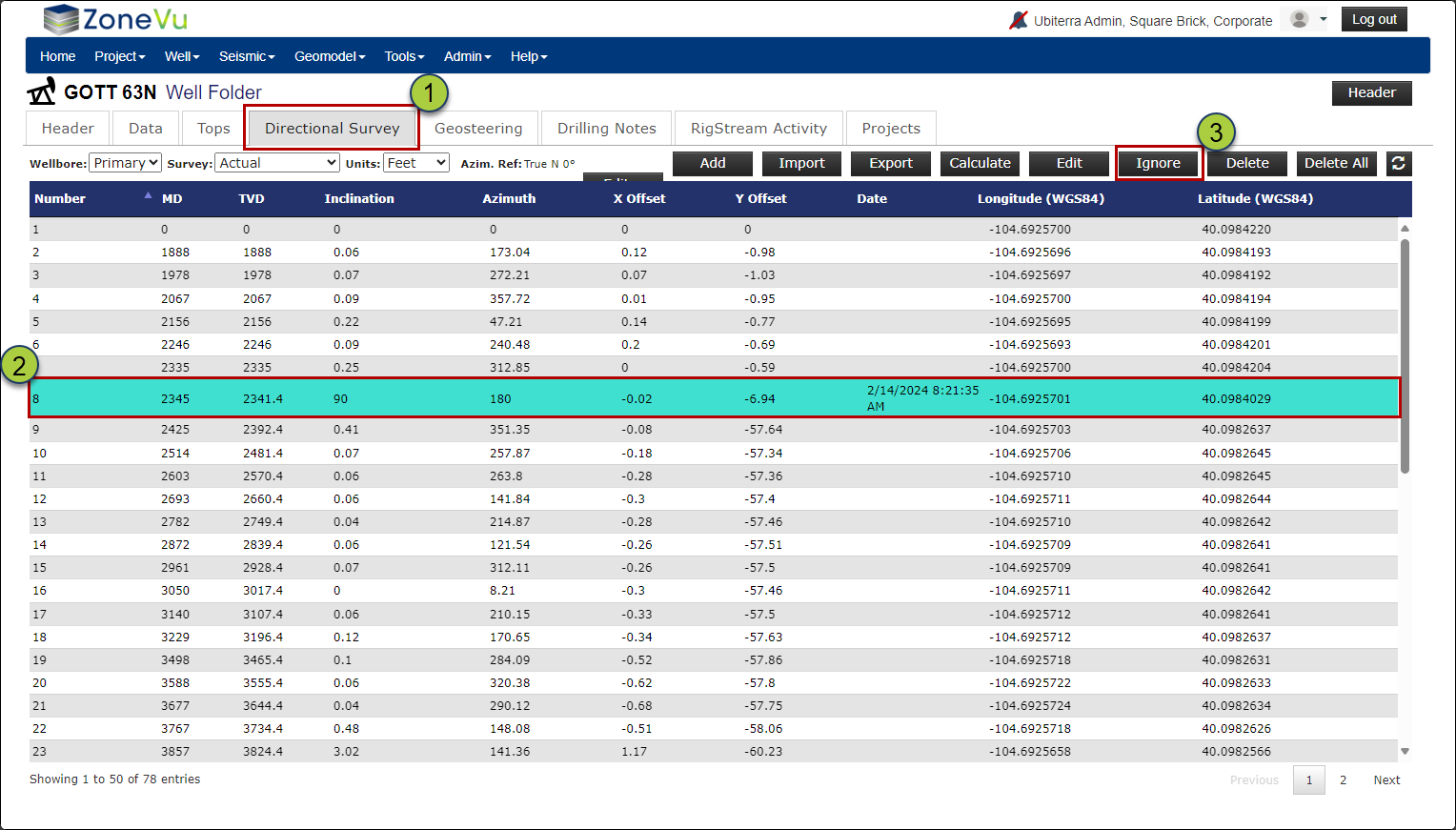
When your Wellbore suddenly shifts Up/Down in TVD space while using RigStream, the likely cause is a bad survey station coming over WITSML. Below, we walk through some workflows to try and identify the bad Survey Station and how to remove (ignore) the Survey from the Wellbore Trajectory calculations.
Finding the bad Survey Station:
There are several ways you can try to find this bad survey
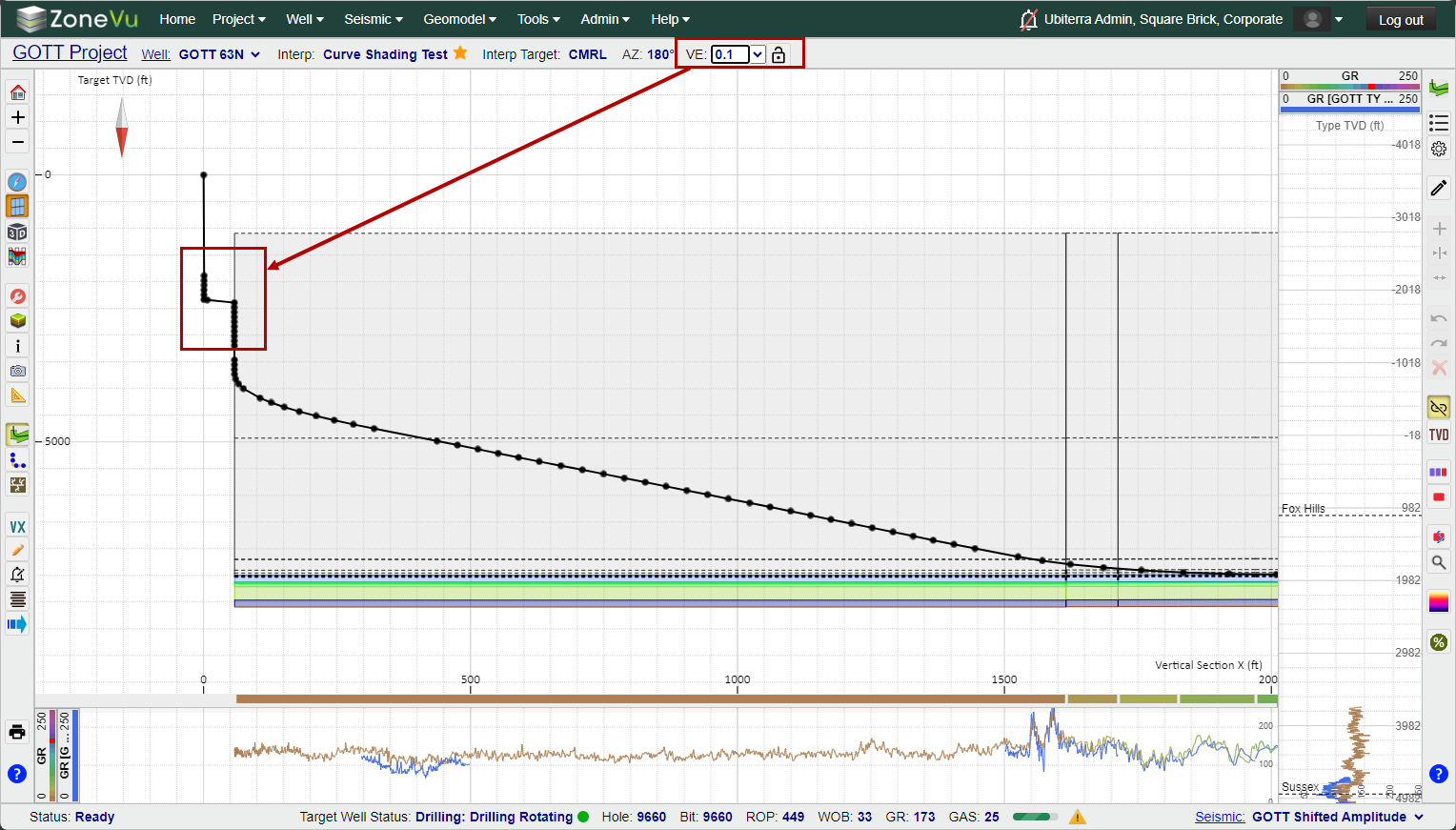
Change the Vertical Exaggeration to '0.1' and look for the kink in the wellbore in the vertical portion of the Well
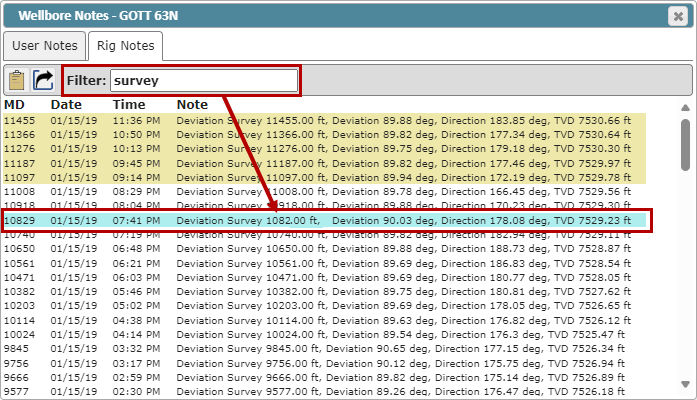
Open the Wellbore Notes section, search on 'Survey" and look at the last surveys added to the Rig Notes
Scroll through the Deviation Survey from the start, and look for any Surveys with large Inclination changes
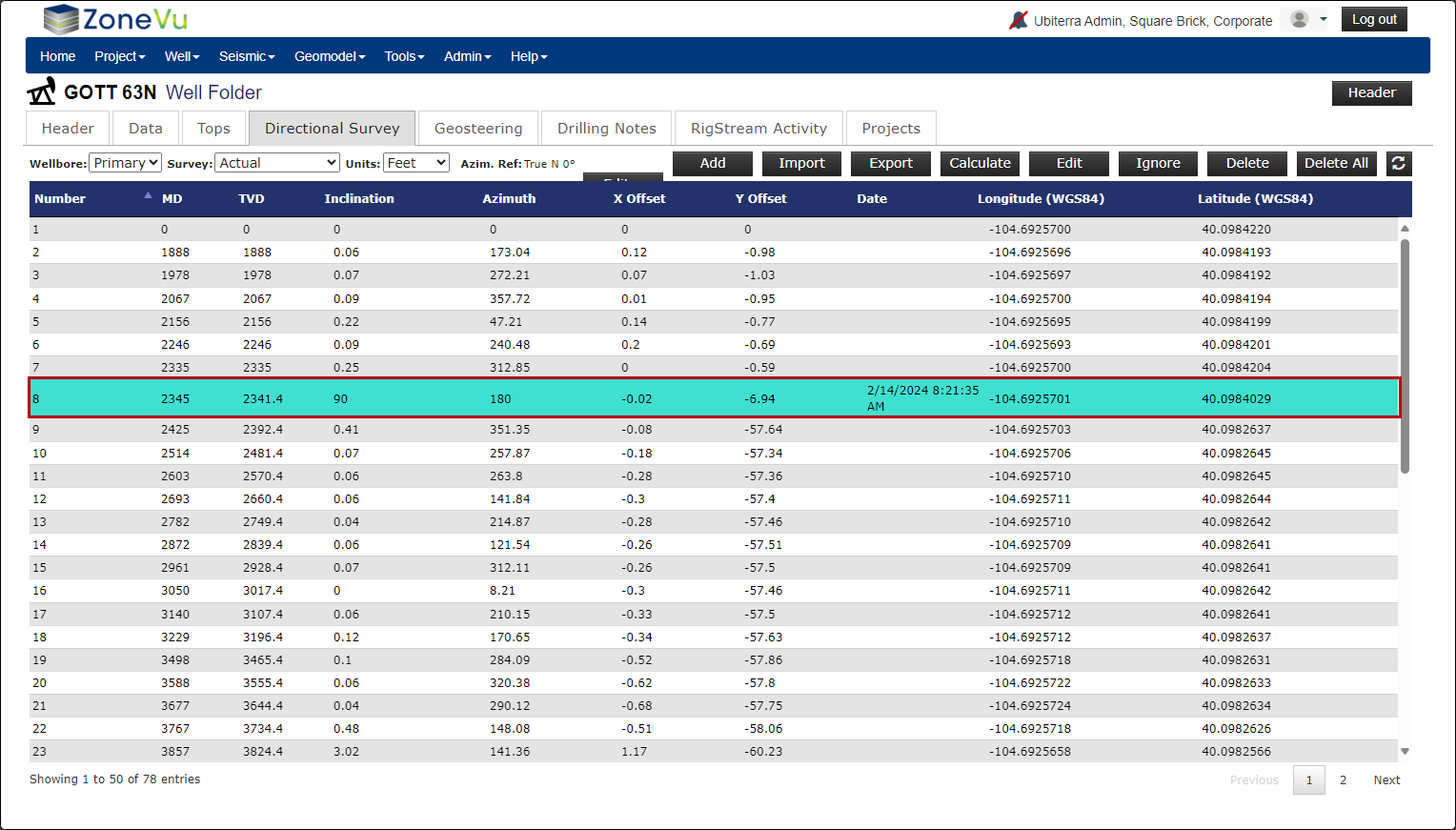
Ignoring the Bad Survey:
Once you have identified the bad Survey, go to the Deviation Survey tab in the Well Folder
Find and select the bad Survey Station
Click the "Ignore" button.
Note: You must ignore bad Survey Stations when using RigStream. Marking a Survey Station as "Ignored" will hide this station from the list, RigStream will not update this Survey Station, and ZoneVu will not use this Survey Station in the Wellbore Trajectory. If you delete the bad Survey Station, it will be replaced on the next RigStream update.