At times, bad survey data will be populated into your WITSML feed. To remove this bad survey from the Deviation Survey, you must navigate to the Directional Survey tab in the Well's folder and "Ignore" the bad survey. If you "Delete" the bad survey, ZoneVu will replace the deleted survey on the next RigStream Update. See below for a detailed walkthrough on how to remove a bad survey.
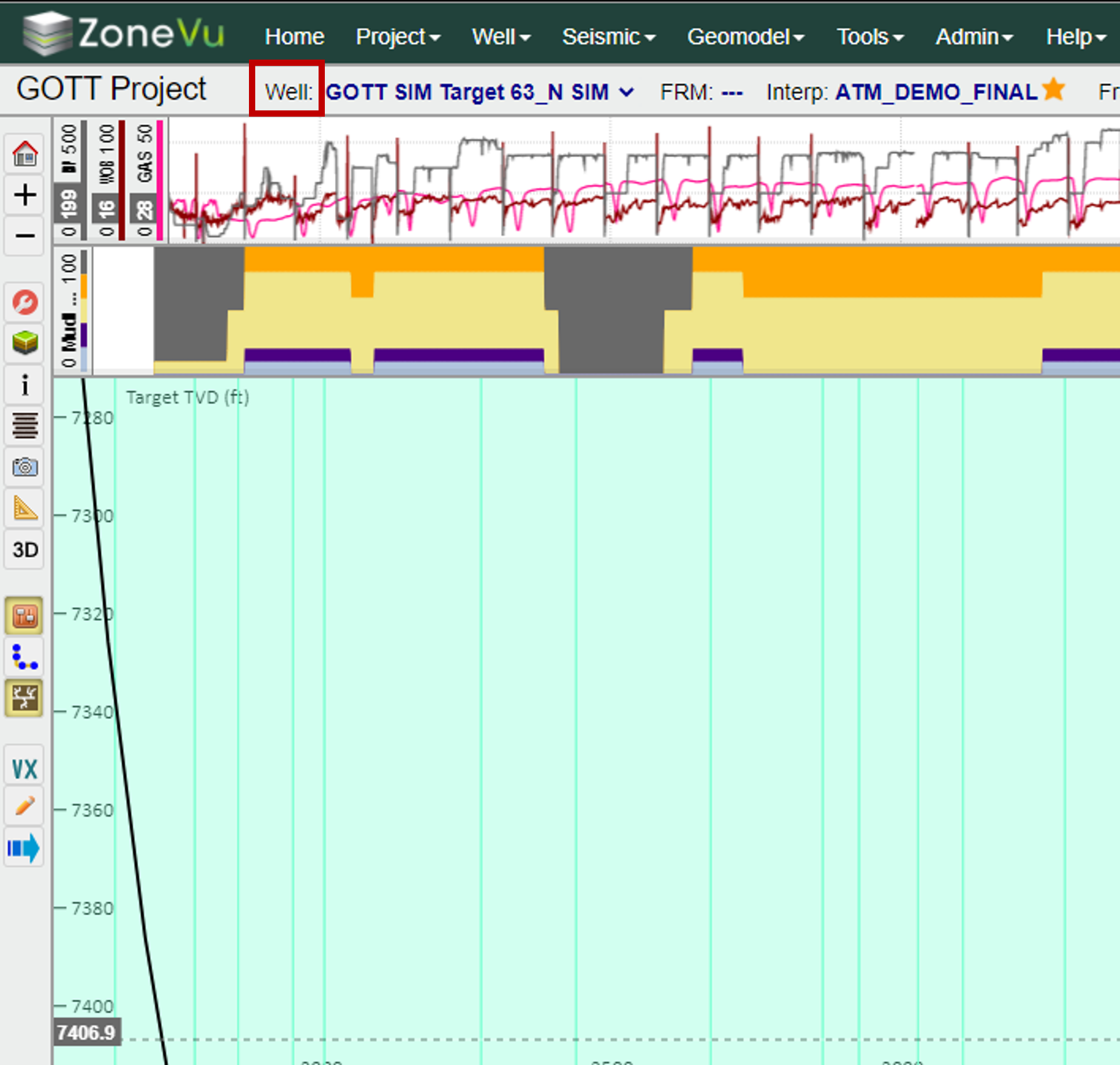
From inside the ZoneVu Viewer, navigate to the Well Folder by selecting "Well:" in the ribbon at the top of the Viewer
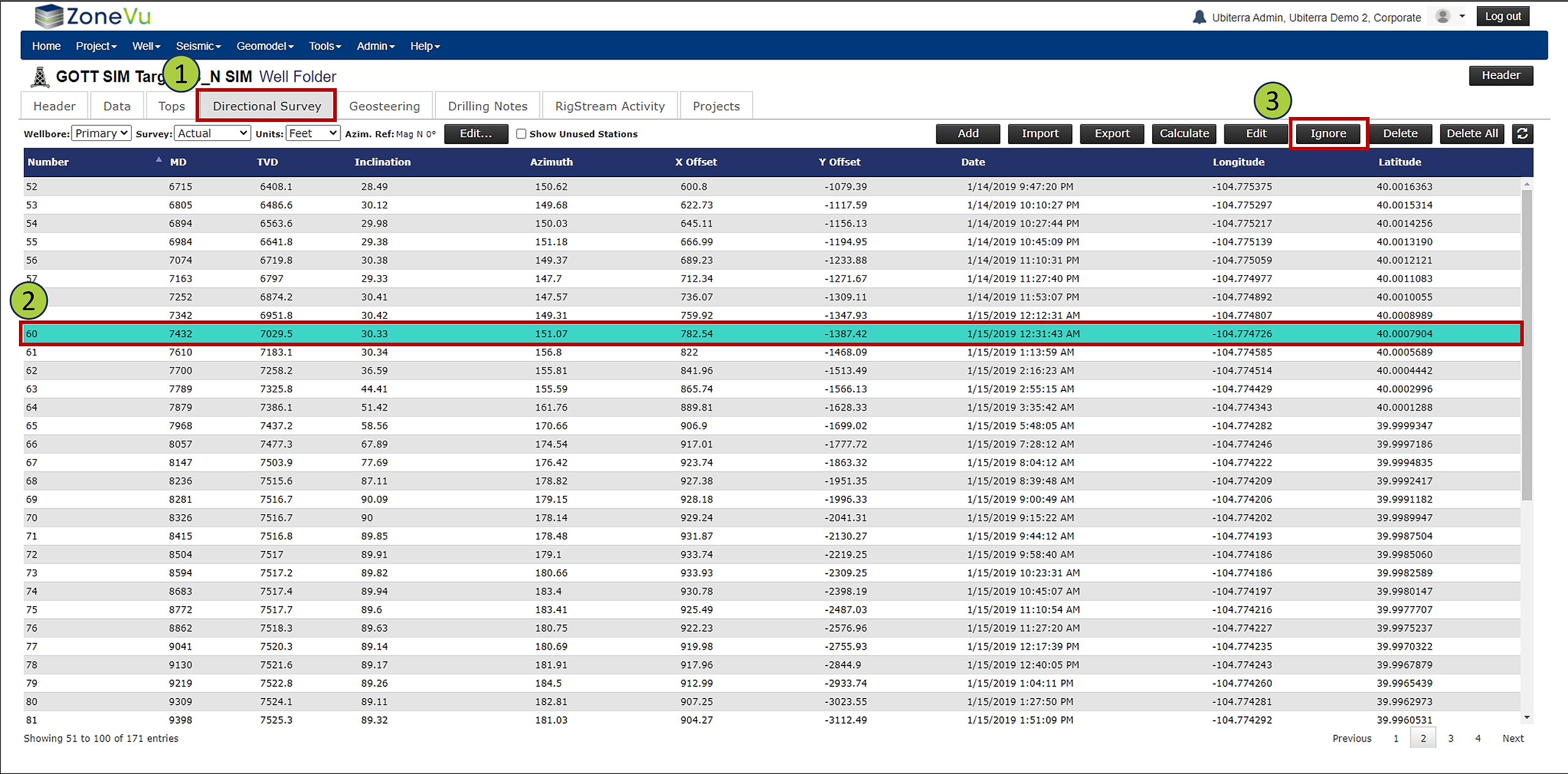
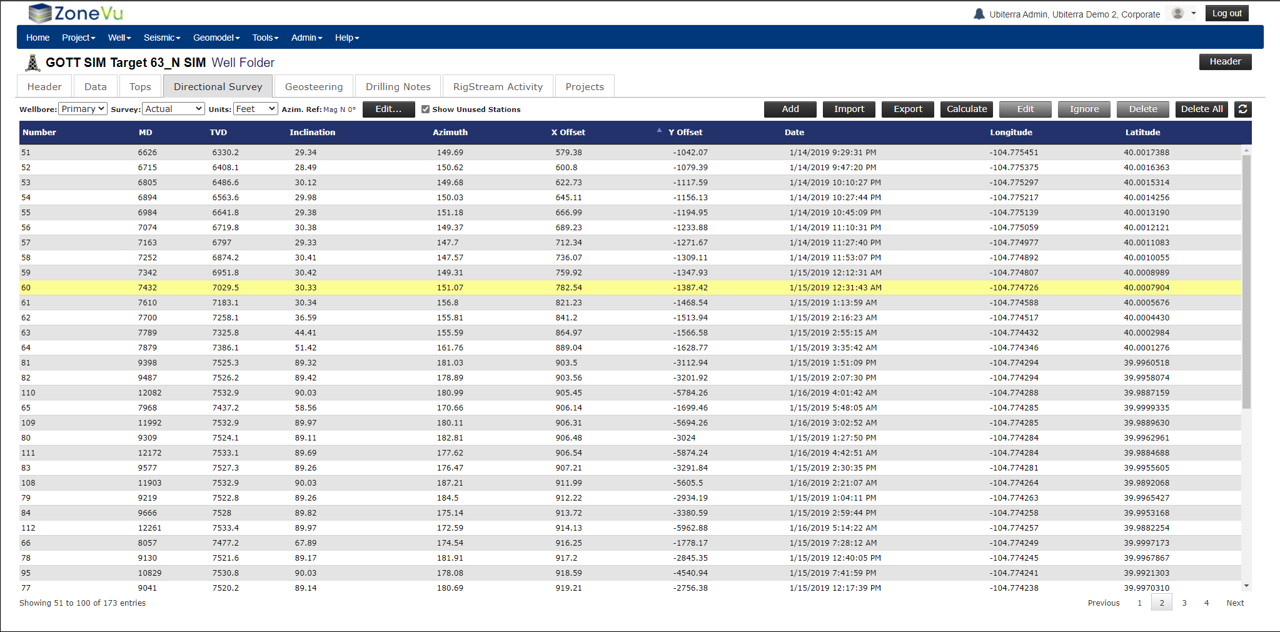
Select the Directional Survey tab and make sure you are looking at the "Active" Survey
Find and select the bad survey station
Click the "Ignore" button in the upper-right corner of the window
This will tell ZoneVu that the survey point should not be included in the Deviation Survey, but also not to replace the survey on the next RigStream Update
If you delete the bad survey, ZoneVu will replace it in the next RigStream Update
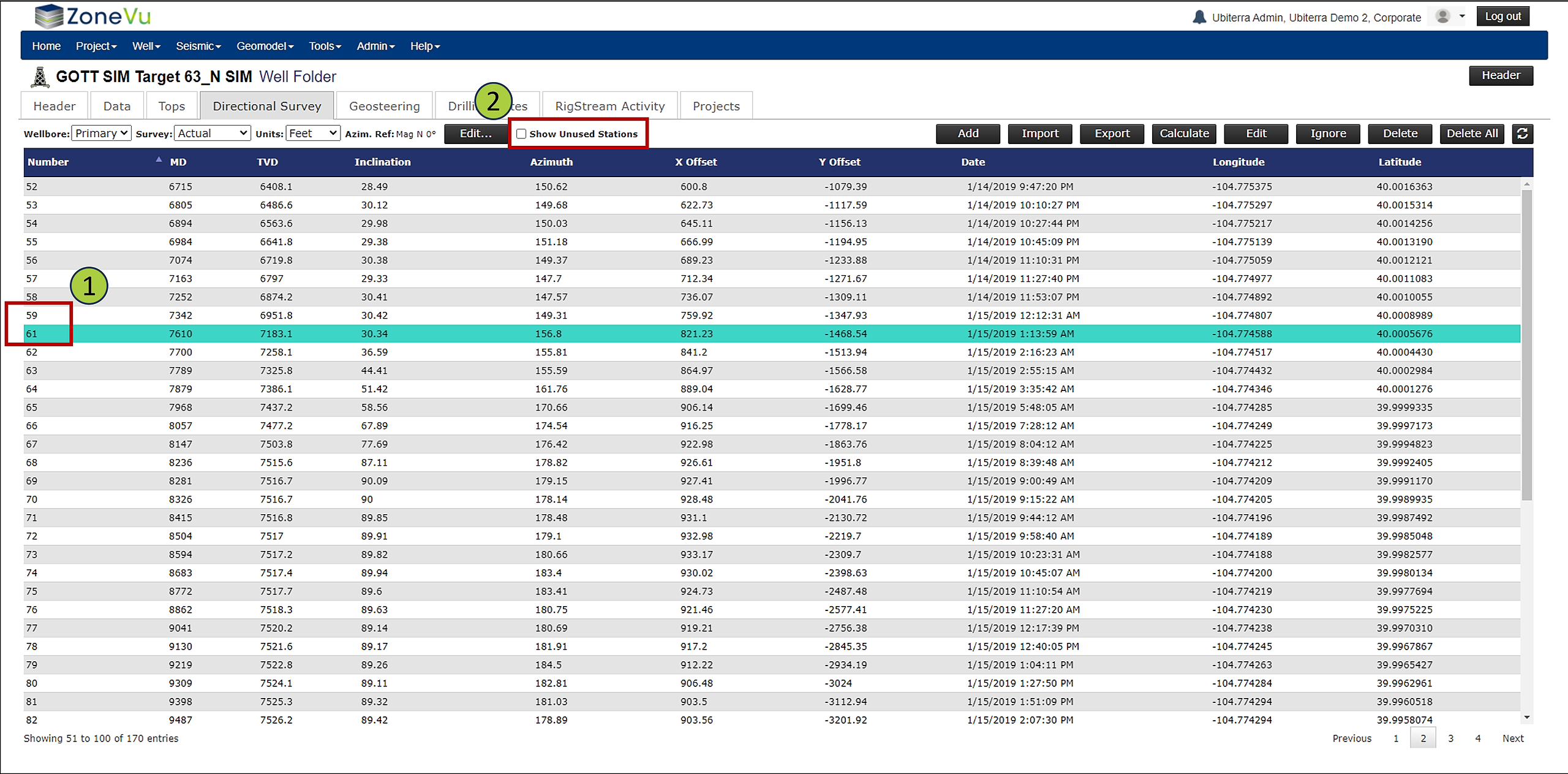
You will notice the ignored survey no longer appears in the list (Note how line 60 no longer appears)
If you wish to view the Ignored Survey(s), check the "Show Unused Stations" checkbox in the upper ribbon
The ignored survey will have a yellow highlighting indicating it has been "Ignored"
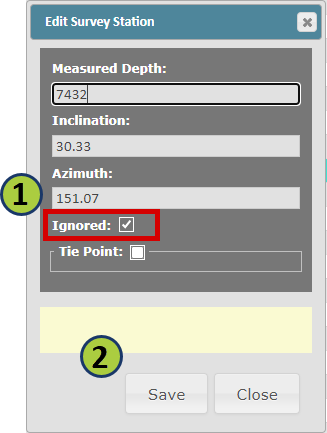
To un-ignore a survey, right-click on the ignored survey station and select "Edit"
In the Edit Survey Station pop-up, you can uncheck the "Ignored" checkbox to resume using the survey station in the wells Directional Survey
Make sure to click "Save" to save your changes