

There is also a video showing how to set up a RigStream Connection and how to turn RigStream on for a specific well: RigStream Configuration
Note: Only Admin Level Users can add/edit a company's RigStream Configurations
Creating a new RigStream Connection:
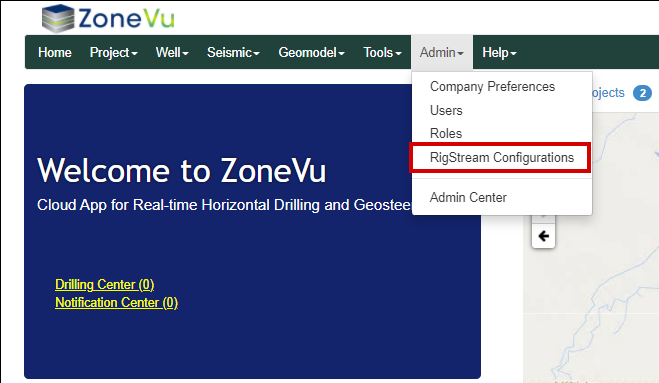
To add/edit/delete a RigStream Connection, go to RigStream Configurations under the Admin tab
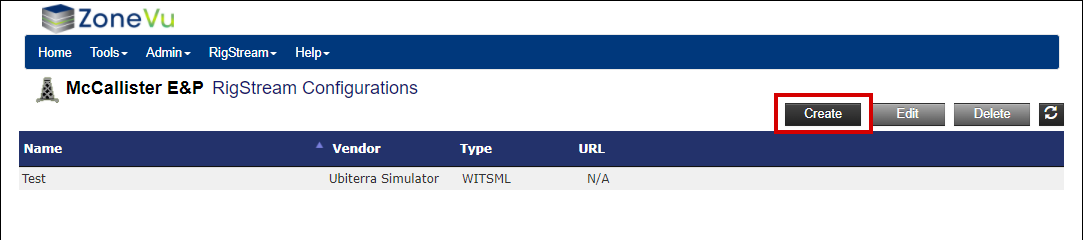
Once the RigStream Configuration window opens click the "Create" button in the upper right corner
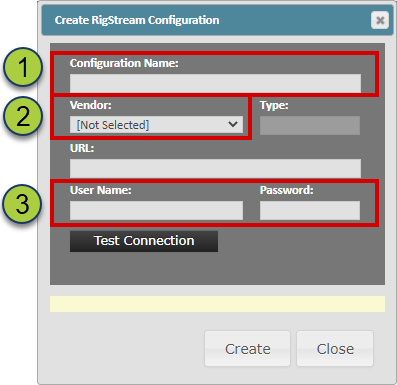
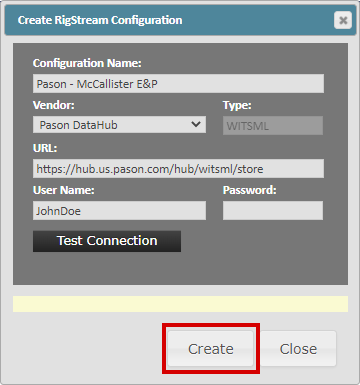
This will open the Create RigStream Configuration pop-up.
Provide a unique name for this RigStream Connection
Select the WITSML provided from the Vendor dropdown
ZoneVu will populate the Type and URL data based on the selected Vendor
Note: If your WITSML provider is not listed please contact Ubiterra Support: support@ubiterra.com
Input the login credentials you wish to use to set up this RigStream Connection
The user profile used must have WITSML downloading rights
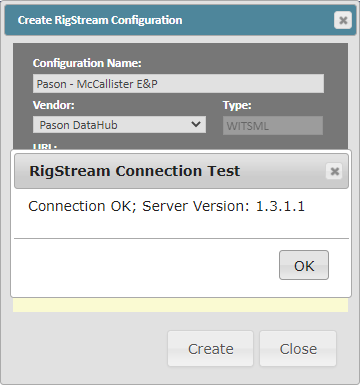
Once you have filled out the required information, click the "Test Connection" button to test if RigStream can connect to the Vendor's servers
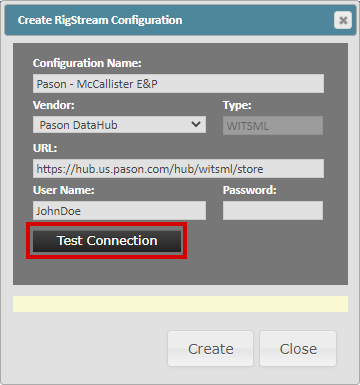
If the test is successful, you will receive a "Connection OK" message. If you receive an error message, check that the login credentials you used were correct
Once you have successfully tested your RigStream Connection, click the "Create" button
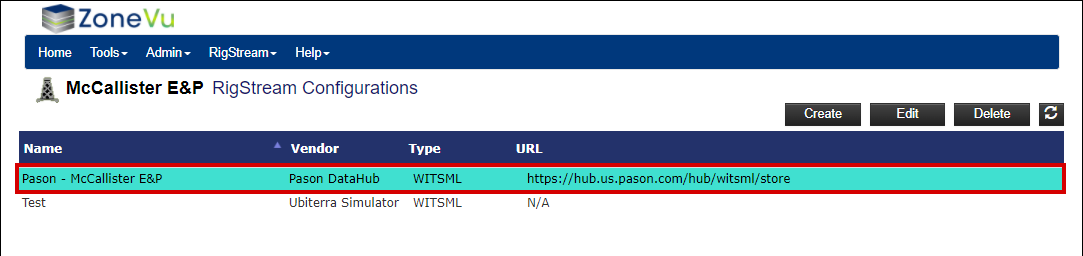
The newly created RigStream Connection will now be listed in the RigStream Configurations list. Use the buttons in the upper right to edit or delete any existing RigStream Connections
Related Articles: