
User-Defined Columns
User-Defined Columns allows the user to include data in their frac jobs or plans that do not fit in the preset standardized columns of the ZoneVu Frac Stage Table. User Defined columns can be given any name. The User-Defined Column Names are Global and can be reused across a company's ZoneVu account.
Users can manage User-Defined Columns names and merge existing User-Defined Columns from the User-Defined Column Manager.
See User-Defined Column Manger, Merge User-Defined Columns
Creating Using -Defined Columns
There are two ways to create a User-Defined Column in your ZoneVu Account.
Import a User-Defined Column using the Zone Frac Import Spreadsheet
Create a User-Defined Column in the Frac Stage Table.
User Defined Columns in the Frac Import Spreadsheet
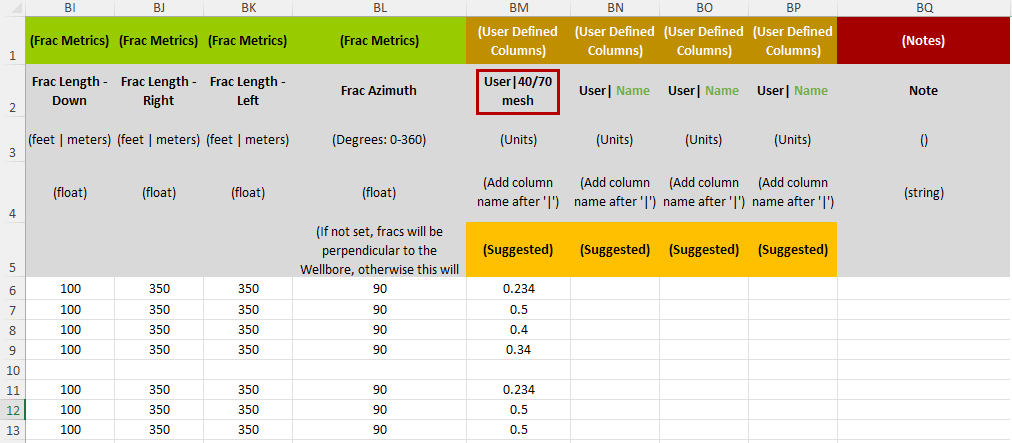
To Create a new User-Defined Column via the Frac Import Spreadsheet, put the desired name of the column after the bar '|' in the User-Defined Column header of the Frac Import Spreadsheet, row 2. The User-Defined Columns support floating point values (float).
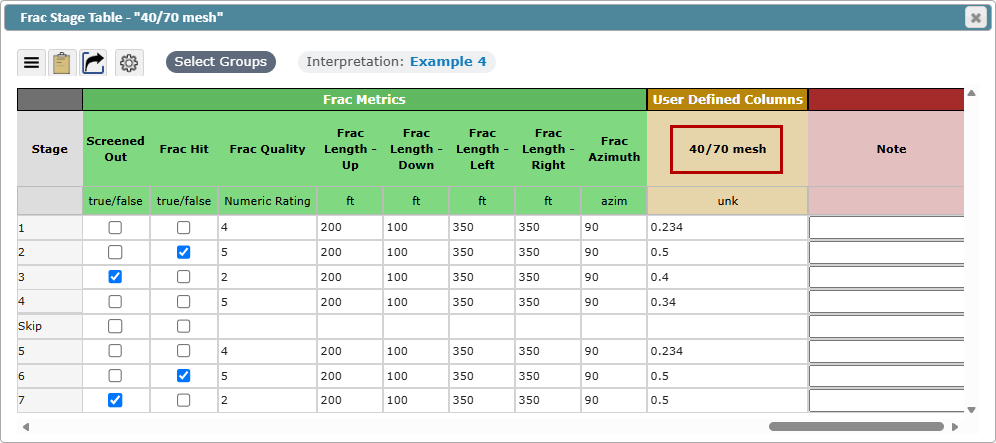
Example: A User Defined Column created in the Import Spreadsheet as "User | 40/70 mesh", will be a User-Defined Column in the Frac Stage Table named "40/70 mesh".
See How to Import Frac Data, Frac Import Spreadsheet Download
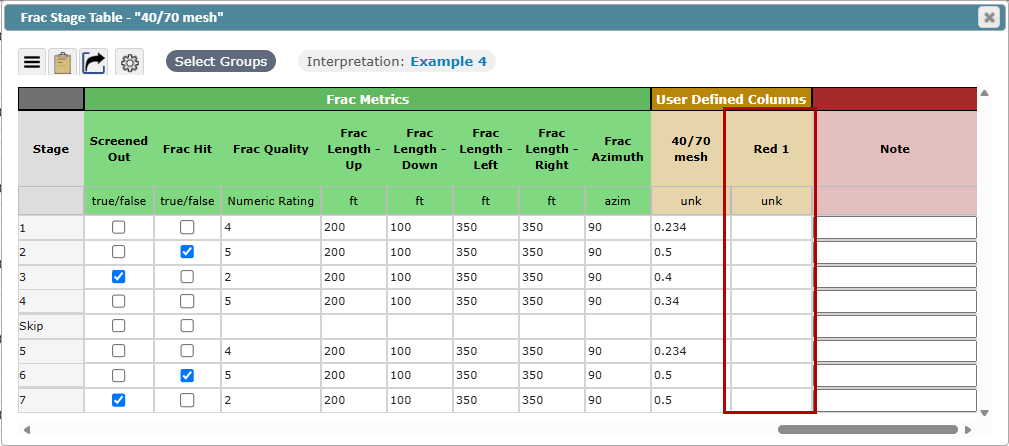
User-Defined Columns in the Frac Stage Table
Adding a New User-Defined Column to you ZoneVu Account
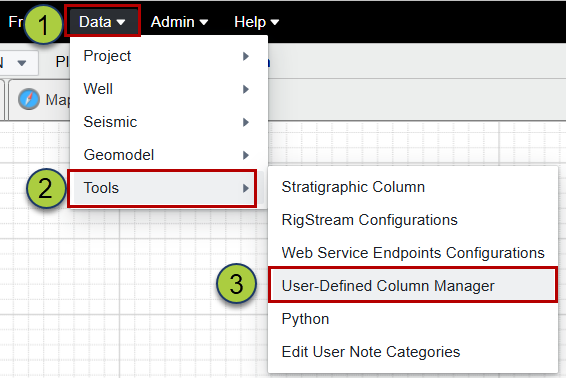
Click the Data drop-down Menu
Hover over the Tools Option to cascade the Tools Menu
Click on the User-Defined Column Manager Option to Open the 'User-Defined Column Manager'
Click the 'Add/Create' button in the 'User-Defined Column Manager' to open the 'Create New Column' dialog
Give the Column a Name (required)
Select a Unit (optional)
Click OK
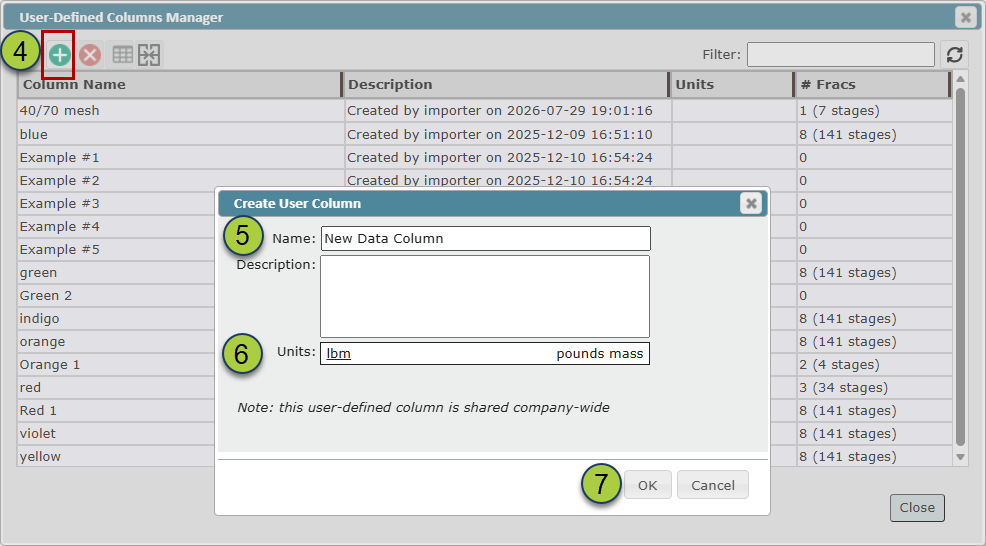
Adding an existing User-Defined Column to your Frac Stage Table
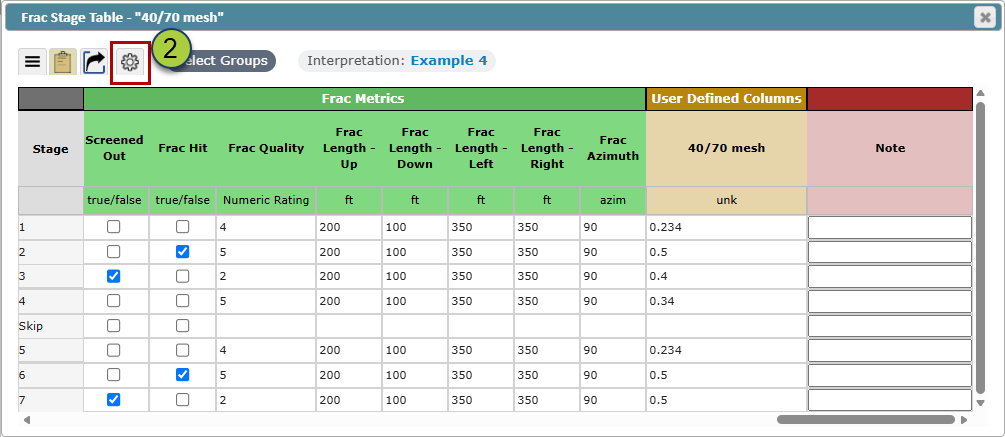
Open the Frac Stage Table using the Spreadsheet Icon
 in the 'ZoneVu Frac Button Tree'
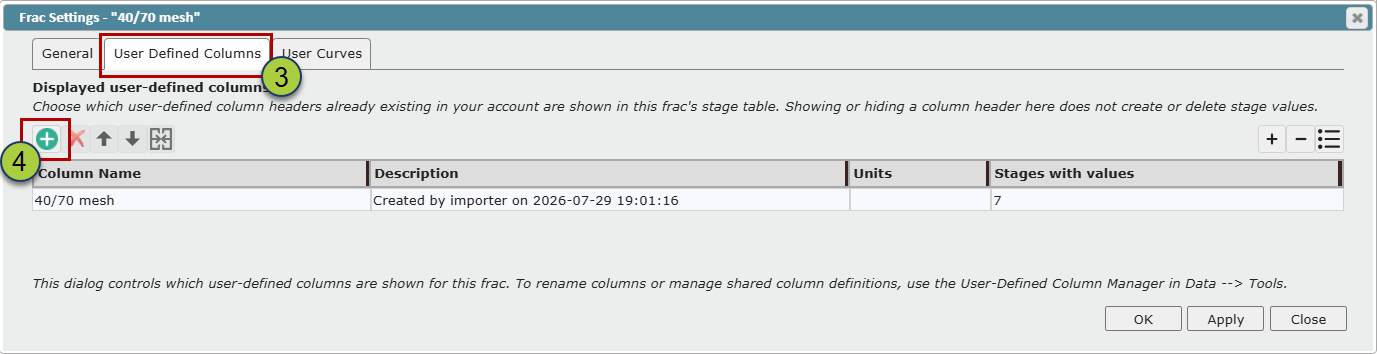
 Click on the Settings Button to open the 'Frac Settings' dialog
Go to the 'User-Defined Columns' tab
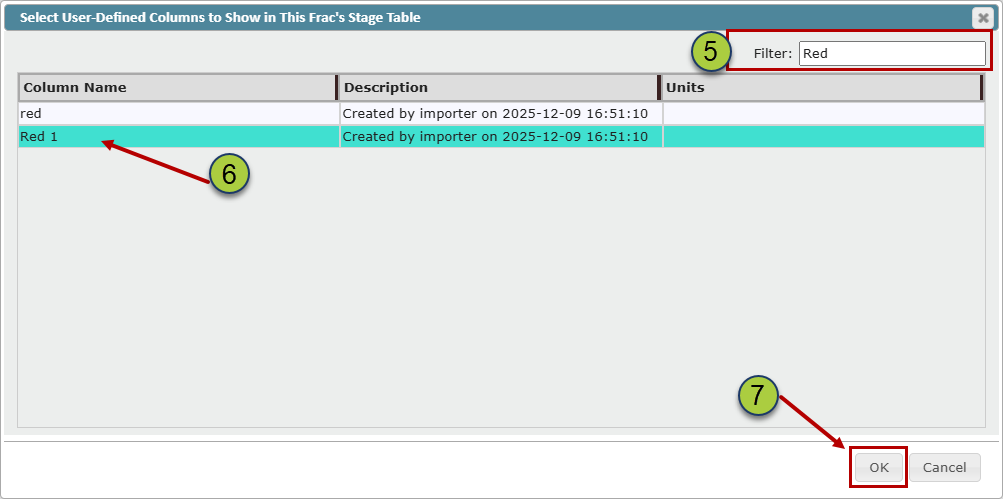
Click the 'Add/Create' button to open the 'Select User-Defined Column to Show in the Frac's Stage Table' dialog.
Filter on the name if necessary
Select the User-Defined Column name you would like to add
Click OK 'Select User-Defined Column to Show in the Frac's Stage Table' dialog.
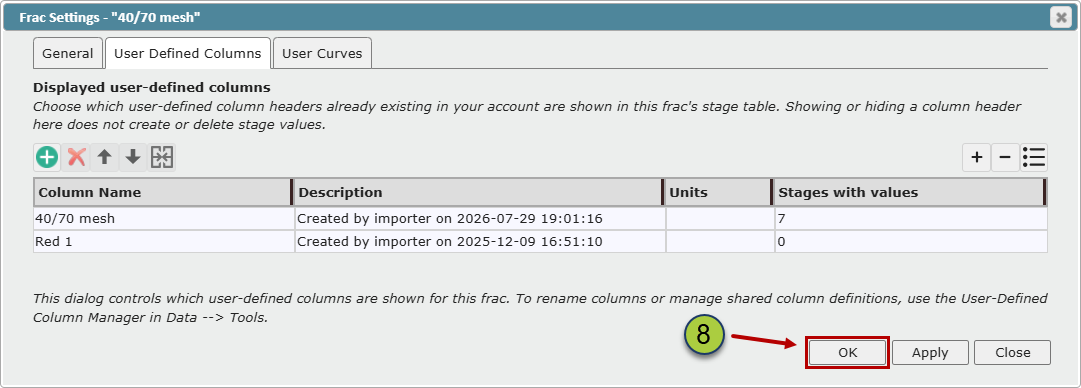
Click OK or Apply and Close in the 'Frac Settings' dialog