

To load Seismic data (Seismic Volumes, Horizons, and Fault Picks) into ZoneVu, you must first create a Seismic Survey to house this data. This article outlines how to create a Seismic Survey in ZoneVu.
Creating a Seismic Survey:
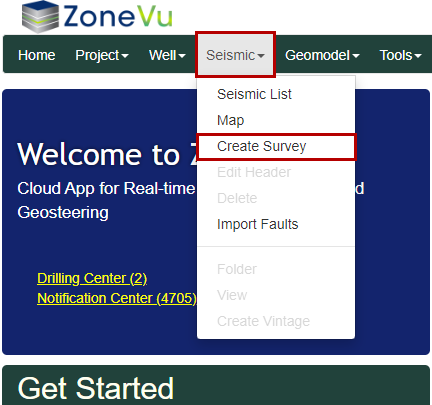
Under the “Seismic” dropdown, select “Create Survey” to open the “Create Seismic Survey” dialog box
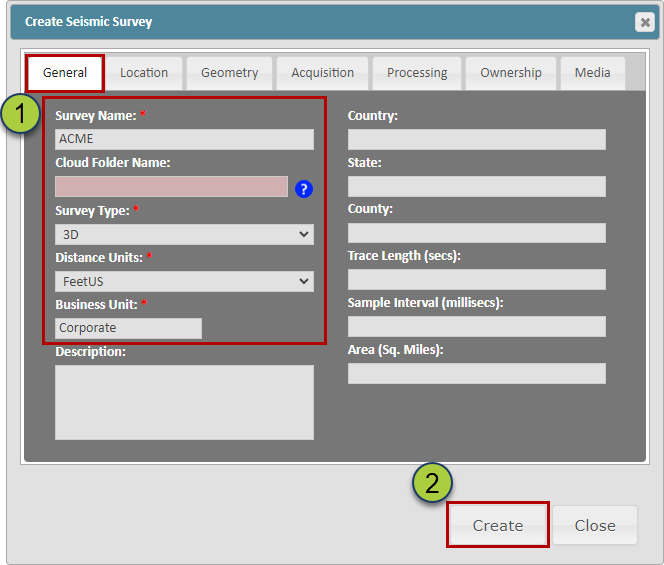
Name the Survey (every Survey in your ZoneVu account must have a unique name) and select the Survey Type, Distance Units, and Business Unit
Note: ZoneVu can load and store 2D seismic lines and Time Volumes, but only 3D Depth Volumes can be viewed in the Viewer
Then click the "Create" button to create the Seismic Survey
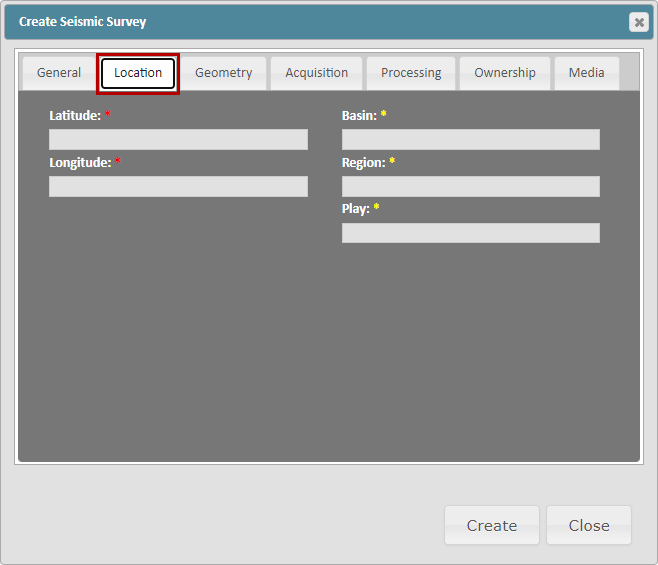
Location Tab:
This tab allows for additional location information to be added. ZoneVu will update the Latitude and Longitude data once a Seismic Volume has been loaded into the Seismic Survey.
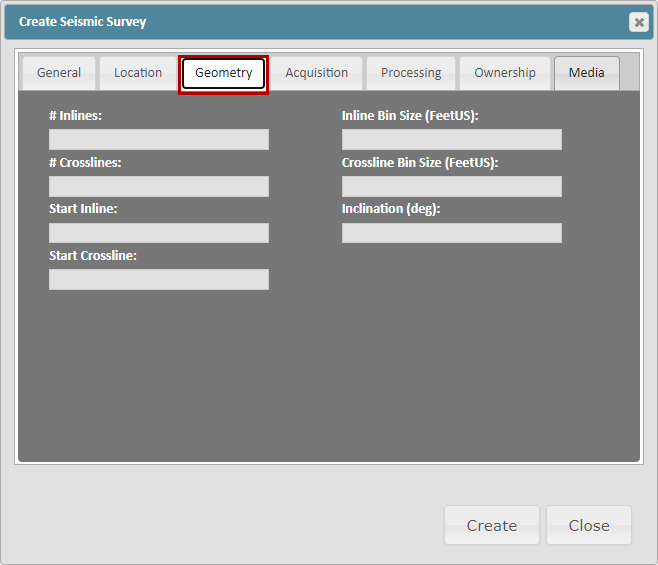
Geometry Tab:
This tab contains additional Geometry data related to the loaded Seismic Volumes. ZoneVu will automatically update this tab once a Seismic Volume has been loaded into the Seismic Survey
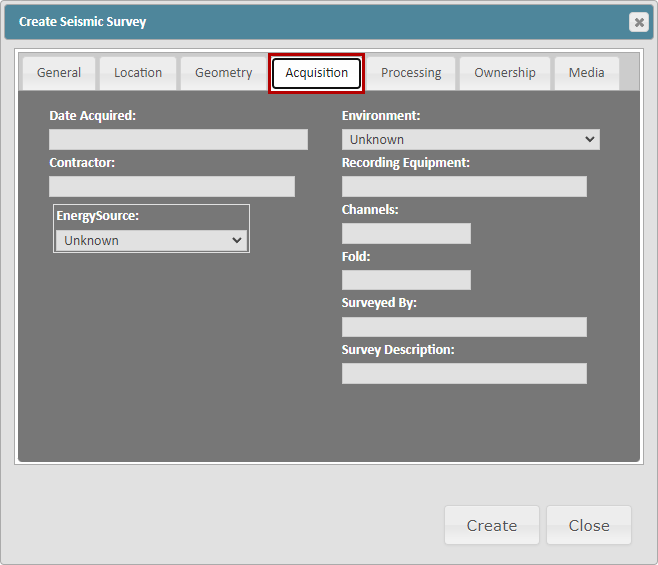
Acquisition Tab:
This tab allows for additional information related to the Seismic Survey's acquisition.
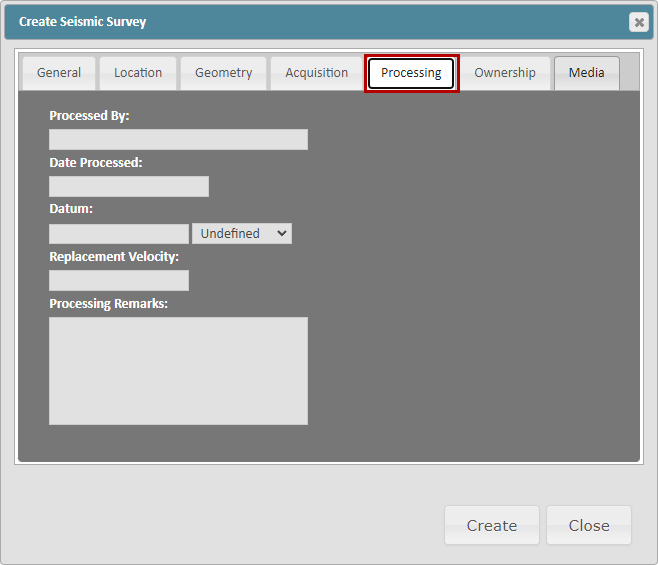
Processing Tab:
This tab allows for additional information related to the Seismic Survey's processing.
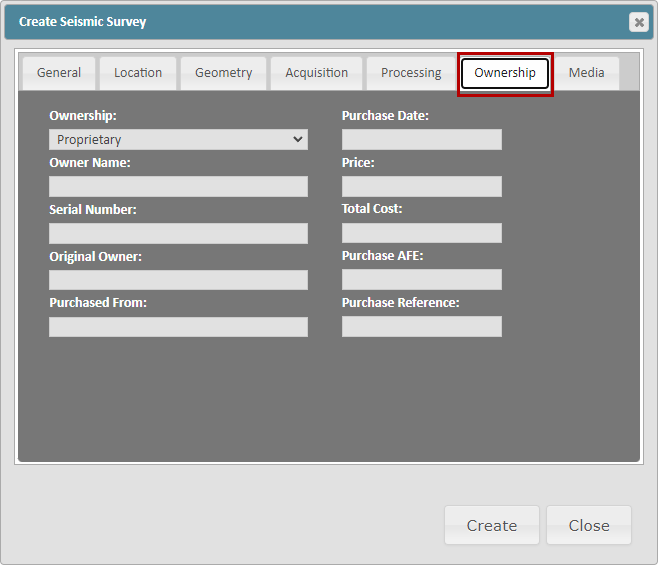
Ownership Tab:
This tab allows for additional information related to the Seismic Survey's Ownership.
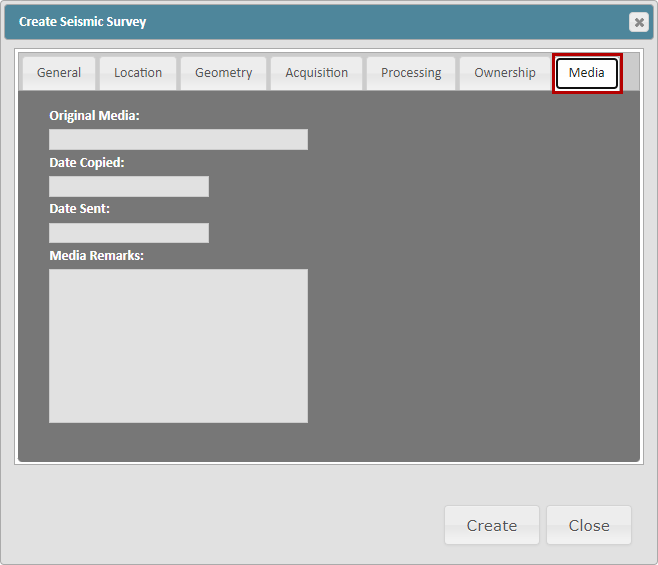
Media Tab:
This tab allows for additional information related to the Seismic Survey's media.
Related Articles:
Exporting Seismic & Faults from Kingdom and Importing into ZoneVu