

ZoneVu can import the faults picked on your 3D seismic volumes and create Fault Surfaces for use while Drilling, Geosteering, and Frac'ing your Wells. This article details how to load your Fault Picks.
Importing Fault Picks:
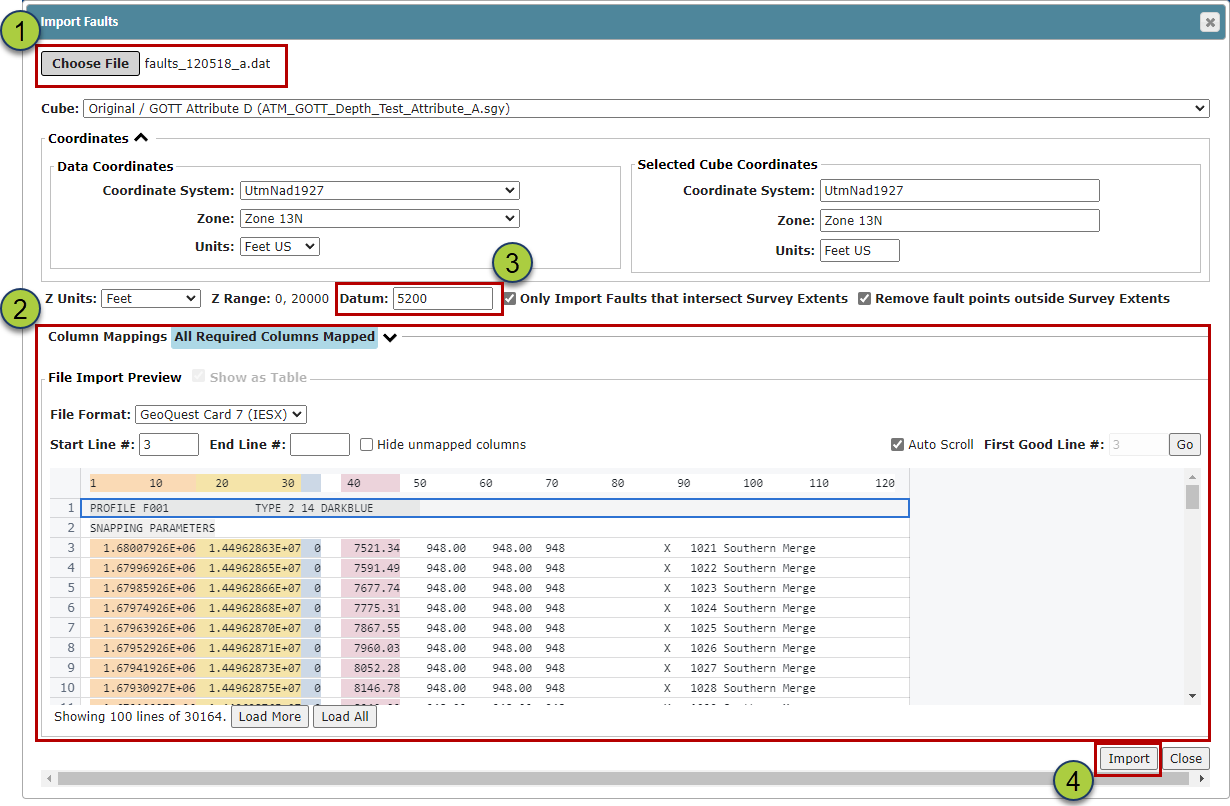
Once back in the Seismic Folder, navigate to the “Faults” tab and click the “Import” button to open the Fault Import pop-up

Drag & Drop your Fault Pick file or use the File Navigation pop-up (Ideally GeoQuest Card 7 format)
Make sure all the required data has been selected
If the associated Seismic Volume has been depth clipped (which will change the datum for the seismic volume), make sure the datum used in the Fault Import dialog box matches your Seismic Project's datum and not the SEGY datum
Click the “Import” button to load the Fault Picks
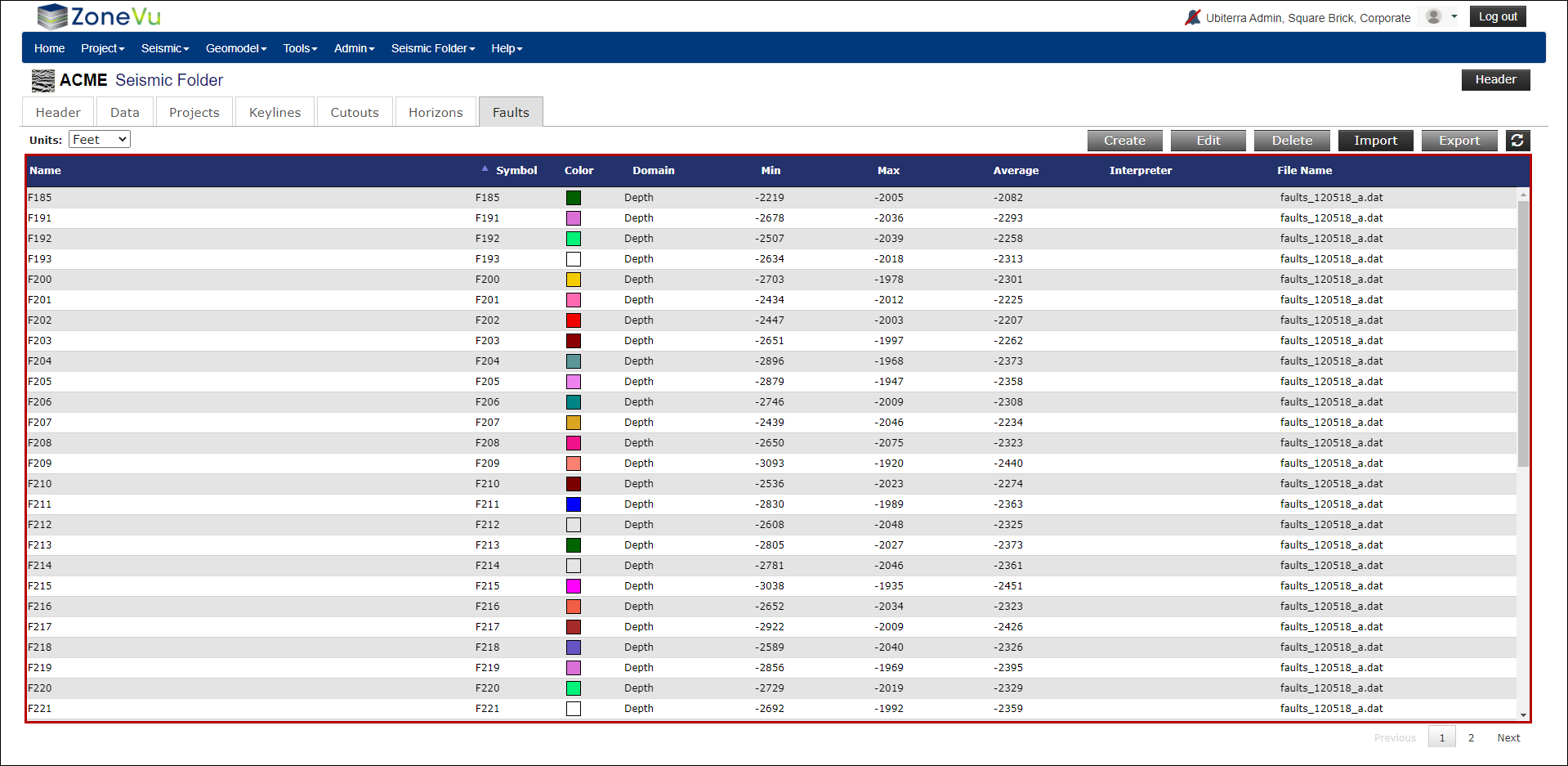
The imported Faults will now appear in the Fault List. Select a Fault to edit its properties
Related Articles:
Exporting Seismic & Faults from Kingdom and Importing into ZoneVu